
Gaspard LEZIN
Best Billing Software for Small Business: Your 2026 Guide
Find the best billing software for small business. Our 2026 guide compares payment rails to help you choose the right model for your needs.
If you're shopping for the best billing software for small business, you're probably already feeling the problem. Invoices go out on time, customers say they paid, but your cash still feels stuck. One platform says funds are on the way. Another sends money to your bank on its own schedule. International clients add another layer of friction with currency conversion, tax handling, and settlement uncertainty.
That's why most billing software comparisons miss the point. They obsess over invoice templates, branding, and reminder emails. Those features matter, but they don't answer the question that affects your business every week: how do you receive and use your money?
Modern billing software sits inside a larger payment stack. It touches invoicing, bookkeeping, collections, subscriptions, and payouts. If you run an agency, SaaS product, online store, or paid community, the software you choose shapes cash flow, operational speed, and how much manual cleanup your team still has to do.
Table of Contents
Billing now affects operations, not just admin
The hidden cost is workflow friction
Look at the money flow first
Global support has to be practical
Pricing should be understandable
Integrations should remove work
Quick comparison
Traditional card processors
Bank-dependent processors
Stablecoin-native settlement rails
SaaS and membership businesses
E-commerce and digital products
Creators and paid communities
Agencies and freelancers
What the product actually does
Where it fits operationally
My direct take
What to choose based on your stage
Choosing Billing Software Is About More Than Invoices
You finish a client project on Tuesday, send the invoice the same day, and still cannot use the money by Friday. That is the actual billing problem small businesses run into. The invoice went out. Operations still stalled.
The initial checklist for billing software often includes basic questions. Can it send invoices, automate reminders, and accept cards? Those are entry-level requirements. Once you sell across borders, bill on a recurring basis, or depend on tight cash flow, the bigger question is how the platform moves money after the invoice is paid.
That is the point many reviews miss. They compare invoice templates, dashboards, and bookkeeping add-ons. The smarter comparison is the payment rail underneath the software, a distinction covered in more depth in our guide to invoicing and billing software. Card processors, bank-transfer workflows, and stablecoin settlement do not produce the same payout speed, costs, or international reach. If you want better billing, start there.
Billing now affects operations, not just admin
Billing software now sits in the middle of your revenue operations. It determines how quickly completed work turns into usable funds, how much manual follow-up your team handles, and how much friction your customers face at checkout or on an invoice.
A good system improves four things:
Cash-flow control: You can see what has settled, what is pending, and what is available to spend.
Collection speed: Recurring billing, reminders, and embedded payment options reduce delay.
Finance workload: Reconciliation, exception handling, and payment tracking take less manual effort.
Customer experience: Buyers get payment methods that fit how they already pay.
Workday's 2026 invoicing guide points to the baseline the market now expects, including smart templates, automated follow-ups, and instant payment options. Bookipi's best invoicing software overview also shows how vendors are splitting by business model, not just by invoice creation.
Practical rule: If your billing tool only sends invoices, you are still missing the payment system.
The hidden cost is workflow friction
Business owners typically replace billing software when the system slows down collections, creates cross-border payment friction, or adds too much back-office work. The visual design is rarely the issue. Settlement delays, payout uncertainty, and messy reconciliation are.
This matters even more if your invoicing starts with tracked work. Teams trying to solve timesheet fatigue for agencies often find that billing problems begin before the invoice is issued, in time tracking, approvals, and handoff to finance.
Pricing also deserves more scrutiny than feature grids usually get. Before you commit, review platforms with transparent pricing for small business payments, because unclear fees usually show up later as margin loss, failed forecasting, or both.
The best billing software for small business is the one that shortens the path from completed work to usable money, with the fewest banking dependencies possible. That is why the payment rail matters more than the invoice layout.
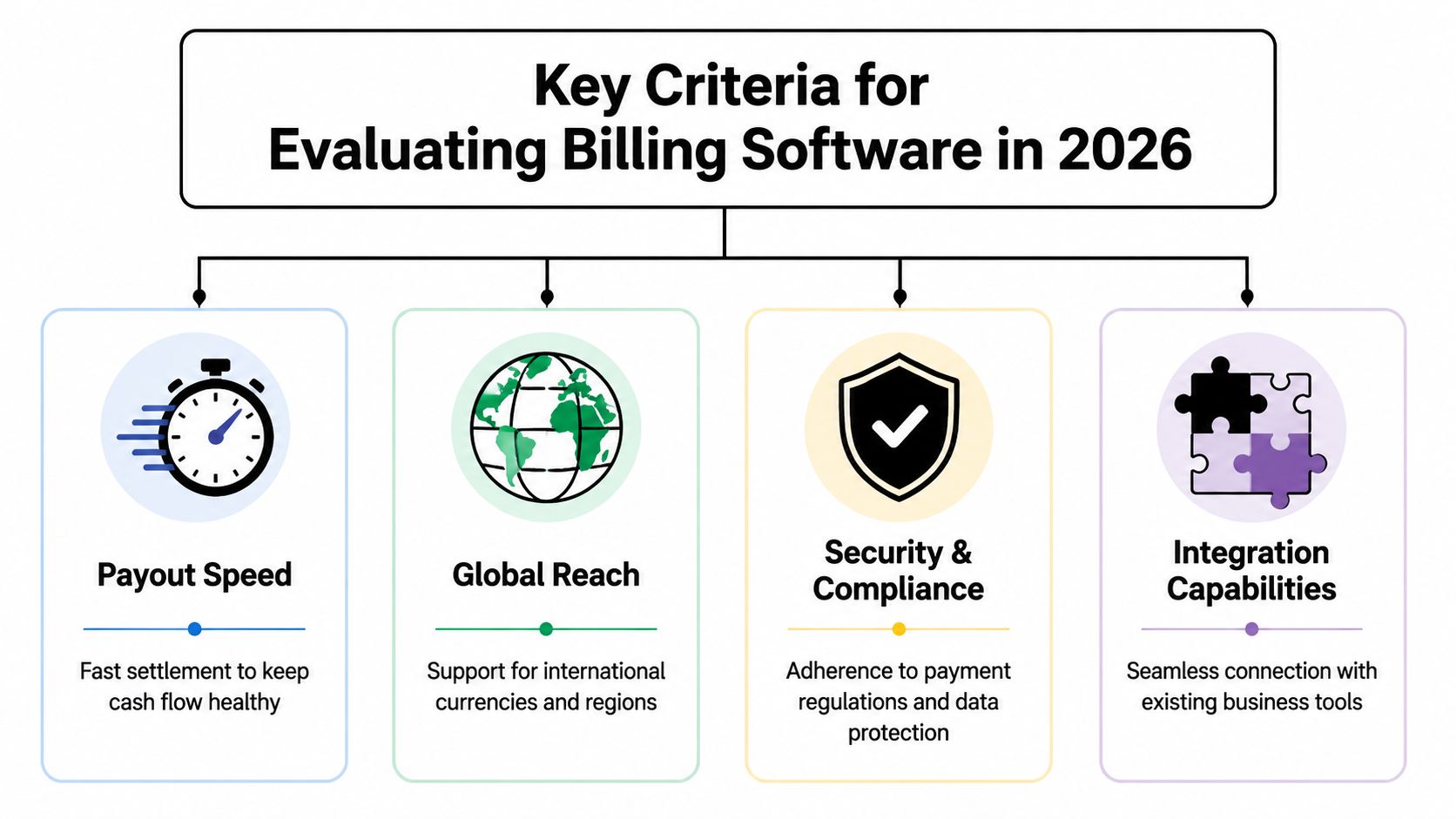
Key Criteria for Evaluating Billing Software in 2026
Most software roundups still rank products by features that are easy to screenshot. That's not how you should buy. You should evaluate billing software the same way you evaluate any critical financial system. Start with the movement of money, then work outward.
Look at the money flow first
The biggest gap in billing software coverage is payout speed and settlement certainty. Mainstream invoice software pages usually emphasize getting paid in 1 to 7 business days, but they rarely explain when you can use the funds, what happens with cross-border transactions, or how payout holds affect operations, as noted by Wave's invoicing overview.
That gap matters more than another invoice template ever will.
Ask blunt questions:
When are funds settled to me?
Can I predict settlement timing across borders?
Am I waiting on banking rails I don't control?
Will my team need to monitor holds or exceptions manually?
If those answers are fuzzy, the software isn't solving your real billing problem.
Global support has to be practical
If you sell internationally, basic invoicing features aren't enough. Workday highlights automatic currency conversion and tax calculation based on client location as the technical requirements that separate simple tools from more capable systems in its guide to invoicing software features.
That's the baseline. I'd push further. You also need to know whether your payout model creates FX exposure, whether fees are buried inside settlement, and whether your payment method mix works for customers in different regions.
A billing stack can support international selling on the front end and still create a mess on the payout side.
Pricing should be understandable
Opaque pricing undermines margin. Traditional payment stacks often split fees across processor charges, card costs, conversion spreads, and banking friction. That makes it hard to know what you pay for payment acceptance.
I prefer simple pricing structures because finance teams and founders can make faster decisions with them. If you want a useful framework for evaluating fee clarity, this guide on transparent pricing for small business payments is worth reviewing alongside your current processor contract.
You should be able to answer these questions without reading the fine print three times:
What triggers extra fees
Whether cross-border costs are explicit
How refunds and disputes are handled
Whether payout timing changes the actual cost
If your billing software vendor makes pricing hard to model, expect operational surprises later.
Integrations should remove work
The final check is workflow integration. Good billing software should connect to the systems that run your business, not create another silo. That includes accounting, product access, CRM updates, and internal notifications.
For teams still handling invoices manually, the operational upside usually starts with the benefits of invoice automation. But automation is only useful if it reaches beyond document creation and into payment collection, status changes, and downstream actions.
The best setups do three things well:
Trigger actions automatically: Paid invoice, updated status, customer access granted.
Support recurring logic: Especially for subscriptions and memberships.
Give developers options: APIs and webhooks matter when billing touches your product, and teams evaluating how to test those endpoints often review alternatives to Postman as part of the workflow.
Security and compliance belong in this evaluation too, but from a buying perspective they are table stakes. Ultimately, the distinguishing factor is whether the software improves your cash position and reduces operational drag.
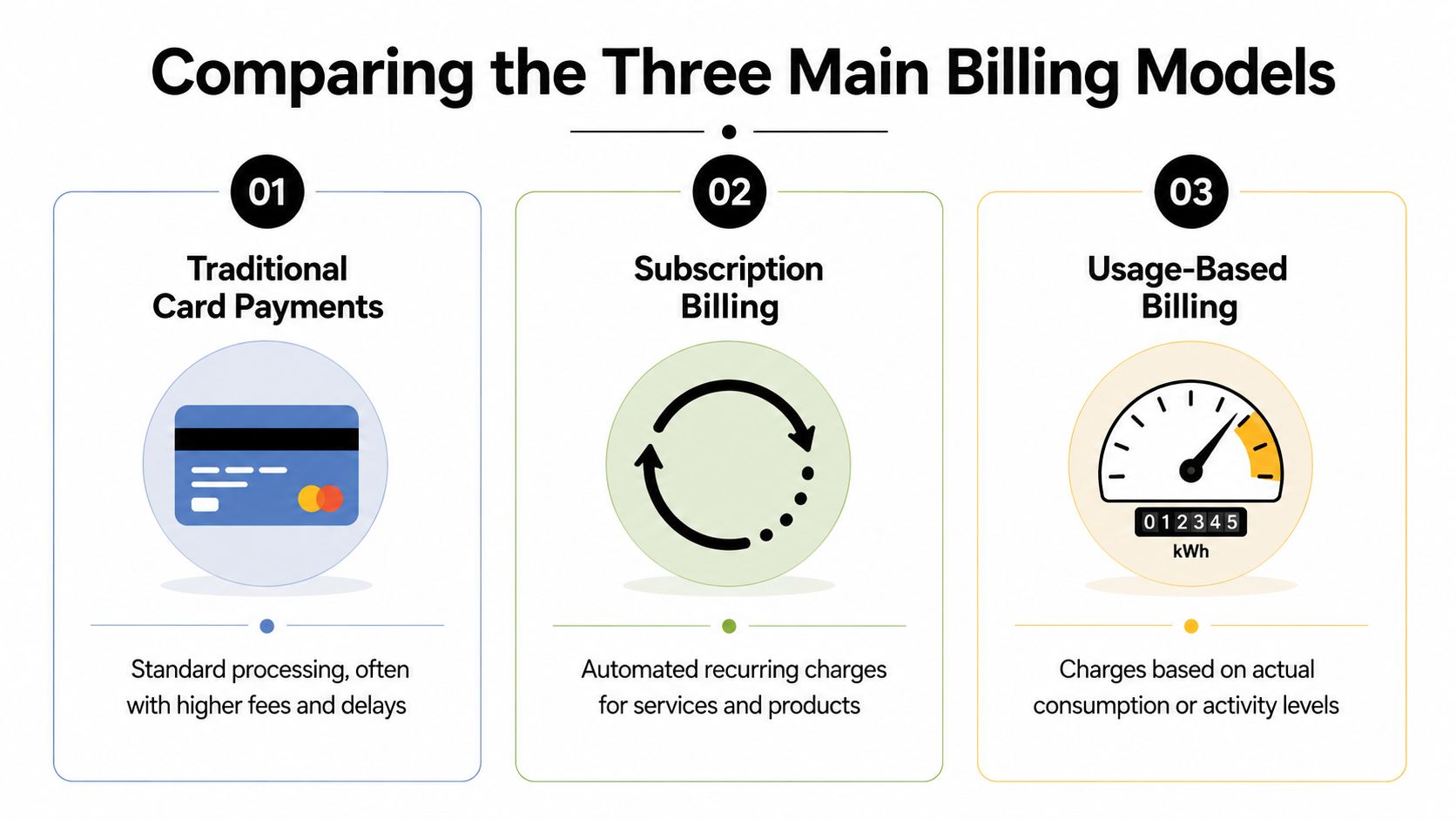
Comparing the Three Main Billing Models
A client pays your invoice on Tuesday. On Wednesday, your software marks it paid. On Friday, you are still waiting for usable cash, checking fees, and explaining to finance why the payout is short. That is not an invoicing problem. It is a payment rail problem.
That distinction gets missed in most billing software roundups. The interface matters, but the rail underneath matters more because it decides settlement speed, fee visibility, reconciliation workload, and how painful international payments become.
Quick comparison
Model | Best for | Main strength | Main weakness |
|---|---|---|---|
Traditional card processors | Domestic businesses that want familiar card acceptance | Easy customer checkout | Delayed settlement and fee complexity |
Bank-dependent processors | Larger domestic transfers and bank-based invoicing | Works for straightforward local payments | Slow, manual, poor for global customer experience |
Stablecoin-native rails | Global online businesses that care about payout speed and borderless settlement | Faster access to funds and simpler cross-border settlement | Requires wallet and treasury processes |
Traditional card processors
Card processors remain the default for a reason. Customers already know the flow, checkout is easy, and your team can get started quickly.
The trade-off shows up after the payment goes through. Authorization happens first. Settlement comes later through banking partners, payout schedules, reserves, and processor rules. If you run a local service business or a simple online store with mostly domestic customers, that may be acceptable. If you depend on tight cash flow or sell across borders, it starts to hurt.
Watch for four pressure points:
Payout timing affects working capital
Processor fees and cross-border costs are hard to predict
Disputes and reserves create cash uncertainty
The bank remains between payment success and usable money
My view is simple. Card billing is convenient, but it gives you less control over when funds become usable.
Bank-dependent processors
This model pushes more of the payment flow onto ACH, local bank transfer, or wire instructions. It fits firms that send larger invoices, work on net terms, and deal with customers who expect to pay from a bank account.
It also creates more operational drag. Payment confirmation can lag. Reconciliation often needs manual work. International customers face extra friction because local bank habits do not travel well. For accounting firms, agencies, wholesalers, and consultants with a domestic client base, that may still be manageable. For online businesses, it usually slows down growth.
You have outgrown bank-first billing if any of this sounds familiar:
Your team spends time matching incoming transfers to invoices
Customers ask for card links or easier online checkout
Cross-border payments trigger email chains about banking details
Cash receipt timing depends more on bank cutoffs than billing logic
Bank rails still have a place. They are just a poor default for businesses that want faster collection and cleaner global operations.
Stablecoin-native settlement rails
Stablecoin settlement changes the part that usually causes the mess. Customers can still get a familiar payment experience in many setups, but the business settles into stablecoins such as USDC instead of waiting on slow bank payouts and layered intermediaries.
That improves two things fast. You get clearer settlement timing, and cross-border collection becomes less dependent on local banking systems, which is why many global sellers treat stablecoin rails as a practical swift alternative for moving money.
This model fits internet-native companies especially well. Software businesses, agencies, digital product sellers, creator businesses, and communities often care less about where the customer banks and more about getting paid quickly in a predictable form. If you are revisiting recurring revenue design, stablecoin rails pair well with modern billing logic and flexible subscription pricing models.
The trade-off is operational, not theoretical. You need wallet controls, treasury rules, and an accounting process your team can follow consistently. That is real work. It is still a better trade for many global businesses than accepting slow settlement, fragmented payouts, and avoidable cross-border friction.
Which Billing Model Best Fits Your Business?
There isn't one winner for every company. The right billing model depends on what you sell, who pays you, and how tightly billing needs to connect to delivery.
SaaS and membership businesses
This group should be the most demanding. Simple recurring invoices are not enough. Many “best billing software” lists mention recurring billing, but they often stop before the hard part: failed-payment recovery, entitlement management, and tying billing to access, which is the gap highlighted by QuickBooks invoicing coverage.
If you run a SaaS tool, paid newsletter, learning platform, or member product, choose a model that supports the full subscription lifecycle. You don't want a billing tool that says “payment received” while your team still manually manages access and exceptions.
Best fit: subscription-aware billing with strong automation, and for global businesses, a settlement rail that doesn't add cross-border friction.
E-commerce and digital products
Online sellers need two things at once. Fast customer checkout and a payout model that doesn't erode margin with hidden conversion costs or slow settlement.
Traditional card processors still work if your sales are mostly domestic and your banking setup is stable. But once you sell internationally, billing gets less about checkout design and more about whether your payout rail is helping or hurting your unit economics.
Use this decision filter:
Mostly local customers: Standard card billing can be enough.
Global buyers and digital delivery: Prioritize predictable settlement and clean currency handling.
High dependence on promotions or launch windows: Faster access to funds matters more because cash has to cycle quickly into ads, inventory, or creator payouts.
Creators and paid communities
Many invoicing tools fall short. Creators and community operators don't just need payment collection. They need billing tied directly to access. If a member pays, access should change automatically. If a subscription lapses, that should change too.
The best model here is one that combines recurring payments with native access control, especially for Discord or Telegram-based products, and it is worth understanding how creator platforms differ, as our comparison of Patreon vs Substack shows. Otherwise, you end up duct-taping payment links, spreadsheets, role assignment, and support messages together.
Billing for communities isn't just revenue collection. It's access management with money attached.
Agencies and freelancers
Agencies usually care about professionalism, client convenience, and reliable receipt of funds. Freelancers care about those too, but often with less admin support and less patience for banking delays.
For domestic service businesses, standard invoice software is usually enough at first. For international client work, I'd lean toward any model that reduces waiting, lowers reconciliation effort, and avoids messy conversion steps.
A practical lens:
Local retainer clients: Traditional tools can still do the job.
Cross-border client base: Settlement method becomes a bigger decision.
Project-heavy firms with time tracking: Billing quality depends on clean upstream operations and fast collection.
Teams that need working capital quickly: Don't underestimate the operational value of receiving usable funds sooner.
A Closer Look at Suby for Global Payments
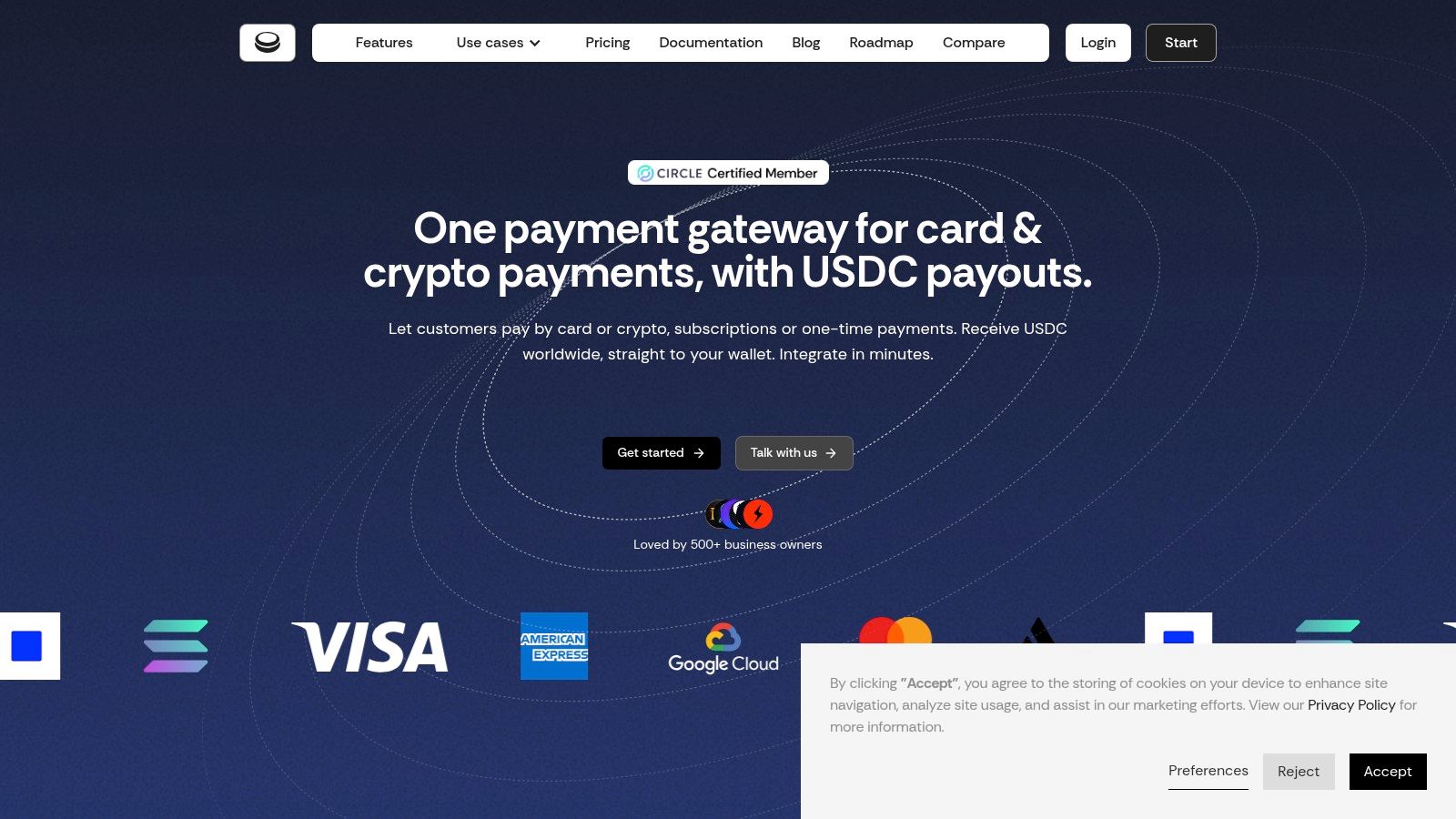
For businesses that want a different settlement model, one product worth examining is Suby's global payment API.
What the product actually does
Suby provides an API that lets a business accept payments by card or crypto. Customers can pay with Visa or Mastercard, and businesses receive USDC. It also supports one-time payments, recurring subscriptions, shareable paylinks, embeddable checkout, API integration, and webhooks, based on Suby's official documentation and product materials.
That combination matters because it changes the payout model without forcing the customer into a strange checkout flow. The front end can stay familiar for the buyer. The back end becomes more predictable for the merchant.
Suby also offers native integrations with Discord and Telegram, which makes it relevant for subscriptions, paid access, and online communities. In those use cases, payment collection and access control can live in the same workflow instead of being split across separate tools.
Where it fits operationally
This kind of setup is most useful when your business is online, cross-border, and sensitive to payout timing. It's less about replacing every accounting tool and more about changing the settlement rail underneath payment collection.
The product's pricing starts at 2.9% + $0.30 on its official pricing page, and the company describes that pricing as all-inclusive. The security model includes use of a PCI-DSS Level 1 certified processing partner, along with support for strong customer authentication, dispute handling, two-factor authentication, and zero-fee refunds, according to the official Suby documentation.
The important operational distinction is simple. Users pay with cards, businesses receive USDC.
That won't be the right fit for every small business. If your company is entirely domestic and built around bank deposits, a standard processor may feel simpler. But if your revenue is digital, international, or community-driven, this model solves a very different problem from ordinary invoice software.
Final Recommendations Your Path to Better Billing
Most small businesses don't need more billing features. They need fewer payout surprises.
If your business is local, your clients are domestic, and you're not in a rush to use funds the moment customers pay, stick with a conventional tool. Free options can be surprisingly capable. For example, Square Invoices' free tier includes unlimited invoicing, estimates, contracts, and clients, and it accepts cards, ACH, Apple Pay, and Google Pay, as noted in Bluevine's 2026 invoicing and payments roundup. For a simple service business, that's a reasonable starting point.
My direct take
If you're evaluating the best billing software for small business, don't rank tools by invoice templates first. Rank them by these questions:
How fast can I use my money
What happens when I bill customers internationally
Does this support subscriptions beyond simple recurring invoices
Will this reduce manual work or just move it around
That framework will usually push you toward a clearer decision than any generic “top 10 software” list.
What to choose based on your stage
Here's the blunt version.
Choose a traditional invoicing tool if your operation is simple, domestic, and admin-light.
Choose a stronger integrated billing stack if you need automation, recurring logic, and accounting alignment.
Choose a stablecoin-settlement model if your customers are global and payout speed, certainty, and borderless operations affect growth.
If you're still refining the accounting side of your stack, Booksmate's accounting software guide is a useful companion read because billing and bookkeeping decisions eventually collide.
The best billing software for small business isn't the one with the prettiest invoice builder. It's the one that matches how your business earns money, how your customers prefer to pay, and how quickly your team needs access to revenue.
Suby is a payment gateway. Your customers pay with card, bank transfer, Apple Pay, Google Pay, Klarna, and more, or stablecoins, and you get paid out to your bank account, or directly in stablecoins (USDC, EURC) to your wallet, anywhere in the world, no bank account required. It gives you an API, paylinks, embeddable checkout, and native Discord and Telegram integrations. For small business billing, that turns the invoice from a promise into usable cash, without the payout surprises traditional billing tools leave behind.
