
Gaspard LEZIN
Best Invoicing and Billing Software for Your Business
Find the best invoicing and billing software for your business. Explore key features, industry benefits, and how to get paid easily.
You send an invoice. The client replies asking if they can pay another way. Your accounting tool says yes to one method, your payment provider says no to another, and your bank settlement arrives in a currency you didn't want to hold. Meanwhile, someone on your team is updating a spreadsheet just to figure out what was paid, what failed, and what still needs a reminder.
That's why invoicing and billing software matters more than is typically acknowledged. The hard part usually isn't creating a PDF. The hard part is connecting pricing, payment, collection, settlement, and reconciliation into one flow that doesn't break as your business grows.
Table of Contents
What changed
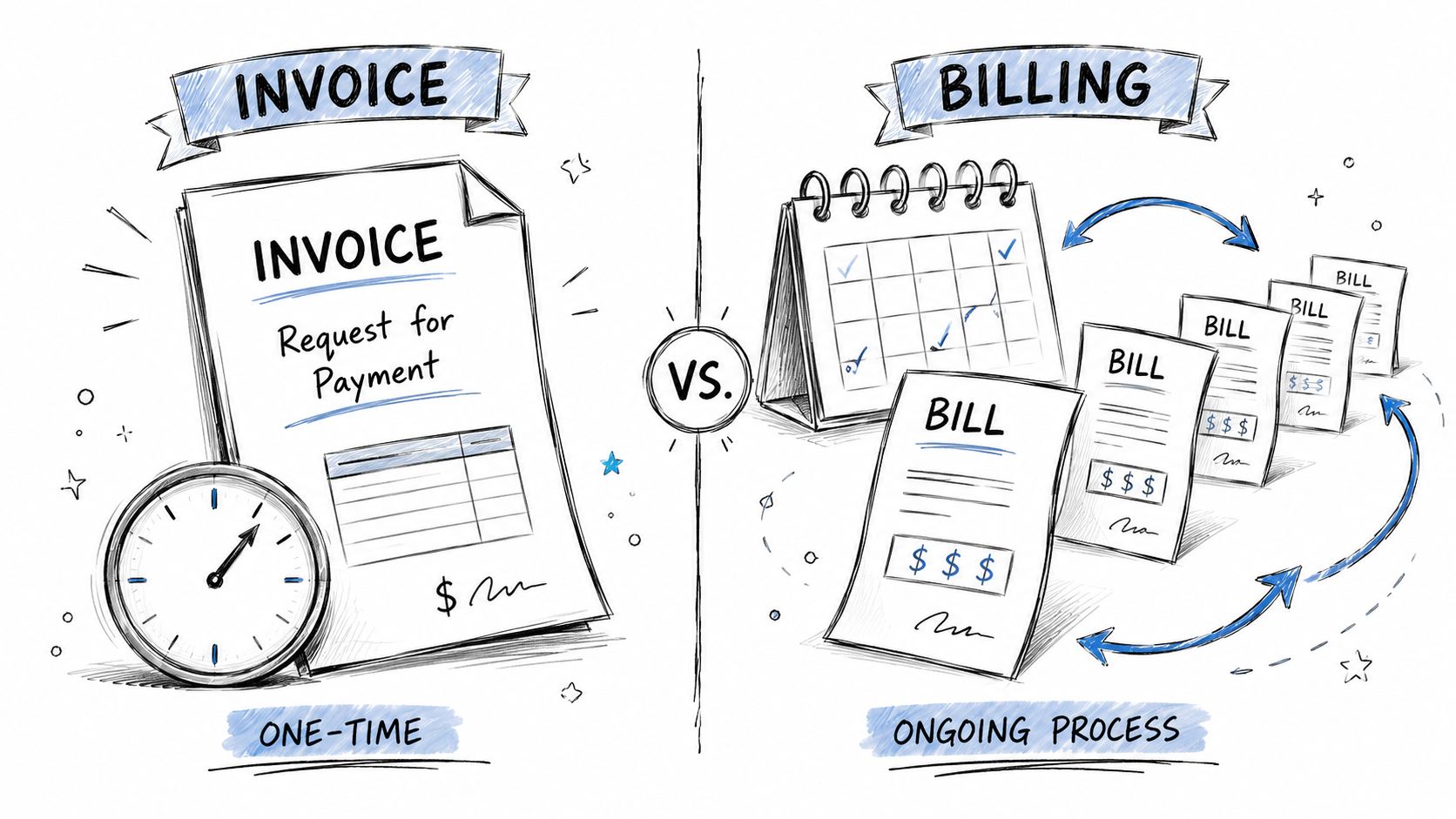
An invoice is a request
Billing is an ongoing system
Why most software now handles both
Core features every business needs
Advanced features that matter once complexity shows up
Where Suby fits
SaaS companies
E-commerce stores
Creators and community businesses
Freelancers and agencies
Start with payment and settlement flexibility
Then test the operational basics
Questions worth asking vendors
Why the architecture matters
A simple cross-border workflow
Conclusion The Future of Billing Is Flexible
Why Invoicing and Billing Software Is More Than Just Paperwork
Individuals often seek invoicing software when minor issues become bothersome. They're formatting invoices by hand, chasing overdue payments, or checking multiple places to confirm whether a client paid. Then the business adds subscriptions, international customers, or different payment preferences, and the small annoyance evolves into an operations problem.
That shift helps explain why the category is growing so quickly. The global billing & invoicing software market was valued at $7.4 billion in 2025 and is projected to reach $18.9 billion by 2034, reflecting a move from back-office utility to a core revenue-operations layer for modern businesses, according to Dataintelo's billing and invoicing software market report.
What changed
A modern business doesn't just need to “send invoices.” It often needs to:
Charge in different ways: one-time invoices, recurring subscriptions, milestone billing, or usage-based charges
Accept how customers prefer to pay: card, bank, wallet, or other available methods
Settle in the right format: to a bank account, in a preferred currency, or into a treasury workflow
Keep records clean: so finance and operations can reconcile payments without manual detective work
Practical rule: If your invoicing process breaks the moment a client asks for a different payment method or currency, you don't have an invoicing problem. You have a billing infrastructure problem.
That's also why feature checklists matter less than they used to. Basic invoice templates are table stakes. What matters now is whether the software connects invoice creation to the full payment path. If you want a useful primer on the foundational features of invoice software, that resource is a good companion to the more technical view in this guide.
Invoicing vs Billing What's the Real Difference
A lot of teams use these terms like they mean the same thing. They're related, but they're not identical.
An invoice is a request
An invoice is usually a document or record that says, “Here's what was delivered, here's what it costs, and here's how to pay.”
Think of a restaurant check. You ate the meal. The business totals it up. You receive a request for payment. That's invoicing.
Common invoice use cases include:
Freelance work: design, consulting, development, writing
Project work: billing at milestone completion or percentage completion
Wholesale or services: payment after goods or services are delivered
In other words, invoicing is often event-based. Something happened, and now payment is due.
Billing is an ongoing system
Billing is broader. It's the process a business uses to calculate what a customer owes and collect it on an ongoing basis.
A gym membership is the simplest analogy. You don't receive a brand-new negotiation every month. The plan, pricing, and renewal logic already exist. The system applies those rules repeatedly. That's billing.
Billing typically includes things like:
Function | What it means in practice |
|---|---|
Recurring charges | Monthly or annual plan renewals |
Plan changes | Upgrades, downgrades, cancellations |
Usage calculation | Charging based on consumption or activity |
Payment retries | Handling failed charges and follow-up logic |
The video below gives a quick visual overview of the topic.
Why most software now handles both
In real businesses, the line between invoicing and billing gets blurry fast. A software company might have subscriptions for standard plans, invoices for enterprise contracts, and manual adjustments for special terms. An agency might invoice for project milestones while also billing monthly retainers.
That's why modern invoicing and billing software usually combines both models. You want one system that can handle a one-off client invoice and an automated renewal cycle without forcing your team into separate tools.
The useful question isn't “Do I need invoicing or billing?” It's “How many charging models does my business need to support without creating manual work?”
Core and Advanced Features You Should Expect
If you compare tools only by whether they can create invoices, most options will look similar. They aren't. Key distinctions emerge when your pricing gets more complex, your customer base becomes more international, or your finance team wants fewer manual steps.
The category is expanding for a reason. The global billing and invoicing software market is estimated to grow from USD 6.57 billion in 2026 to USD 20.04 billion by 2035, driven by demand for features like automated recurring charges, multi-currency handling, and flexible payment methods, according to Business Research Insights on the billing and invoicing software market.
Core features every business needs
These are the basics. If a tool can't do these well, nothing else matters, and even a lightweight setup benefits from starting with clean, reusable invoicing templates before layering on automation.
Invoice creation and delivery: You should be able to build clear invoices, send them easily, and keep a record of what was sent.
Customer records: Billing works better when invoice history, payment status, and client details live in one place.
Payment tracking: You need to know what's paid, pending, overdue, refunded, or failed.
Simple reminders: Follow-ups shouldn't depend on someone remembering to send them.
Export or accounting sync: Even lean businesses need payment records to flow into the rest of finance.
Advanced features that matter once complexity shows up
Modern billing tools then become revenue infrastructure.
Recurring billing: Needed for subscriptions, retainers, memberships, and installment-style charging.
Multi-currency support: Important when customers buy in one currency and the business reports or settles in another.
Tax and location logic: The more markets you serve, the more billing rules matter.
Flexible payment methods: Customers increasingly expect to pay with the method that suits them.
API access and webhooks: Essential when you want billing to connect to your product, CRM, ERP, or custom workflows.
Reconciliation support: Finance teams need payments mapped back to invoices and customer accounts.
Advanced billing features aren't “nice to have” once you cross borders or add subscriptions. They become the difference between a controlled process and a finance mess.
Where Suby fits
One example of a platform built around that broader model is Suby's guide to subscription billing software. Suby provides an API that lets businesses accept payments by card or crypto, and it also offers native integrations with Discord and Telegram for use cases like subscriptions, paid access, and online communities. It can be used in four ways within one product: payments, crypto payments, gating, and invoicing. In practical terms, that means a business can let customers pay how they want while choosing how it wants to receive funds.
That last part matters more than many buying guides admit. Payment choice and settlement choice are not the same thing. Good software should help with both.
How Different Businesses Use Modern Billing Tools
The same invoicing and billing software won't be used the same way by every business. A freelancer cares about getting paid without admin drag. A SaaS company cares about recurring logic. A creator cares about access control. The software matters because it connects the business model to the payment flow.
SaaS companies
A SaaS business usually starts with straightforward subscriptions, then complexity sneaks in. Annual plans need prorating. Team plans need seat changes. Enterprise contracts need invoice terms that don't look like self-serve checkout.
What matters most here is consistency between pricing logic and collection logic. If a customer upgrades mid-cycle, the amount charged should be clear and predictable. If they cancel, the system should know what happens next without a finance person editing records by hand.
E-commerce stores
For e-commerce, billing isn't only about charging the customer once. It's also about handling cross-border sales, offering the payment methods buyers expect, and keeping settlement manageable for the merchant.
A store might sell globally but still want reporting and payout flows that stay simple internally. That's why payment choice matters on the front end, while settlement flexibility matters on the back end.
Creators and community businesses
Creators often sit in an awkward middle ground. They're not always running “subscriptions” in the traditional SaaS sense, but they still need recurring payments, gated access, and a clear record of who paid for what.
For this group, billing software often works best when it connects payment directly to access. If someone pays for a private Discord or Telegram community, the cleanest setup is one where the payment event and the access event are tied together. If you're comparing tools for smaller operators, this overview of billing software for small business is a practical starting point.
Freelancers and agencies
This group often has the widest mix of billing types. One client pays a retainer. Another pays per milestone. Another wants hourly detail before approving the invoice.
That's where project-linked invoicing becomes valuable. For project-based businesses, high-value invoicing software can generate invoices directly from billable hours, project milestones, or fixed fees, converting project progress into billing events and improving cash-flow visibility, as explained in Total Synergy's guide to architecture invoicing software.
A simple breakdown looks like this:
Freelancers: Need fast invoice creation and easy payment collection
Agencies: Need milestone, retainer, and approval-based billing
Consultancies: Need time, phase, and project-cost data tied to invoices
Studios: Need fewer manual handoffs between delivery and finance
The more closely billing follows the work itself, the less time your team spends rebuilding reality in spreadsheets.
Your Selection Checklist for Choosing the Right Software
Many buying guides start with invoice templates, dashboards, or reminder emails. Those matter, but they're not the first thing I'd evaluate anymore. I'd start with flexibility.
A growing number of businesses need to handle both global payment choice and settlement choice in the same workflow, a complexity that is often underexplained as the market grows from an estimated $7.4 billion in 2025 to $18.9 billion by 2034, as noted in Salesforce's billing software overview.
Start with payment and settlement flexibility
This is the question many teams ask too late: can the customer pay one way while the business receives funds another way?
That sounds niche until you operate across borders. Then it becomes operationally important. A client may want to pay by card. Your business may want settlement to a bank account, or in stablecoins such as USDC, and in the currency you choose. Modern invoicing and billing software should be able to support that separation cleanly.
Then test the operational basics
Once flexibility is covered, look at the software like an operator, not a shopper.
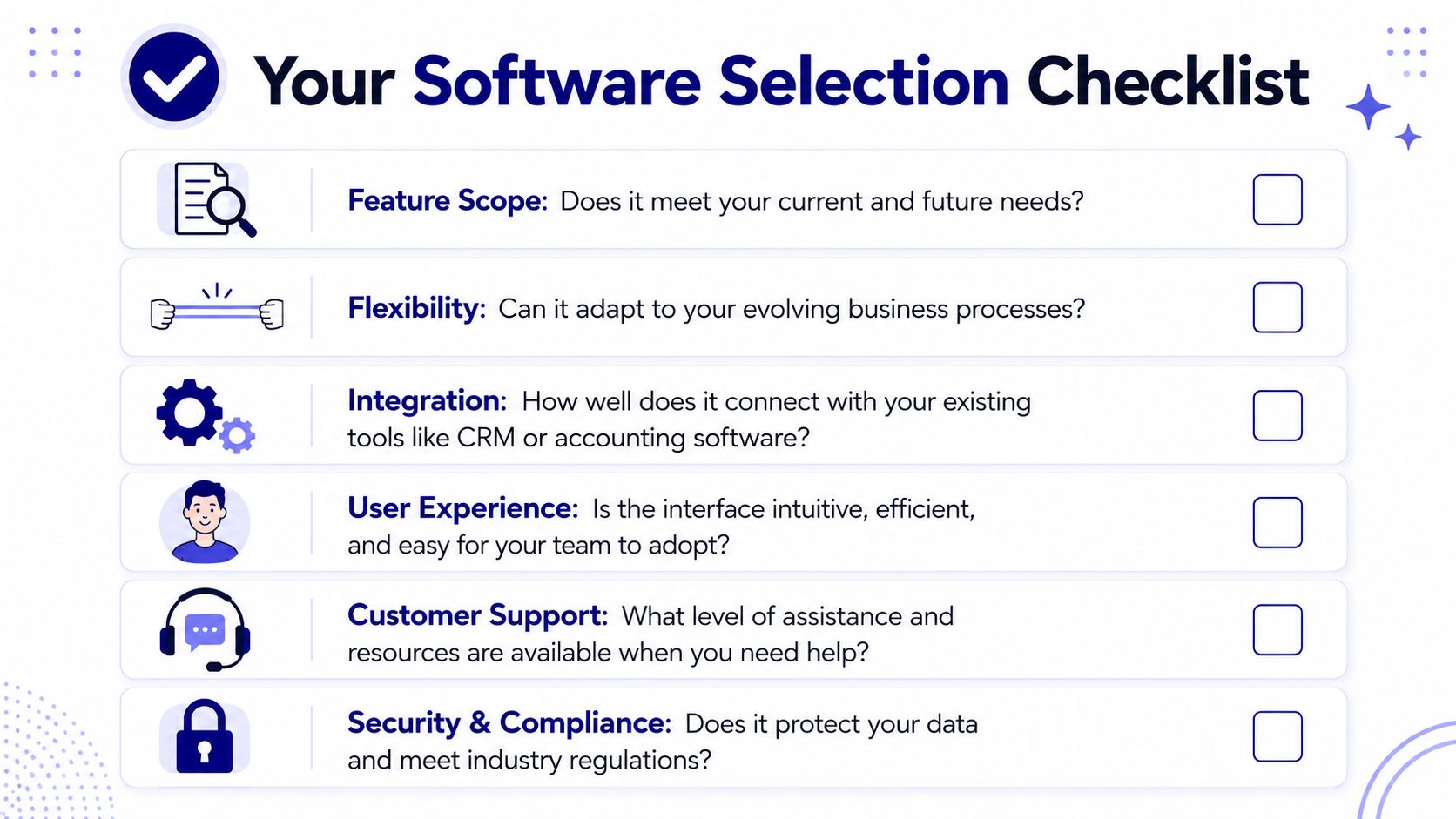
Integration quality: Does it connect well with accounting, CRM, ERP, or internal systems?
Recurring logic: Can it handle subscriptions, renewals, and plan changes without awkward workarounds?
Reconciliation support: Will your finance team be able to match payment events to invoices quickly?
Security and compliance: Check for controls such as PCI-DSS handling, SCA, and account security features.
Usability: If your team avoids the tool, the feature list won't save you.
If you're a smaller team comparing simpler tools first, this guide to ReceiptsAI for small business invoicing is useful for understanding what lightweight invoice workflows should cover before you move into more advanced infrastructure questions.
Questions worth asking vendors
Use plain questions. Fancy demos often hide the important answers.
Can my customers pay with the methods they already use?
Can my business receive funds the way finance prefers?
Can this handle both one-time invoices and recurring billing?
What happens when a payment fails or a customer changes plans?
How much manual work is left for reconciliation?
Will this still work if we expand internationally?
Buying billing software is really buying a future operating model. Pick the one that still makes sense when your business is more complex than it is today.
Example Workflows From Invoice to Payout
The easiest way to understand modern billing is to follow one payment from creation to settlement. This process clarifies a lot of confusion.
Why the architecture matters
Modern billing architectures separate the invoicing engine, which calculates charges, from payment processing and subscription management components. That separation reduces errors and makes mid-cycle changes like upgrades or downgrades deterministic, according to Orb's explanation of billing architecture.
That sounds technical, but the idea is simple. One part decides what is owed. Another part handles how money is collected. Keeping those jobs separate makes the system easier to trust.
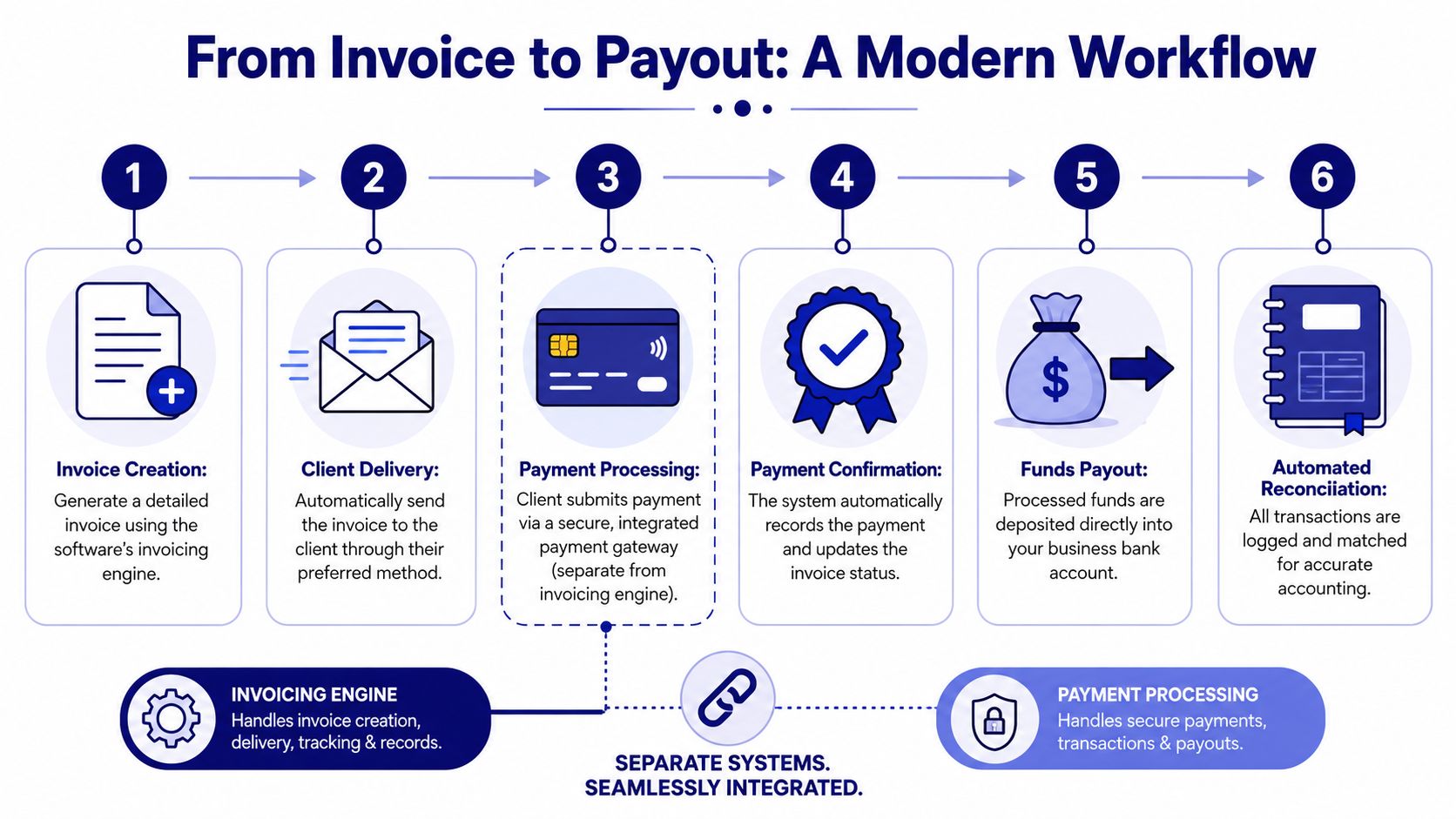
A simple cross-border workflow
Take a freelancer in Europe working with a client in the United States.
The invoice is created in USD, because that's the currency the client expects.
The invoice is sent as a payment link instead of a PDF that requires a separate bank transfer step.
The client pays by card, because that's easiest on their side.
The payment is recorded automatically, so the invoice status updates without someone checking bank activity manually.
The business chooses settlement, either to a bank account or in USDC, depending on treasury preference.
The transaction is reconciled back to the invoice and customer record.
That's the key mental model. The customer payment method and the business settlement method don't have to be identical.
If your team still relies on accounting-first invoicing, a finance-oriented walkthrough like this finance leader's guide to QuickBooks invoicing can help clarify how traditional invoice creation compares with more payment-connected workflows. And if reconciliation is where your process usually slows down, Suby also has a practical explainer on payment reconciliation.
Conclusion The Future of Billing Is Flexible
The old view of invoicing software was simple. Create an invoice, send it, record payment, move on. That still matters, but it no longer describes what most growing businesses require.
Modern invoicing and billing software sits closer to revenue operations than office admin. It has to translate different pricing models into payment events, support the methods customers want to use, and give the business control over how funds are received and reconciled. That's true for freelancers sending a few client invoices and for SaaS companies managing subscriptions across markets.
The smartest way to evaluate software now is to ask one practical question: can this system adapt when my charging model, customer base, and settlement needs become more complex? If the answer is yes, you're not just buying invoicing software. You're building a payment and billing setup that can grow with the business.
Suby is a payment gateway and Merchant of Record. Your customers pay with card, bank transfer, Apple Pay, Google Pay, Klarna, and more, or stablecoins, and you get paid out to your bank account, or directly in stablecoins (USDC, EURC) to your wallet, anywhere in the world, no bank account required. It provides an API, recurring billing, and native Discord and Telegram integrations for subscriptions and paid access. For invoicing and billing software, that separates how customers pay from how you settle, so one system covers a one-off invoice and an automated renewal cycle without the reconciliation mess.
