

Gaspard LEZIN
Create a One Time Payment Link for Global Payments
Learn how to create a one time payment link with Suby. Accept cards and crypto, and get paid instantly in USDC. A step-by-step guide for global businesses.
You've probably hit this point already. A client is ready to pay, but the actual payment step turns into the slowest part of the job. You send an invoice, they ask which method you accept, finance needs different details, and if they're overseas you also start thinking about settlement delays, currency conversion, and whether the amount that arrives will match the amount you expected.
A one time payment link fixes that by turning payment into a simple checkout flow instead of a back-and-forth process. The customer opens a link, pays with a method that suits them, and the business controls how funds are received on the other side. That matters even more when you sell globally, because the checkout experience and the settlement path are really two different decisions.
The part many guides miss is what happens after the customer pays. Creating the link is easy. Choosing the right setup for global settlement in USDC is where the operational value shows up.
Table of Contents
Why a Payment Link Beats a Traditional Invoice
A traditional invoice works when both sides already accept the payment friction. The buyer gets a PDF, someone on their team initiates a bank transfer, and then both sides wait. That model breaks down fast when the client is in another country, wants to pay by card or wallet, or expects a cleaner checkout experience.
A one time payment link removes most of that friction. Instead of asking the buyer to interpret banking details or manually re-enter invoice data, you send a secure checkout URL. They open it and pay in a flow that feels closer to ecommerce than accounts payable.
That difference isn't just cosmetic. It changes who has to do the work.
What changes for the business
With a payment link, you stop managing the mechanics of collection and focus on the commercial side of the sale.
Less manual chasing: You send one link instead of answering repeated payment-method questions.
Better customer fit: The buyer can choose the method they already trust.
Cleaner operations: Payment confirmation can feed directly into fulfillment, access, or internal tracking.
That's why payment links aren't only useful for freelancers and agencies. The same logic applies to memberships, digital downloads, consulting retainers, paid communities, and even organizations trying to simplify sports club payments when members and admins both want less reconciliation overhead.
A payment link works best when the customer is already ready to buy and the only remaining job is making checkout easy.
Where the old invoice still causes trouble
The biggest issue with classic invoicing isn't that it never works. It's that it adds too many failure points.
Payment approach | What the customer does | What the business deals with |
|---|---|---|
Traditional invoice | Reads invoice, initiates payment manually | Follow-ups, payment matching, settlement uncertainty |
One time payment link | Opens checkout and pays | Link creation, method selection, fulfillment rules |
For global sales, this matters even more. The buyer may want to pay by card, wallet, bank, or crypto, while the business may prefer to receive funds in a different form entirely. That separation between how the customer pays and how the business settles is what makes a payment link much more useful than a digital invoice attachment.
Creating Your First Link in the Suby Dashboard
The fastest no-code path is a dashboard flow that turns a product into a live checkout URL. In documented usage, one-time payment links enable merchants to collect instant, single-fixed-amount transactions without recurring billing logic, supporting 300+ payment methods, and payment links are generated through a 3-click dashboard flow: users create a new product, select one-time pricing, add details, choose methods, pick a payout wallet, and publish to generate a shareable link (Suby one-time payments documentation).
Start with the product, not the link
This is the part new users often underestimate. The link is really the output. The primary setup starts with defining what's being sold.
Create a product in the dashboard, then set the pricing model to one-time payment. That tells the system this is a fixed charge, not a recurring subscription. From there, add the basics the customer needs to see at checkout, such as the name, amount, currency, and a short description.
The practical reason for doing it this way is simple. A vague payment request creates hesitation. A clear product record creates trust.
Use a short checklist when setting it up:
Name the item clearly
“Consulting session,” “design deposit,” or “community access” is better than an internal label.Set the amount and currency once
Fixed pricing removes ambiguity and reduces payment questions.Write the description for the buyer
If the customer lands on the checkout page from an email or DM, they should immediately know what they're paying for.
Choose payment methods with intent
After the product is defined, choose which payment methods to accept and where payouts should go. At this stage, a one time payment link becomes more than a simple collection tool.
Suby is a single product with four ways to use it. Suby Payments is the API-first payment stack for accepting cards and crypto through one checkout. Suby Crypto handles the swap, sponsors the gas, and settles to a non-custodial wallet or the Suby balance. Suby Gating supports paid access for Discord, Telegram, downloads, and courses. Suby Invoicing lets the client pay how they want while the business receives what it wants.
That model matters because the same link can support different operating goals. You might want a no-code paylink today, API checkout later, and community access automation after that. The setup still starts with the same product and payment flow.
Practical rule: Choose payment methods based on your buyer's habits, then choose settlement based on your treasury preference.
Before you publish, pick the payout wallet and, if relevant, the crypto network. Once published, you get a unique shareable URL that can be sent through email, social posts, messages, or embedded into an existing page.
The value here is speed without extra banking setup. You can launch quickly, but the choices you make at creation time still shape how the money lands and how easy it is to operate later.
Configuring and Sharing Your Payment Link
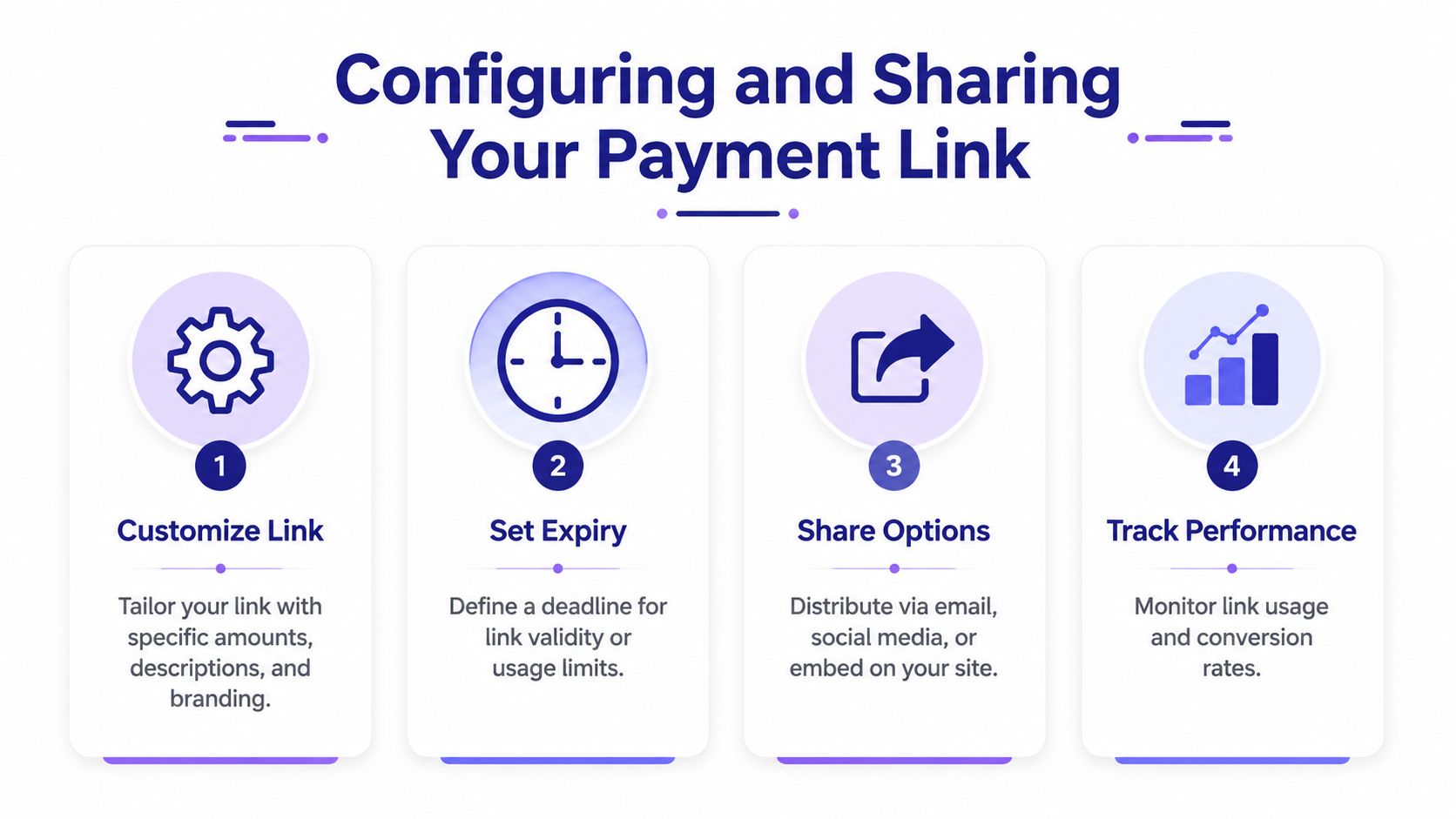
A link that exists isn't automatically a link that converts. The strongest setups reduce hesitation at checkout and place the link where the buyer already expects to act.
Pick the payment mix that fits the buyer
The right configuration depends on who's paying you.
If your customer is a mainstream buyer, card acceptance usually removes the most friction. If your audience is already crypto-native, wallet-based payment may be the cleaner path. If your business serves both, offering both methods can reduce drop-off caused by forcing the wrong payment rail.
One important trade-off is cost and control. In documented coverage, card payments processed through Suby's links incur a 2.9% + $0.30 fee via a PCI-DSS Level 1–certified partner with built-in fraud protection, and the platform supports one-time payments and recurring subscriptions via shareable paylinks, API checkout, and native integrations for Discord and Telegram (Open Banking Tracker on Suby).
That doesn't mean you should default to card for every case. Pricing depends on the payment method used, so it's better to check the current Suby pricing page before deciding how broad you want checkout options to be.
A simple decision view helps:
Card-first setup: Good for clients, service invoices, and buyers who want familiar checkout.
Crypto-first setup: Better when your audience already holds digital assets and wants direct wallet payment.
Mixed setup: Useful when you don't want to guess what the customer prefers.
Share the link where the buying intent already exists
Distribution matters more than people think. A payment link performs best when it appears in the same place where the purchase conversation happened.
Use the link in:
Email follow-ups: Best when you've already agreed on scope and price.
Direct messages: Useful for creators, communities, and sales handled in chat.
Website buttons: Better when the customer is browsing and wants a clean call to action.
Discord or Telegram flows: Strong for paid access and membership use cases.
If you want a more embedded website experience instead of dropping a raw URL into copy, this overview of checkout buttons for payment flows is a useful next step.
There's also a compliance angle here. Suby operates as a Merchant of Record facilitator and automatically handles location-specific tax compliance at checkout, which matters if you sell digitally across jurisdictions. That reduces one of the messier parts of global sales, especially for teams that don't want tax logic spread across invoices, email threads, and manual follow-up.
Automating Payments with the Suby API
Once the manual link workflow is working, the next step is automation. This matters when you want payment creation to happen inside your own product, CRM flow, onboarding logic, or gated access system.

The API flow in plain terms
The documented API pattern is straightforward. Suby's API flow lets merchants create a product, then initiate a payment request to receive a secure URL. After payment, the merchant's server receives a real-time webhook notification confirming success or failure, enabling automatic access granting based on payment events (Suby API introduction).
That means your backend does two main things:
creates or references the product
requests a payment session and gets back a hosted checkout URL
You then send the customer to that URL. The checkout is hosted, so you don't need to build the sensitive payment collection UI yourself.
For developers building cross-border payment logic into an app, this overview of a global payment API workflow helps frame where payment creation fits into a larger product architecture.
What to automate after payment succeeds
The webhook is where significant operational gain shows up. When your server receives a success event, you can trigger whatever should happen next without manual review.
Typical post-payment actions include:
Providing access: Grant a Discord role, Telegram access, or product entitlement.
Fulfilling digital delivery: Send a download link or activate a license.
Updating internal systems: Mark an invoice as paid or update customer status.
Starting downstream workflows: Notify support, sales, or finance automatically.
If you're building with payment links at scale, don't stop at link creation. The payoff comes from what your systems do the moment payment is confirmed.
The practical win is consistency. Humans forget to send access, mark records, or reconcile edge cases. A webhook-driven flow doesn't rely on memory. It uses the payment event as the source of truth.
Managing Payouts and Global Settlement in USDC
This is the part that makes a one time payment link strategically useful, not just convenient. The customer-facing checkout can look familiar, but the backend settlement path can be very different from a standard processor flow.
Why card to USDC matters
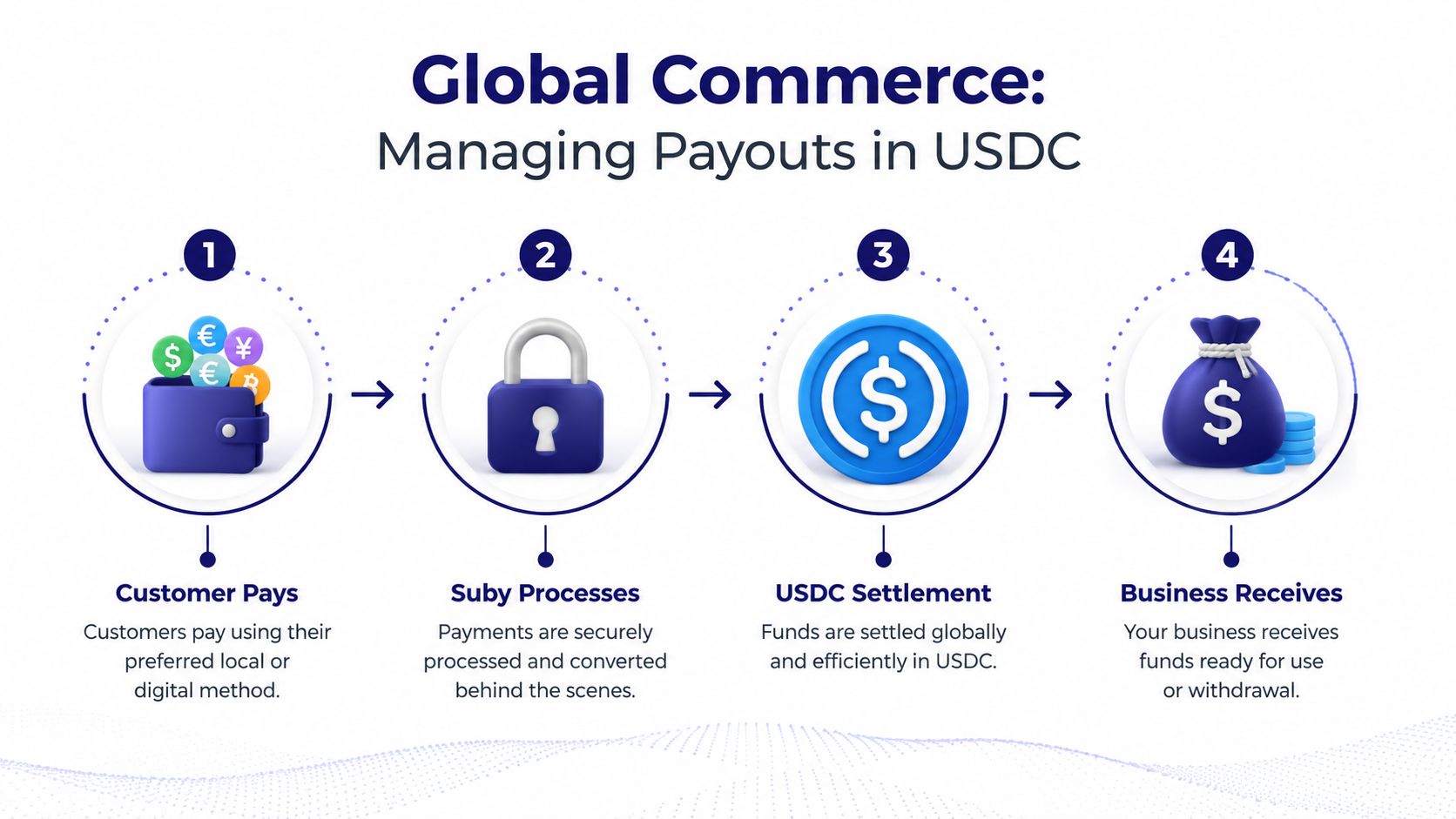
For cross-border businesses, one of the most useful options is the flow where the customer pays with a card and the business receives USDC.
Documented implementation details state that for the specific flow where customers pay by card and the business receives USDC, Suby's infrastructure ensures settlement in USDC to a non-custodial wallet or Suby balance, bypassing traditional banking rails. Card payments are processed at a 2.9% + $0.30 fee through a PCI-DSS Level 1–certified partner with built-in fraud protection (implementing payment gateway with card-to-USDC settlement).
That setup solves a real operational problem. Many businesses want customer-friendly payment methods on the front end, but they don't want slow bank settlement, opaque FX handling, or funds trapped in the wrong currency on the back end.
The broader positioning is simple and useful. Customers can pay by card, wallet, bank, or crypto, and the business chooses how to receive the money, either to a bank account or in stablecoins like USDC, in the currency it wants. That is the core advantage for global internet businesses.
How to think about settlement operations
A good payout setup starts by deciding what you optimize for.
Goal | Better settlement choice |
|---|---|
Familiar buyer experience | Let the customer pay by card |
Treasury flexibility | Receive in USDC |
Wallet-based operations | Settle to a non-custodial wallet |
Mixed reporting needs | Use the unified balance and reporting tools |
The balance model also matters. Funds land in one balance and the view can be switched between USD and EUR with one click, which is useful when your sales currency and reporting currency aren't always the same. If you need to monitor what landed, what settled, and what changed over time, it helps to review transaction history and payout activity as part of your finance workflow.
Operational note: Treat settlement design as part of your product setup, not a finance detail to fix later.
The guides that only talk about creating a link miss this. A one time payment link isn't just a checkout shortcut. In a global business, it's also a settlement decision. If you choose the right payment methods and payout path from the start, you cut down future reconciliation headaches and give buyers a smoother way to pay.
Best Practices and Common Pitfalls to Avoid
The setup itself is quick. The mistakes usually happen around clarity, onboarding, and operational discipline.
One documented point is especially important here. Suby's payment links boost conversion by enabling transactions in three clicks. A common pitfall for merchants is failing to verify business eligibility for card payments during onboarding, which can block API access and delay the ability to receive near-instant USDC payouts (Suby website overview).
That onboarding step is not optional if card acceptance matters to your flow. Teams often build the payment journey first and only discover the eligibility issue when they're ready to go live.
A short operating checklist
Use this before you send your first real link:
Verify card eligibility early: If card payments are part of your checkout plan, handle that during onboarding, not after launch prep.
Label the payment clearly: The product name and description should match what the buyer expects to receive.
Match channel to context: Send the link where the buyer already agreed to pay, not in a random follow-up thread.
Plan fulfillment logic: Decide whether payment success should trigger access, delivery, or an internal status change.
Review settlement preferences first: Don't wait until after the first payments land to decide whether you want bank payout or stablecoin settlement.
The broader lesson is simple. A payment link works best when checkout, payout, and fulfillment are designed together. When those pieces are disconnected, payment still happens, but operations get messy fast.
If you want a practical way to accept payments globally through card or crypto, automate access with API and webhooks, and choose whether to settle to a bank account or in stablecoins like USDC, Suby is worth evaluating. It gives businesses one system for paylinks, API checkout, Discord and Telegram integrations, and flexible settlement options that fit cross-border sales.
