

Gaspard LEZIN
What Is a License Key? Your 2026 Guide to Digital Access
Discover what is a license key, how it works, and its types. Get your complete guide to software activation, SaaS, & digital product management in 2026.
A license key is a unique code that verifies you have a legitimate, paid copy of a software application, allowing its features to be used. In many products, it's typically a 25-character alphanumeric string formatted like XXXXX-XXXXX-XXXXX-XXXXX-XXXXX.
If you're reading this, you've probably seen one of these in the wild. Maybe you bought a desktop app and got a code by email. Maybe a customer asked why their software works on one laptop but not another. Maybe you're a product manager trying to understand why a “simple code” ends up touching billing, support, security, and user access all at once.
That confusion is normal. “License,” “license key,” “activation,” and “subscription” often get lumped together, even though they're not the same thing. The easiest way to think about it is this: the license is the agreement, the license key is the technical proof, and the activation is the step that binds that proof to a user, device, or system.
License keys also matter far beyond old boxed software. The same access-control idea now shows up in SaaS entitlements, downloadable products, paid communities, and creator content. If a business needs to decide who gets access, for how long, and on what terms, it's dealing with license-key logic in some form.
Table of Contents
What Is a License Key Anyway
You install a new app, launch it, and the product asks for a code. That moment is the simplest version of a license key. The software wants proof that this copy is allowed to run.
A software license key is a cryptographically protected token, typically a unique string of 25 alphanumeric characters, that an application checks to determine if a user is entitled to run specific functionality, as explained by Thales in its software license key overview. In plain English, it's the technical mechanism that tells the app, “yes, this person paid and should get access.”
The key is not the same as the license
Many people find this aspect confusing. A legal license, often wrapped into an EULA, defines what the customer is allowed to do. It might say whether use is personal or commercial, whether installation is limited to one machine, or whether updates are included.
The license key is different. It's the enforcement tool.
Consider it as:
The contract says what room you rented.
The keycard decides whether the door opens.
That distinction matters for product work. If your team changes pricing tiers, team seats, trial limits, or feature access, the contract language and the technical enforcement might both need updates.
Practical rule: If your product offers paid access, some form of license-key logic usually exists, even when users never manually type a code.
Why software companies use them
The obvious reason is access control. A key helps make sure only authorized users can install or activate the product. But there's also a business reason. Vendors need a way to translate pricing and entitlement rules into something software can verify automatically.
That's why the concept survives even when the format changes. A user might paste a visible code into a desktop app. Or they might sign in and have their entitlement fetched from an account in the background. Same job, different delivery method.
For teams selling digital products, this is still highly relevant. If you want to see how digital access is packaged in modern storefronts, this roundup of platforms for selling digital products is a useful companion.
How License Keys Work Behind the Scenes
A customer buys your product, signs in, and expects the right features to appear immediately. From their side, it feels simple. Behind the product, a small chain of checks decides whether that user should get trial access, a paid plan, a team seat, premium content, or nothing at all.
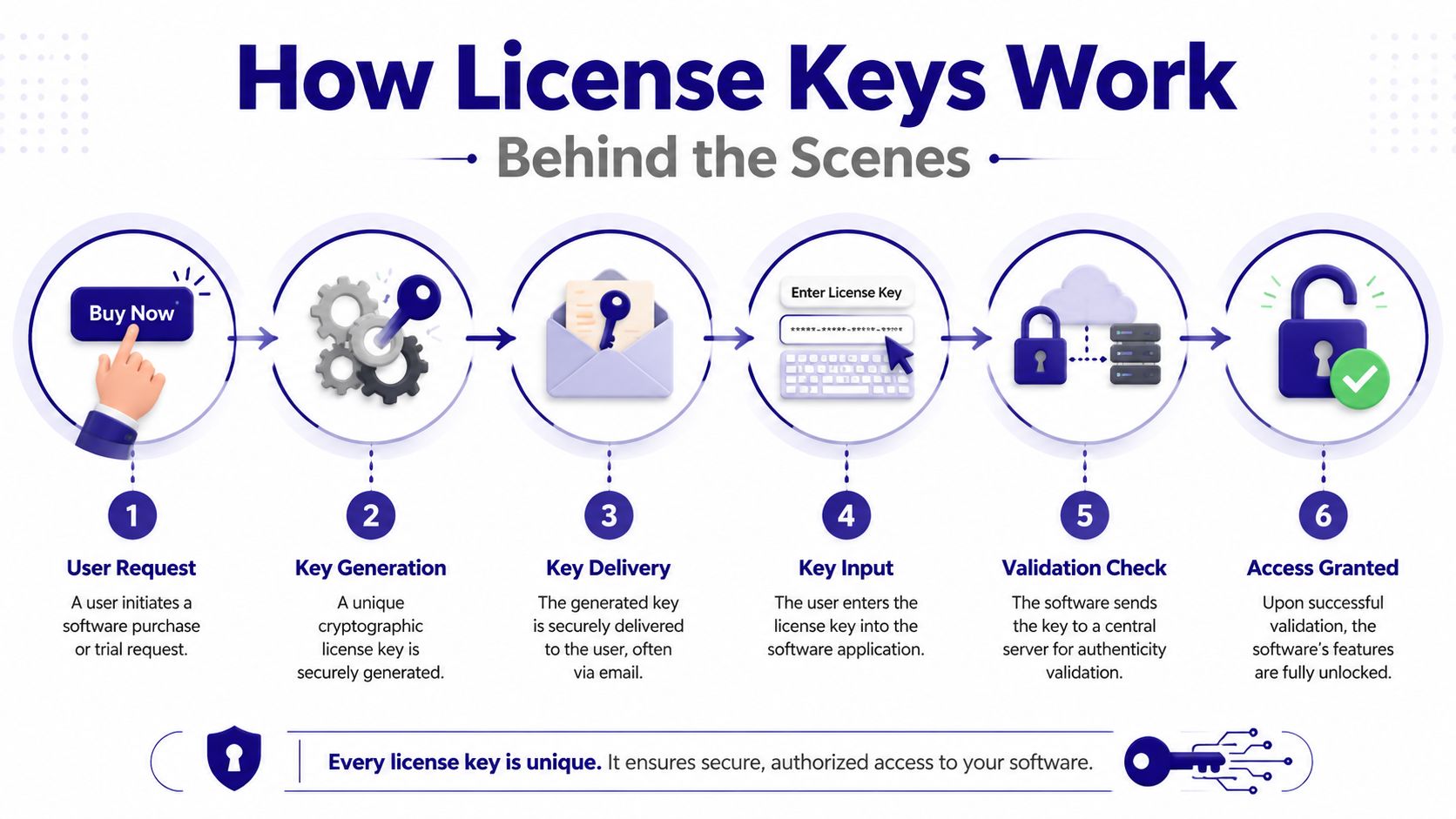
A useful way to frame it is this: the visible key is only the label. The actual job happens in the verification logic around it.
A modern license key often behaves less like a simple code and more like a signed permission slip. It can carry facts such as who the license belongs to, which plan they bought, when access expires, how many seats are included, or whether use is tied to one device. That matters well beyond traditional desktop software. The same core idea shows up in SaaS subscriptions, API access, paid communities, and creator products where access needs to match a purchase or membership.
Here is the usual flow:
A key or entitlement record is created with the customer's access rules.
It is delivered after purchase, signup, or account provisioning.
The product reads it when the user enters a code, opens the app, or signs in.
The product verifies it to confirm it came from the vendor and was not changed.
The product applies the rules such as expiry date, seat count, device binding, or feature access.
The product enables or denies access based on those checks.
What the Software Checks
The important point is trust. The software is usually not asking, “Does this code look valid?” It is asking, “Can I trust this code, and what permissions does it represent?”
Cryptographic signing helps with that. A vendor creates the key with a private signing secret. The app or server can verify the signature without exposing that secret. If someone edits the key by hand to extend the expiry date or add premium features, the signature check fails.
Check | What it means in practice |
|---|---|
Signature validation | Confirms the key was issued by the vendor and not forged |
Payload reading | Pulls out entitlement details such as edition, expiry, or seat limits |
Hardware match | Verifies the key is being used on the intended machine or environment |
Policy enforcement | Decides whether to enable all features, some features, or none |
Typically, product and engineering teams converge. A product manager defines the commercial rules. Engineering turns those rules into checks the system can run every time a user installs, signs in, renews, or changes plans.
Some products verify everything locally. That is common when an app needs to work offline. Others call home during activation or at regular intervals. That is common in SaaS and digital content businesses, where the system may need to reflect cancellations, upgrades, seat changes, or revoked access quickly.
Many teams also split payment from entitlement delivery. Payment is processed in one system. A separate workflow then issues or updates the license record. If you want to see how that handoff is usually built, this guide to automating post-purchase provisioning fits this part of the process.
A short walkthrough helps if you want the visual version:
A good license system answers three practical questions. Who is this user, what should they be able to access, and how long should that access last?
Perpetual Subscription and Beyond The Types of Keys
Not every license key means the same business model. The same technical mechanism can support very different ways of selling software and digital access.
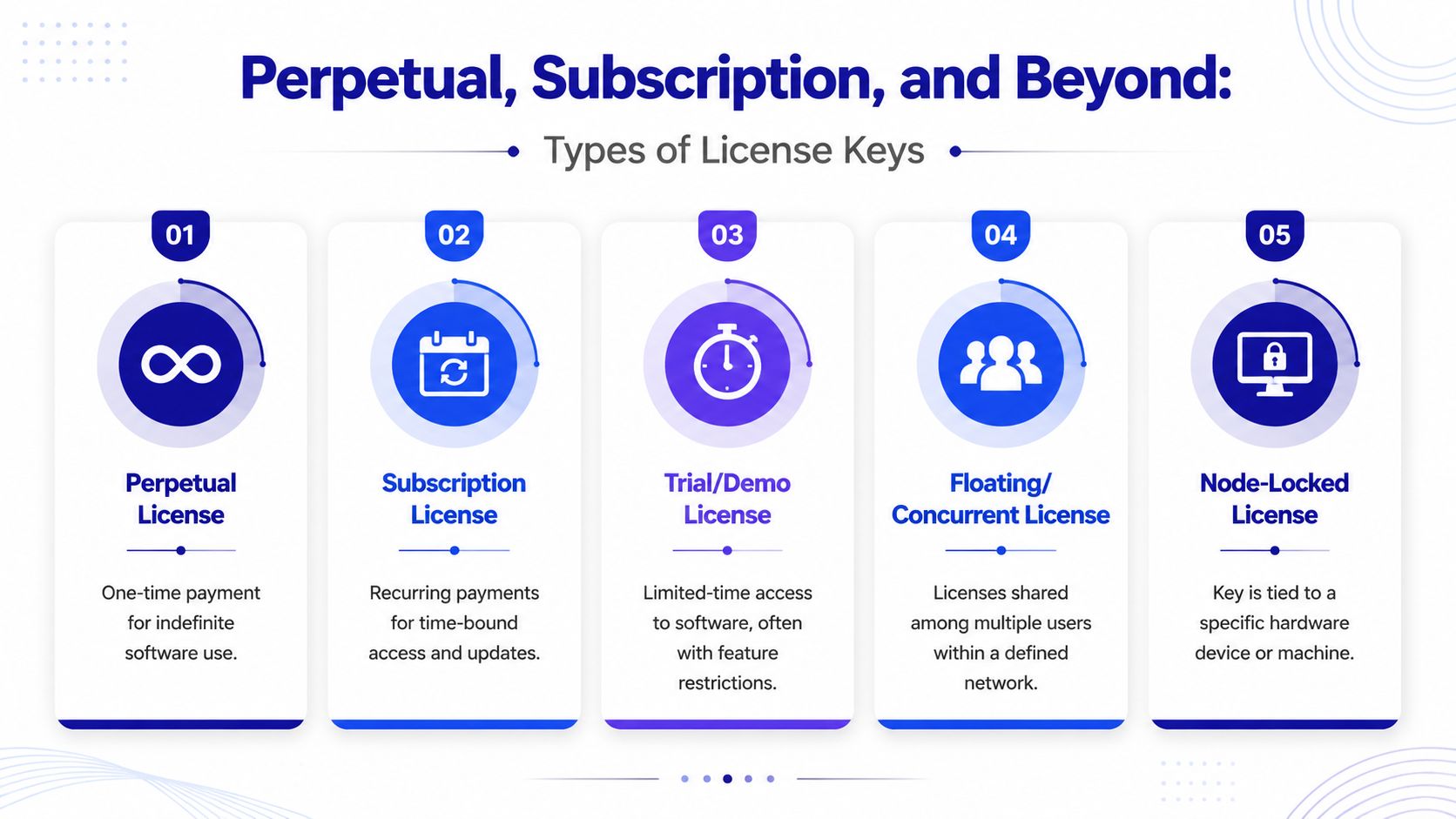
A quick comparison
License type | Best for | What the customer experiences | Main tradeoff |
|---|---|---|---|
Perpetual | Desktop tools, specialist software | Pay once, keep using the version you bought | Upgrades and support may be handled separately |
Subscription-bound | SaaS, ongoing services | Access continues while payment stays active | Access can stop if renewal fails |
Trial or time-limited | Evaluation, onboarding | Temporary use, sometimes with restrictions | Users may hit limits before full evaluation |
Floating or concurrent | Teams sharing a pool | Access depends on how many people are active at once | More admin complexity |
Node-locked | Device-specific deployments | Works only on an approved machine | Hardware changes can create support tickets |
Perpetual keys are the old familiar model. You buy software once and receive a key that grants indefinite use of that version. These are still common in desktop software and in environments where customers expect long-term local control.
Subscription keys work differently. The product checks whether the subscription is active and keeps access aligned with billing status. The user may never see the key at all. Under the hood, though, the product is still enforcing a time-bound entitlement.
Why product teams choose different models
A product team doesn't just pick a key type for technical reasons. It's usually balancing customer expectations, support burden, and revenue model.
Some patterns show up often:
Perpetual fits ownership-focused buyers. It feels predictable and works well when software changes slowly.
Subscription fits products with ongoing value. If hosting, updates, support, or new content are continuous, recurring access usually maps better.
Node-locked fits controlled environments. Teams use it when access must stay tied to one machine.
Floating fits shared internal usage. It's useful when not everyone needs the software all day.
Trial keys reduce friction. They let users evaluate before committing, often with time or feature boundaries.
There isn't one “best” model. There's only the model that matches the product. For SaaS companies, this comparison of SaaS subscription models is helpful because it shows how entitlement decisions connect directly to pricing and packaging.
The key format might stay the same while the business logic changes completely. That's why product and engineering teams need a shared vocabulary.
The Keys Role in Security and Anti-Piracy
License keys exist because software is easy to copy. Once software became something people could duplicate and share, vendors needed a practical way to control who could use it.
Why keys exist in the first place
Historically, license keys started as CD-Keys or Product Keys entered during installation. Over time, they evolved into more complex tokens that could require online activation. Webopedia's history of license keys explains that this “calling home” mechanism was implemented specifically to prevent the simultaneous use of identical keys on multiple devices.
That's a very concrete anti-piracy move. If one code shows up on many machines, the vendor can reject additional activations or flag the key for review. Without that check, a valid customer key could spread far beyond the intended buyer.
How modern protection works
Modern license systems usually combine several defenses rather than relying on one trick.
Cryptographic signing makes key forgery much harder. A fake code might look plausible, but it won't pass verification.
Activation limits stop one purchased entitlement from being used everywhere at once.
Hardware binding ties a license to a specific machine or environment.
Server validation gives the vendor a live control point for revocation, expiry, and policy updates.
Security teams also care about edge cases that aren't purely about piracy. Refund abuse, account sharing, bot-driven signup flows, and suspicious activation patterns can all create noise around entitlement systems. If you're thinking about those operational risks, these SMS Activate security insights are worth reading because they frame fraud prevention as a workflow problem, not just a blocking problem.
A good product manager should see license keys as part security feature, part business control surface. They protect revenue, but they also define how fair and manageable the product feels for paying customers.
Managing the License Key Lifecycle
From the business side, a license key isn't a one-time artifact. It has a lifecycle. Someone creates it, sends it, validates it, updates it, and sometimes disables it.
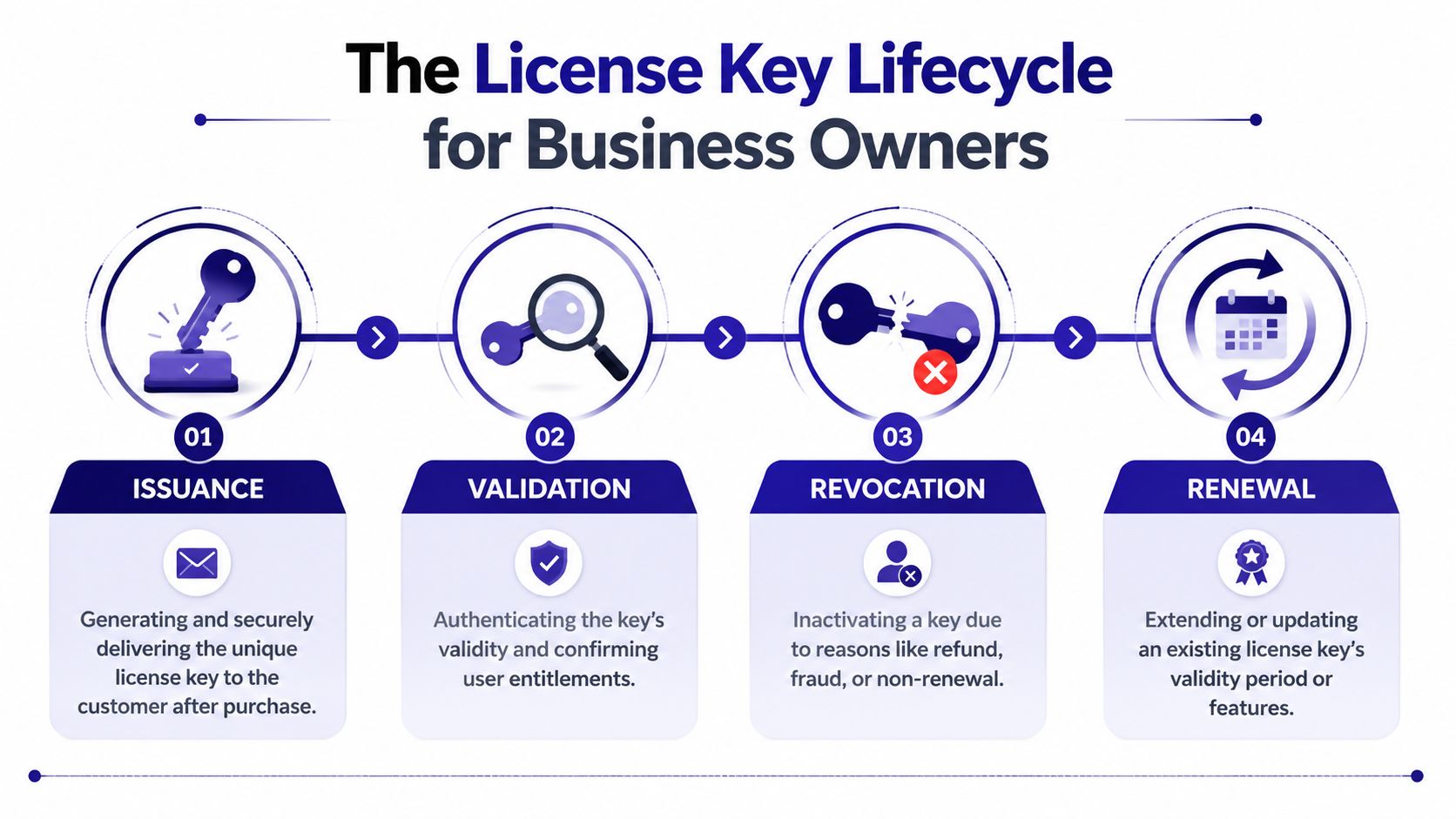
From purchase to first use
A typical path starts the moment a customer pays. The commerce system records a successful order, then a licensing service generates or assigns an entitlement. That entitlement gets delivered by email, shown on a thank-you page, added to the user account, or pushed directly into the app.
For product teams, the key question is consistency. If a user pays, they should get access quickly and predictably. Delays create support tickets. Mismatches create refund requests.
A clean lifecycle often looks like this:
Issuance happens after a valid purchase. The business creates a key or entitlement record.
Delivery reaches the right user. Email is common, but account-based retrieval is often better.
Validation happens at first use. The app checks authenticity and permitted scope.
State gets stored somewhere reliable. That may be local, server-side, or both.
When access changes later
Most of the actual complexity appears after the first successful activation.
A few common scenarios:
Renewal: A subscription continues, so the entitlement period is extended.
Upgrade: The customer moves to a higher plan and new features become available.
Revocation: Access is disabled because of refund, policy violation, or failed renewal.
Transfer: A user changes devices and needs the old activation replaced.
Operational advice: The support burden usually comes from lifecycle edges, not from initial issuance. Reinstalls, device swaps, expired payments, and mistaken revocations are where users feel friction.
This is also where analytics start to matter. Teams want to know which keys are active, which are failing validation, and which users are stuck. A license system should help support agents answer practical questions quickly: Who owns this key? What plan does it map to? When did it last validate? Is the problem billing, activation, or device binding?
License Keys in the Modern Digital Economy
The old image of a license key belongs to boxed software. The modern reality is much broader. The same entitlement logic now powers software access, download rights, subscription status, and community gating.
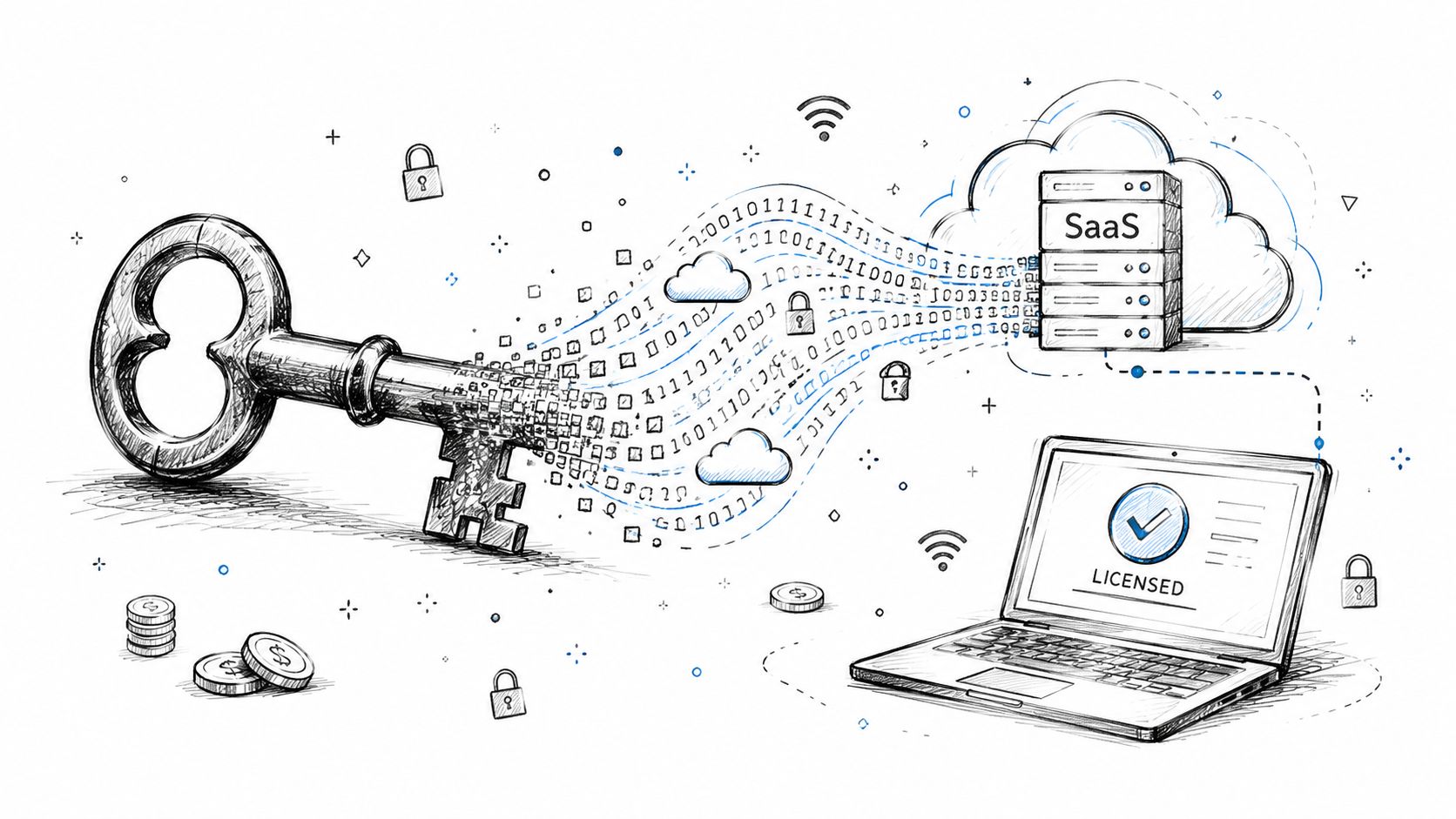
The same idea in new products
A SaaS product might not show a visible product key, but it still decides whether a user can access premium features, whether a workspace has enough seats, and whether billing is current. That's license-key thinking, even if the interface says “plan,” “entitlement,” or “access level.”
Creator businesses use the same pattern in a different wrapper. A paying member gets access to a private Discord, Telegram group, course area, or download library. The mechanism may be an account token rather than a pasted code, but the underlying question is unchanged: who is allowed in?
That's why license-key concepts still matter to product managers outside classic software. If your product gates anything paid, you're making licensing decisions.
Why payment and access now live closer together
In older systems, billing and access were often loosely connected. A payment cleared, then someone manually provisioned access. Today, customers expect the handoff to be immediate.
That's especially true in digital sales. A buyer pays and expects software, a download, or gated access to appear right away. According to Suby's API introduction, modern payment platforms can process card payments through a PCI-DSS Level 1–certified partner and also accept on-chain assets such as USDC, USDT, ETH, and SOL across Ethereum, Base, Arbitrum, BSC, and Solana. In digital goods workflows, that unified payment setup matters because it supports automated fulfillment right after purchase.
The broader operating model matters too. Suby's product documentation describes a Merchant of Record model that handles global tax compliance for cross-border sales, with funds from methods like card, Apple Pay, Google Pay, bank, or stablecoins landing in a single balance. For teams selling digital access globally, that reduces the gap between taking payment and granting the right entitlement.
That doesn't change what a license key is. It changes how quickly and cleanly the business can issue one, update one, or replace one with a more invisible access token.
Common Questions and Misconceptions
The most common questions about license keys usually show up after something goes wrong. A reinstall, a dead laptop, a missing email, or a key that suddenly stops working.
What if I lose my key
Losing the visible string doesn't always mean losing access. H3C's licensing FAQ explains an important distinction: the license key identifies the license, while the activation file binds that license to a device.
That means recovery depends on when the key was lost:
Before activation: You may need retrieval through the vendor's account or contract records.
After activation: The activation file may make recovery possible even if the original key string is gone.
During reinstall: Some systems can retrieve the key automatically from the machine or linked account.
Windows 11 is a good example. In some cases, the system can auto-retrieve the key from hardware firmware during reinstallation, which is why users sometimes reinstall without ever retyping anything.
Why did a valid key stop working
A key can fail for reasons that have nothing to do with fraud or nonpayment. The device fingerprint may have changed. The activation limit may have been reached. The subscription may have expired. The local app may be looking for an activation file that's missing after an OS reinstall.
The safest support approach is to check three things in order:
Identity: Is this the right customer and the right product?
Entitlement: Is the license still active and within policy?
Binding: Is the current device the one the activation expects?
A lot of user frustration comes from assuming the key alone is the whole system. It usually isn't. In modern products, access often depends on the relationship between the key, the activation state, the account, and the device.
If you sell software, subscriptions, downloads, or paid communities, the payment step and the access step need to work together without manual cleanup. Suby is payment infrastructure for the global internet economy. It lets businesses accept payments by card or crypto through an API, and it also offers native Discord and Telegram integrations for subscriptions, paid access, and online communities. Customers can pay any way they want, businesses get paid the way they choose, including flows where a customer pays by card and the business receives USDC. Suby is a single product with four ways to use it: Suby Payments for accepting cards and crypto through one checkout, Suby Crypto for crypto payments with swap handling and gas sponsorship, Suby Gating for paid access to Discord, Telegram, downloads, and courses, and Suby Invoicing for letting clients pay how they want while the business receives what it wants. Pricing depends on the payment method used, so check the Suby pricing page for current details.
