

Gaspard LEZIN
Accepting Credit Cards for a Small Business a 2026 Guide
Learn how accepting credit cards for a small business works in 2026. This guide covers processors, costs, compliance, and modern options like settling in USDC.
If you're looking into accepting credit cards for a small business, you're probably dealing with one of two situations. Customers already expect to pay by card and you're losing sales without it, or you've started accepting cards and now you're realizing the setup is more complicated than the sales page made it sound.
Both situations are normal. Card acceptance is no longer a nice extra for most small businesses. It sits at the center of how people expect to pay, how online checkout works, and how businesses manage recurring revenue, invoices, and everyday purchases. In the U.S., 94% of merchants accept credit cards, and in Canada 89% of small and medium-sized businesses accept cards, according to the payment adoption figures summarized in the verified data above. The same data also notes that businesses accepting four or more payment methods saw average growth of 22%, compared with 17% for businesses accepting fewer methods. Those numbers make the basic point clearly. If you want fewer payment objections and broader customer reach, card acceptance matters.
The hard part isn't deciding whether to accept cards. It's choosing the right setup, keeping costs under control, avoiding payment holds, and building a system that still works when your business starts selling across borders.
Table of Contents
Start with the processor decision
What the fees actually include
Payment Processor Pricing Models Compared
For in-store businesses
For online businesses
A practical rollout sequence
What PCI and SCA mean in plain English
Where small businesses get into trouble
Why settlement choice matters
One checkout, different payment and settlement paths
Where this fits in real businesses
Refunds need a process, not improvisation
Chargebacks are different from refunds
Cash flow gets shaped by payout design
Treat checkout like a growth tool
Cross-border sales break weak payment setups
Choosing a Processor and Understanding Costs
The processor you choose will affect approval speed, payout reliability, reporting, dispute handling, and margin. It also determines whether your business can grow without constantly revisiting payment problems.
Start with the processor decision
Most small businesses end up choosing between payment aggregators and traditional merchant account providers.
Aggregators are popular because setup is fast and the onboarding is lighter. For a new store, freelancer, or early-stage online business, that simplicity is attractive. But there's a trade-off that gets buried in many beginner guides. The U.S. Chamber notes that some aggregators can close accounts abruptly and hold funds for up to 6 months during disputes in certain cases, which is a real liquidity risk for a small business that depends on those payouts for payroll, inventory, or ad spend (U.S. Chamber guide to credit card payments).
Traditional merchant accounts usually take longer to approve and involve more underwriting. In return, you often get clearer risk review up front, more predictable account stability, and better pricing flexibility if volume grows.
Practical rule: Fast approval is useful. Reliable access to your money is more important.
If you're still deciding on your commerce stack itself, platform choice and processor choice often overlap. A store owner comparing hosted versus self-managed commerce should also think about payment flexibility, checkout control, and fee visibility. A good companion read is deciding between Shopify or WooCommerce, especially if payment setup is part of a broader platform decision.
For small teams, I usually suggest reviewing three things before signing anything:
Payout risk: Ask what can trigger reserves, holds, or account review.
Support path: Find out how disputes and account flags are handled, and whether you get human support.
Pricing transparency: Look for statement-level clarity, not just a headline transaction fee. This guide on platforms with transparent pricing for small business payments is useful when you're comparing providers that all claim to be simple.
What the fees actually include
The biggest mistake I see is treating card processing as one fee. It isn't.
According to Corefy, the effective cost has three components: interchange fees, typically 1.5% to 2.9% plus a fixed fee; network assessment fees, around 0.13% to 0.15%; and processor markup, which can range from roughly 0.10% to 1.0%+ (Corefy breakdown of payment processing costs).
That matters because two providers can advertise a similar headline rate while producing very different statement totals.
Flat-rate pricing is easy to understand. Interchange-plus is harder to read at first, but it tells you what portion is fixed by the card ecosystem and what portion your processor is adding. Interchange itself is set by the customer's bank, so it helps to know what a card issuer is and how its role shapes the base cost you pay on every transaction.
Payment Processor Pricing Models Compared
Feature | Flat-Rate Pricing (e.g., PayPal, Stripe) | Interchange-Plus Pricing (e.g., Many Merchant Accounts) |
|---|---|---|
How pricing is shown | One bundled rate | Base card costs plus processor markup |
Ease of understanding | Simple at first glance | More detailed, takes some reading |
Transparency | Lower, because costs are bundled | Higher, because line items are visible |
Best fit | Early-stage or lower-complexity setups | Businesses that want tighter cost control |
Negotiation room | Usually limited | More room to negotiate markup |
Risk of statement surprises | Higher if extra fees appear outside the headline rate | Lower if statements are clear and reviewed regularly |
One more thing. Cheap pricing can still be expensive if the provider freezes payouts, makes dispute handling painful, or gives you poor reporting. Cost control matters, but so does operational stability.
Implementing Your Payment Solution Online and In-Store
Once you've chosen a provider model, the next job is implementation. During this stage, many businesses either overbuy or underbuild.
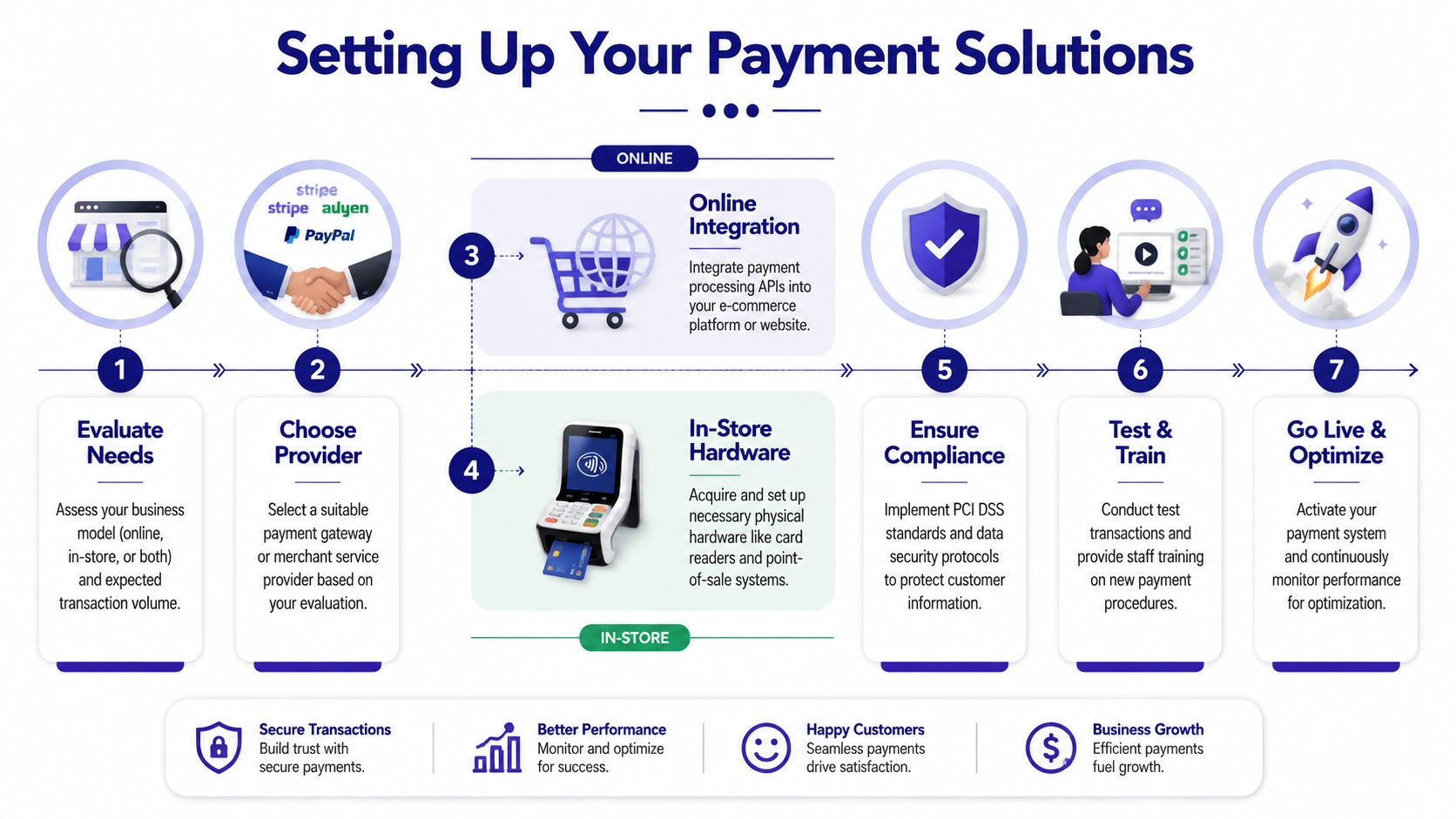
For in-store businesses
If you sell in person, your first concern is hardware reliability. You need a card reader or POS setup that staff can use quickly, that handles chip and contactless payments cleanly, and that doesn't turn checkout into a troubleshooting exercise.
A practical in-store setup usually includes:
A dependable reader: Choose hardware that works consistently at the counter, on the floor, or on the go.
A POS system that matches your workflow: Retail, food service, and appointment-based businesses need different layouts and reporting.
Staff procedures: Train staff on refunds, failed taps, duplicate charges, and customer receipts before launch.
The biggest in-store payment mistakes are operational, not technical. Staff key in cards manually when the reader fails. Refunds get issued the wrong way. End-of-day reconciliation gets skipped. Those habits create avoidable cost and support headaches.
For online businesses
Online businesses have more setup choices. That's good, but it also makes it easier to build the wrong thing.
If you send custom invoices, a hosted payment link can be enough. If you sell subscriptions, digital products, or a fixed catalog, an embeddable checkout or platform plugin usually makes sense. If you run SaaS, marketplaces, or custom commerce flows, you'll likely want API control.
A useful low-code example, especially for service businesses or small admin-heavy teams, is this walkthrough on how to Collect payments via Google Forms. It shows the kind of lightweight payment collection that works when you don't need a full storefront.
For a broader implementation checklist, this guide to implementing a payment gateway helps map the moving parts cleanly.
A practical rollout sequence
I recommend implementing in this order:
Map the payment moments
List where people pay you. Counter checkout, quote approval, invoice, subscription signup, community access, digital download, or recurring billing.Choose the lightest tool that fits the job
Don't start with a custom API if a payment link solves the problem. Don't force a basic link workflow if you need subscription logic and webhooks.Test edge cases before launch
Run successful payments, failed payments, partial refunds, duplicate submissions, and staff-error scenarios.Document your internal process
Write down who owns refunds, who checks failed payouts, and what happens if the account gets flagged or a payout is delayed.
A payment setup is only finished when someone on your team can operate it confidently without the founder stepping in.
One practical point often missed in online implementations is account risk. Fast onboarding is attractive, but as noted earlier, some aggregator-style setups can bring account holds and frozen funds during disputes. If your business relies on daily card receipts to operate, implementation isn't just about checkout. It's also about access to cash.
Security and Compliance Essentials
Security isn't a side task for later. If you're accepting card payments, it's part of the job on day one.
What PCI and SCA mean in plain English
The verified guidance for this topic is clear. PCI-DSS Level 1 certification and Strong Customer Authentication (SCA) are mandatory technical specifications, and businesses that fail to implement them face higher dispute rates (NerdWallet guide to credit card processing fees).
In plain terms, PCI is about protecting card data correctly. SCA is about making sure the person using the card is the legitimate customer through added authentication steps where required.
If your provider hosts the checkout and handles sensitive card data properly, your burden is lighter. If you try to collect, store, or pass card details in ad hoc ways, your risk increases fast.
For a practical explanation of the merchant side of that responsibility, read PCI compliance requirements for payment acceptance.
Where small businesses get into trouble
The same verified source points to a common and expensive issue. Manual key-entry transactions and high-risk industry classifications can drastically increase interchange rates. That's one reason phone orders, handwritten card details, and staff-entered transactions deserve strict controls.
Small businesses usually get exposed in three ways:
Manual workarounds: Staff type card numbers into virtual terminals because it's faster in the moment.
Weak authentication: The checkout is live, but fraud checks and customer verification are thin.
Loose data handling: Someone saves card details in email, a spreadsheet, or a CRM note. That should never happen.
Security work feels expensive until a dispute wave starts. Then it becomes the cheapest thing you could have done.
Good compliance also improves day-to-day operations. Clear customer authentication reduces avoidable disputes. Hosted payment flows reduce staff mistakes. Strong recordkeeping gives you something to fight with when a cardholder challenges a charge.
This is not optional. If you're serious about accepting credit cards for a small business, secure processing and compliant checkout have to be built in from the start.
The Modern Payment Stack Cards, Crypto, and Global Payouts
Most guides stop at card acceptance. That's too narrow for businesses that sell internationally, pay remote contractors, or want more control over how money arrives after the customer checks out.
Why settlement choice matters
The payment method your customer uses and the way your business receives funds don't have to be the same thing anymore. That's the shift many small businesses miss.
For domestic businesses with simple banking, standard card settlement may be enough. But if you invoice clients in different countries, run a global SaaS product, or sell digital access across markets, payout friction becomes a real operating problem. Bank delays, currency conversion friction, and fragmented payment rails slow everything down.
A modern payment stack changes the conversation. Instead of asking only, "Can my customer pay by card?", the better question is, "How do I want to receive that money once the customer pays?"
One checkout, different payment and settlement paths
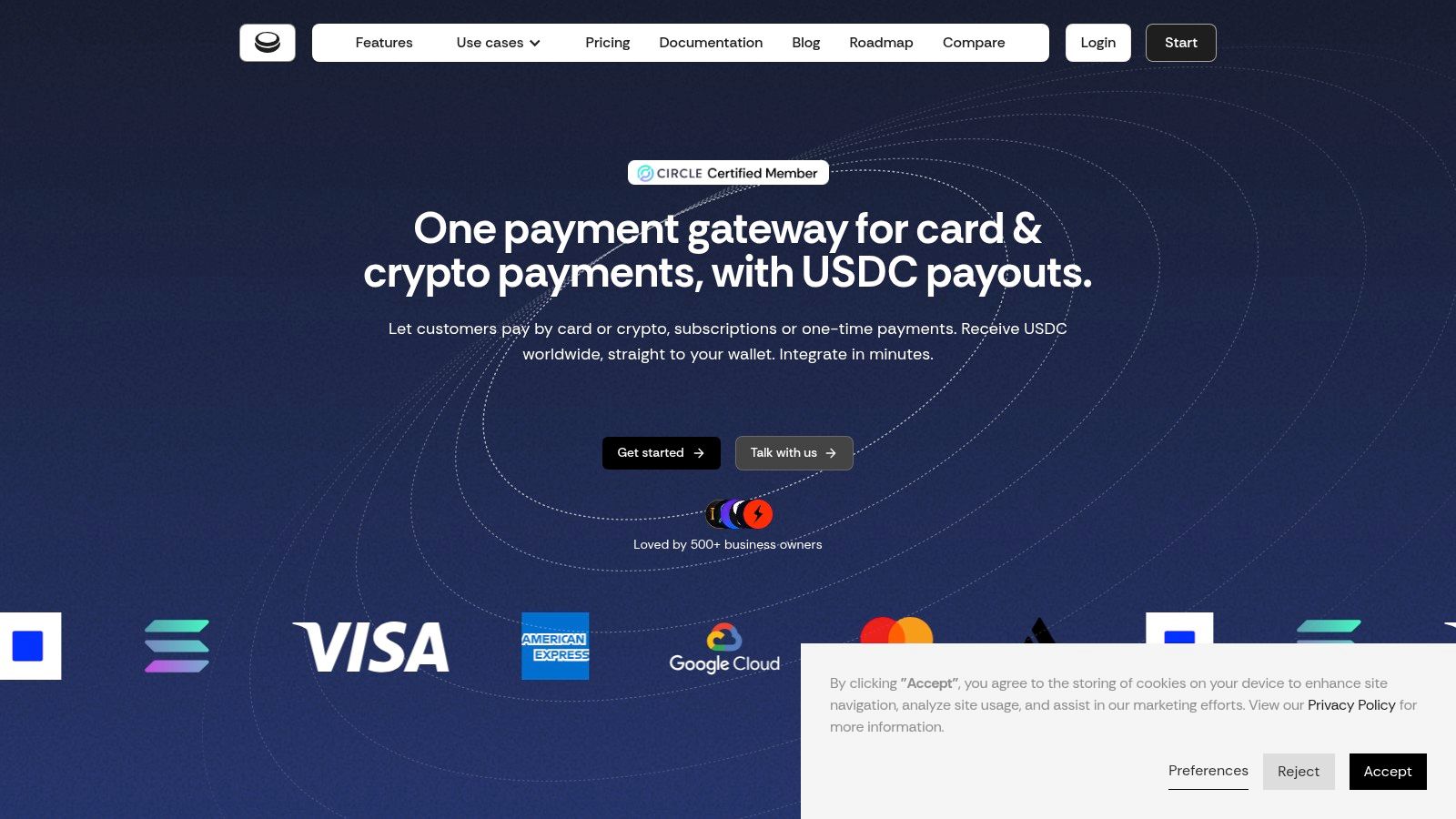
Suby is payment infrastructure for the global internet economy. It provides an API that lets businesses accept payments by card or crypto, and it also offers native integrations with Discord and Telegram for use cases like subscriptions, paid access, and online communities. The core model is straightforward: customers can pay by card, wallet, bank, or crypto, and the business chooses how to receive the money, either to a bank account or in stablecoins like USDC. One important flow is the one where a customer pays by card and the business receives USDC, though that's only one option among several.
It helps to think of Suby as one product used in four ways:
Suby Payments for API-first card and crypto acceptance through one checkout
Suby Crypto for crypto payment acceptance with swap handling, gas sponsorship, and settlement to a non-custodial wallet or Suby balance
Suby Gating for paid access to Discord, Telegram, downloads, and courses
Suby Invoicing for invoices where the client pays how they want and the business receives what it wants
The product detail that matters most here is from the API itself. Suby lets merchants configure payment methods per product using the paymentMethods field with three exact options: ["CARD"], ["CRYPTO"], or ["CARD", "CRYPTO"] (Suby API introduction). That means you can decide product by product whether you want card-only checkout, crypto-only checkout, or both in the same flow.
Pricing depends on the payment method used, so it shouldn't be treated as one flat rate. Exact figures belong on the Suby pricing page.
For merchants thinking about international selling from a storefront angle, this piece on Empower Shopify international payments with SelfServe is a useful complement because it focuses on the practical issues that show up when you sell into multiple countries.
Here's a quick product walkthrough of the checkout experience and setup context:
Where this fits in real businesses
This kind of setup is especially practical when the buyer's payment preference and the seller's settlement preference are different.
A few examples:
Agencies and freelancers: A client wants to pay with a company card. The business wants to receive USDC instead of waiting on a cross-border bank transfer.
SaaS teams: Customers need familiar card checkout. Finance wants a more flexible payout structure for global operations.
Creators and community operators: Members want simple checkout. The business wants one system that can handle subscriptions, access control, and flexible settlement.
The modern payment stack isn't just about adding more ways to accept money. It's about removing the mismatch between how customers pay and how your business prefers to get paid.
That distinction matters more as your revenue becomes more international.
Managing Day-to-Day Payments Refunds, Disputes, and Cash Flow
Once payments are live, the actual work starts. The businesses that stay out of trouble aren't the ones with the flashiest checkout. They're the ones with clean operating habits.
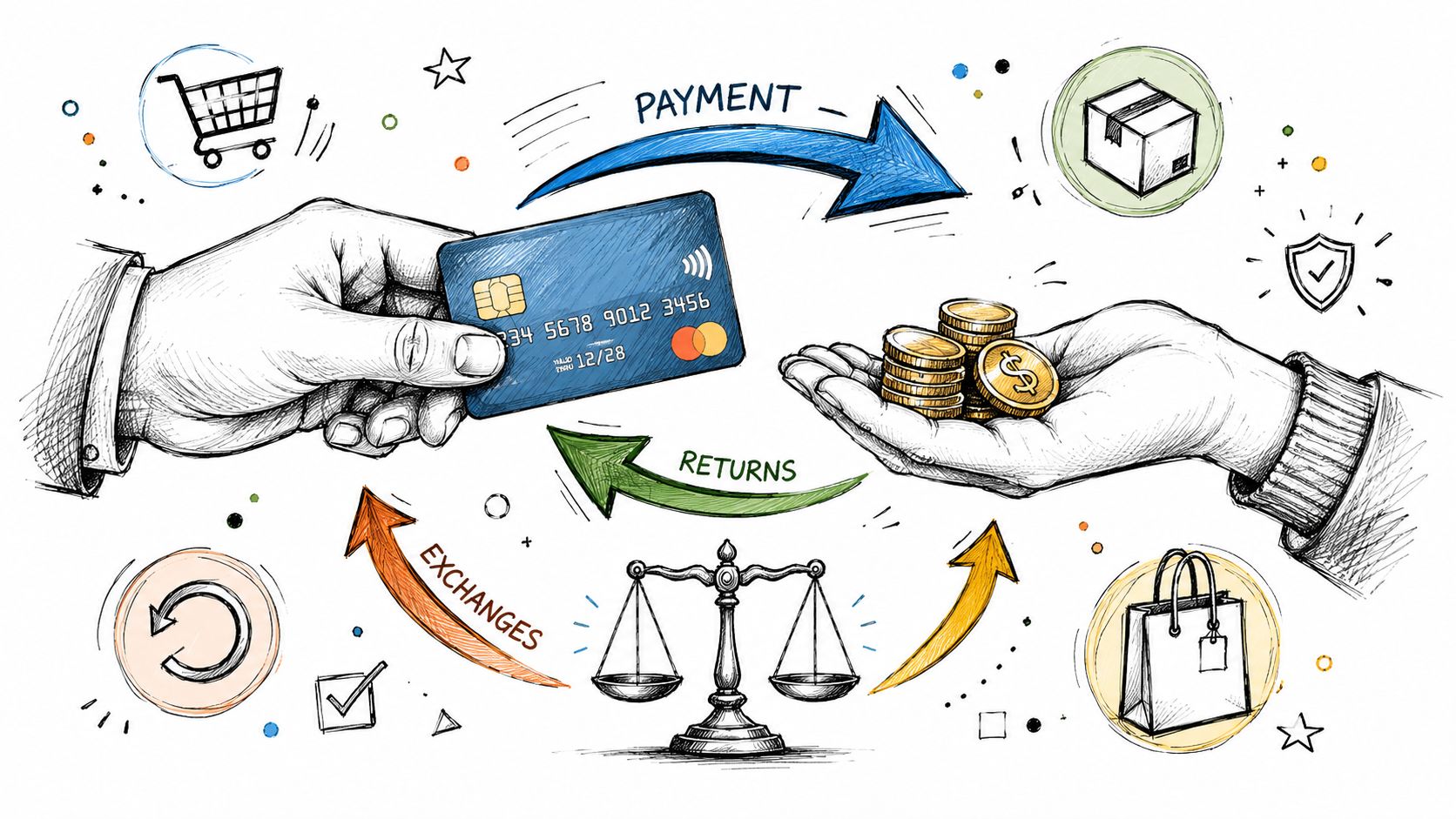
Refunds need a process, not improvisation
A refund should be boring. If your team has to ask what to do each time, the process is weak.
A good refund workflow usually includes:
Confirm the original payment
Match the customer, order, amount, and payment date before touching anything.Check your own policy first
Don't let staff invent exceptions on the fly. Refund timing and conditions should already be documented.Issue the refund through the payment system
Avoid side-channel fixes like bank transfers or cash reimbursements for card purchases unless there's a very specific reason.Notify the customer clearly
Send confirmation, amount, and what to expect next.Log the reason
Product issue, duplicate order, customer remorse, fulfillment delay, fraud concern. This becomes useful later.
That last step matters. Refund patterns tell you whether you have a product problem, a checkout problem, or a customer expectation problem.
Chargebacks are different from refunds
A chargeback is not a customer service gesture. It's a formal dispute through the card system.
You usually don't "win" chargebacks with passionate explanations. You win with records. Keep order confirmations, invoices, delivery proof, access logs for digital products, cancellation terms, and customer communication in one place. If your business sells subscriptions or digital access, usage records often matter as much as the original payment receipt.
When a dispute lands, move quickly:
Read the reason code carefully: Friendly fraud, unauthorized transaction, product not received, and recurring billing complaints need different evidence.
Submit matching documentation: Give the processor the exact documents that answer the claim.
Fix the underlying cause: If the same dispute type appears repeatedly, the checkout copy, billing descriptor, or cancellation flow may be the underlying issue.
Cash flow gets shaped by payout design
Most owners notice fees first. Cash flow is often the larger operational issue.
Settlement timing affects how quickly you can reorder inventory, fund ads, pay contractors, or trust your working capital position. If you've ever had a strong sales day and a weak bank balance, you already understand the gap between revenue and usable cash.
Traditional settlement flows often involve waiting through banking rails and processor timing windows. More modern payout models can reduce that friction, especially for businesses operating internationally or preferring stablecoin settlement. The operational takeaway is simple: don't judge a payment setup only by checkout conversion. Judge it by how quickly and predictably your business can use the money.
Optimizing for Growth Conversion and Cross-Border Sales
Payment setup isn't a utility line item. It's part of your sales system.
The upside is large enough to deserve attention. The projected value of small business credit card payments is $1.06 trillion in 2026, with an average annual growth rate of 9.5% since 2020, based on the verified data provided for this topic. That's a clear signal that payment performance deserves the same scrutiny as pricing, fulfillment, and retention.
Treat checkout like a growth tool
Most small businesses leak revenue through friction they no longer notice. A checkout can be technically functional and still underperform because it asks for too much, explains too little, or doesn't present payment options in a way customers trust.
The practical improvements are usually straightforward:
Reduce unnecessary fields: If you don't need the information to complete the order, don't ask for it.
Match the payment method to the purchase context: Invoices, subscriptions, one-time digital products, and in-person sales need different flows.
Make totals obvious: Hidden fees, delayed tax display, or unclear currency presentation make buyers hesitate.
Keep failure recovery easy: If a payment fails, give the customer a clean way to try again instead of dropping them out of the process.
Better payment performance often comes from removing obstacles, not adding features.
Cross-border sales break weak payment setups
Selling internationally exposes every weak assumption in your payment system. Currency display, customer trust, payout flexibility, dispute handling, and support responsiveness all matter more once the buyer is in another country.
A stronger cross-border setup usually includes:
Local currency visibility: Customers convert risk in their heads when you don't show prices clearly.
Broad payment acceptance: International buyers don't all prefer the same method.
Clear billing descriptors and support paths: Cross-border confusion turns into disputes quickly if the customer can't recognize the charge.
Settlement flexibility: If your business operates globally, receiving funds only one way can create unnecessary friction.
For many small businesses, growth doesn't require a complete payment rebuild. It requires a tighter checkout, clearer policies, better recovery from failed payments, and a system that doesn't force customer payment preference and business payout preference into the same mold.
Suby is a payment gateway for small businesses that want to accept cards without the usual friction. Your customers pay with card, bank transfer, Apple Pay, Google Pay, Klarna, and more, or crypto, and you get paid out to your bank account, or in stablecoins (USDC, EURC) to your wallet, anywhere in the world with no bank account required. You can start accepting credit cards with a paylink or checkout in minutes, and settle the way that suits your business.
