
Gaspard LEZIN
How to Stripe Cancel Subscription: A Complete Guide
Learn how to stripe cancel subscription using the Dashboard, API, or Customer Portal. This guide offers practical advice for SaaS businesses and creators.
When a customer needs to cancel their subscription, you have a few ways to handle it in Stripe. The right approach really depends on your business size, your technical setup, and how much you want to automate. Think of it as choosing the right tool for the job; what works for a handful of cancellations a week won't scale to thousands.
Your Quick Guide to Cancelling Stripe Subscriptions
Handling cancellations is a routine part of any subscription business, but getting it right is crucial. A smooth off-boarding process can leave a good final impression, which might even bring a customer back someday. Plus, it keeps your billing records and metrics clean.
There are three main ways you can process a cancellation in Stripe.
Manual Cancellation in the Stripe Dashboard: This is your go-to for one-off situations. If a customer emails your support team to cancel, your team can simply log into the Dashboard, find the customer, and end their subscription in a few clicks. No code required, making it perfect for low-volume businesses or non-technical team members.
Automated Cancellation with the Stripe API: For any business with a self-service "account" area, this is the way to go. You can build a "Cancel Subscription" button that hooks directly into the API. When a user clicks it, your backend code tells Stripe to cancel the subscription programmatically. It's scalable and fully automated.
Self-Service with the Stripe Customer Portal: This is Stripe's no-code solution for letting customers manage their own subscriptions. You can set it up quickly and give customers a link where they can cancel, upgrade, or downgrade on their own. It's a huge time-saver that dramatically cuts down on support tickets.
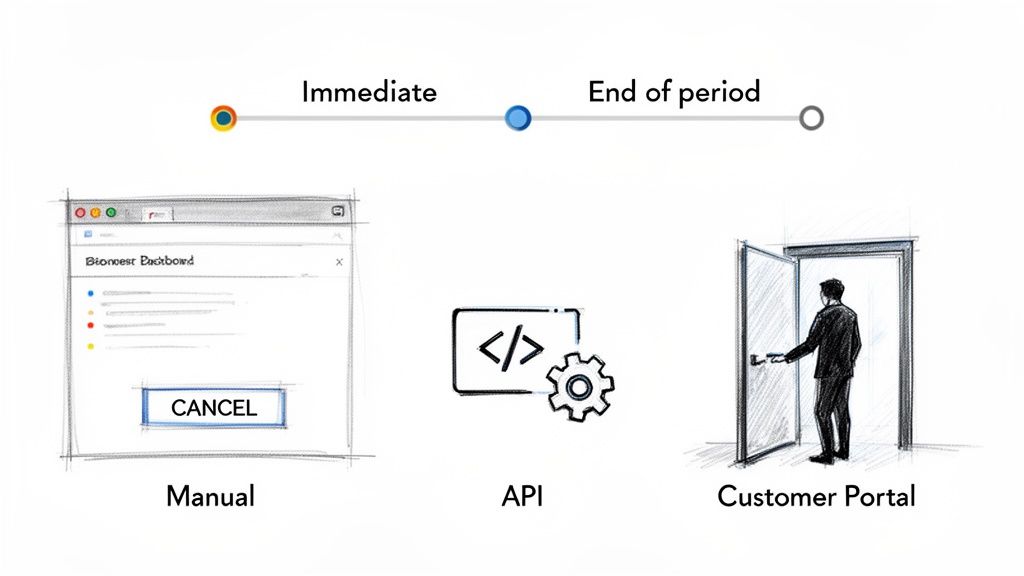
To help you decide at a glance, here’s a quick comparison of these methods.
Comparing Stripe Subscription Cancellation Methods
A quick look at the three main ways to cancel a Stripe subscription, showing the best use case and technical skill needed for each.
Method | Best For | Technical Skill | Key Benefit |
|---|---|---|---|
Stripe Dashboard | Low-volume, manual cancellations by your team. | None | Fast and easy for one-off requests. |
Stripe API | Automated, in-app cancellations triggered by user action. | Required (Backend Dev) | Scalable, integrated user experience. |
Customer Portal | Empowering customers to self-manage their subscriptions. | Low/None | Reduces support workload and empowers users. |
Ultimately, the goal is to create a process that’s efficient for your team and straightforward for your customers.
Immediate vs. End-of-Period Cancellation
Beyond how you cancel, you also need to decide when the cancellation takes effect. Stripe gives you two options here.
You can cancel a subscription immediately. This revokes the customer's access to your service right away. This is often the right move when a user deletes their account entirely or if there’s a terms of service violation. It usually involves figuring out a prorated refund for any unused time.
Alternatively, you can set the subscription to cancel at the end of the current billing period. I’ve found this is the most common and customer-friendly approach. The user has already paid for the month or year, so they get to continue using the service until their paid-for time is up. After that, it simply won't renew.
Key Takeaway: Choosing the right cancellation method and timing is crucial. An immediate cancellation is suited for account closures, while an end-of-period cancellation is standard for users who simply don't wish to renew.
While these Stripe methods are standard, some businesses are looking for more direct payment flows. For instance, our API enables businesses to accept card or crypto payments, with all revenue settling directly in a stablecoin like USDC. This model is designed to simplify global payments. For creators, we also see a trend toward native community tools, like our integrations for Discord and Telegram integrations, which handle paid memberships without the complexity of a full-blown subscription system.
Cancelling Subscriptions Manually in the Stripe Dashboard
Not every cancellation needs a complex, automated workflow. When a customer emails your support team asking to cancel, or if you're just starting out and only handle a handful of these requests each month, there’s no reason to overcomplicate things. The Stripe Dashboard is your best friend here.
It’s a straightforward, visual process that lets anyone on your team, from support agents to the founder, handle a stripe cancel subscription request in a few clicks. No code is required. This gives you total control over the process, which is exactly what you want when dealing directly with a customer.
How to Find and Cancel the Subscription
First things first, you need to pull up the customer's account. The global search bar at the top of your Stripe Dashboard is the fastest way. Just type in their name, email address, or customer ID (it looks like cus_...).
Once you’re on their customer page, you’ll see a list of their active and past subscriptions. Find the one you need to cancel and click on it.
This brings you to the subscription details page. Look for the three-dot menu (...), that’s where Stripe keeps the "Cancel subscription" option.
Once you click to cancel, Stripe will ask you a critical question: When should the cancellation happen? Your answer directly impacts the customer’s access and how your revenue is recorded.
You’ll be presented with two choices:
Cancel immediately: This terminates the subscription on the spot. The customer loses access right away, and Stripe can create a final, prorated invoice for any time used in the current cycle.
Cancel at the end of the period: This is almost always the best, most customer-friendly option. The customer gets to use the service for the time they've already paid for, and the subscription simply won't renew. It’s a clean break with no bad feelings.
Unless there’s a specific reason to cut off access immediately (like a terms of service violation), always choose to cancel at the end of the period.
Thinking Through the Aftermath
Manually cancelling a subscription is easy, but it's not the end of the story. For example, if your policy includes a refund for unused time after an immediate cancellation, you have to process that refund separately. Cancelling a subscription does not automatically trigger a refund.
The good news is that every action taken in the Dashboard is logged. This creates a clean audit trail, so you can always see who cancelled a subscription and when, which is great for keeping your team accountable.
For businesses looking for a more streamlined approach to payments, especially across borders, other models are emerging. Our platform, for instance, uses a simple API that lets any business take card or crypto payments and get paid out in USDC. This is a game-changer for creators and online communities using our Discord and Telegram integrations to manage paid access. Here, customers pay with their card, and the business receives USDC.
When you move beyond a handful of customers, canceling subscriptions by hand just isn't sustainable. It’s a time sink and a recipe for mistakes. That's when you turn to the Stripe API to automate the entire stripe cancel subscription workflow.
By building cancellation logic directly into your app, you give customers the self-service options they expect. The "Cancel My Plan" button in their account settings? That's powered by an API call. It's the key to scaling your operations without drowning in admin work.
The goal is to translate the manual steps you'd take in the Dashboard into a few lines of code.
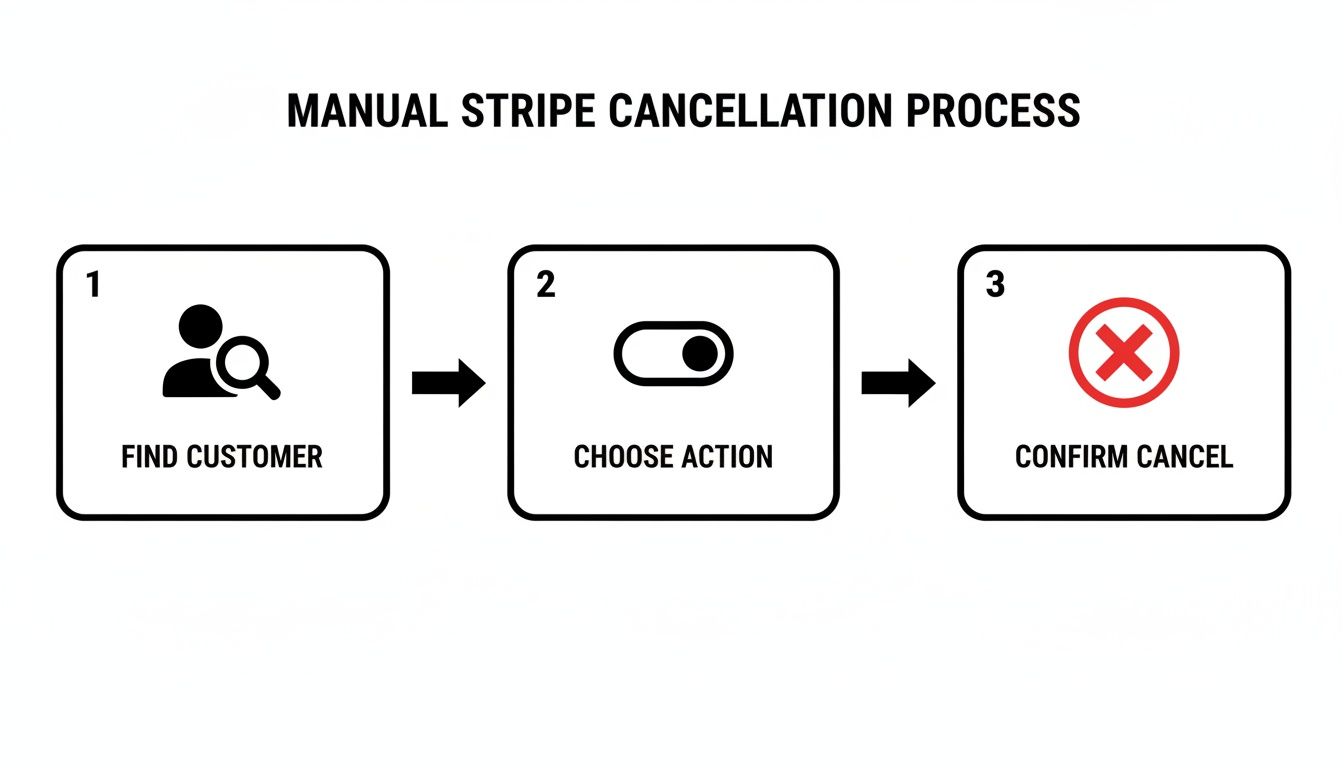
This simple, three-step flow is exactly what we're aiming to automate. Let's look at how to do it.
Immediate vs. End-of-Period Cancellation via API
When a customer hits that cancel button, you have two ways to handle it through the API. The one you choose depends entirely on the situation, and it all boils down to a single parameter.
An immediate cancellation is exactly what it sounds like: direct and final. To do this, you make a DELETE request to the /v1/subscriptions/{SUBSCRIPTION_ID} endpoint, which terminates the subscription on the spot. This is a direct approach, and you should use it sparingly. It's really only for specific cases:
Account Deletion: If a user is deleting their entire account with you, there's no reason to keep the subscription active.
Fraud or Misuse: When you've flagged an account for violating your terms of service, an immediate cancellation revokes access instantly.
You can also pass parameters like invoice_now and prorate to issue a final invoice for any used time, but this path is less common for typical, voluntary cancellations.
The second, and far more common, method is to let the subscription run until the end of the current billing period. You do this by sending a POST request to update the subscription and setting the cancel_at_period_end parameter to true. This doesn't delete the subscription; it just tells Stripe not to renew it.
This approach is a win-win. Customers get to use the service they've already paid for, which feels fair and leaves a good final impression. It’s the perfect solution for users who are simply choosing not to continue or maybe downgrading to a free tier.
Webhooks for Post-Cancellation Actions
Canceling the payment is only half the battle. You still need to update your own application's database to reflect the change. This is where webhooks are indispensable.
When a subscription is officially canceled (either immediately or at the end of the period), Stripe sends a customer.subscription.deleted event to your webhook endpoint. Listening for this event is absolutely critical.
Once your server receives that webhook, you should have logic ready to:
Revoke the user's access to premium features.
Change their role in your database from "premium" to "free."
Send a final confirmation email letting them know the cancellation is complete.
Automating these follow-up actions ensures your system stays perfectly in sync with Stripe's billing status. You can and should test your entire API and webhook flow in Stripe’s test mode. If you need a quick primer on that, check out our guide on using Stripe test cards and mock data.
Let Customers Manage Subscriptions Themselves with the Stripe Customer Portal
One of the best things you can do for your support team and your customers is to let them manage their own subscriptions. The Stripe Customer Portal is a secure, Stripe-hosted page that does exactly this. It’s a fantastic low-code solution that gives users the power to handle tasks like a stripe cancel subscription request on their own, which dramatically cuts down on your team's admin work.
Getting it running is simpler than you might think. You can configure the whole thing directly from your Stripe Dashboard in the Customer Portal settings. This is where you’ll define the rules and decide exactly what your customers can and can't do.
What You Can Configure in the Portal
The real value here is the customization. You get to set the level of control you're comfortable giving your users. When it comes to cancellations, for instance, you can enable a simple one-click cancellation button. This creates a frictionless, no-questions-asked off-boarding experience that many customers really appreciate.
But it's not just about canceling. You can also empower customers to:
Update Payment Methods: Let them add new cards or switch their default payment info without ever needing to contact you.
View Billing History: Give them one-click access to past invoices for their own accounting.
Switch Plans: Allow users to upgrade or downgrade between your subscription tiers themselves.
You can also add your own logo and brand colors, so the portal feels like a seamless part of your own site, not a generic third-party page.
A feature I find incredibly valuable is the ability to ask why a customer is canceling. You can set up a quick, optional survey that pops up during the cancellation process. The feedback you get here is gold for understanding churn and making informed changes to your product or service.
Is the Customer Portal Right for You?
For most businesses, the Stripe Customer Portal is a massive time-saver and a clear win for the customer experience. Giving users this kind of self-service control shows you respect their time and autonomy.
That said, it isn’t the perfect solution for every single business model. When you send customers to a Stripe-hosted page, you're handing over a piece of the user journey. If your cancellation flow is more complex, maybe it involves multiple confirmation steps, custom "pause" options, or specific retention offers, you might find the portal a bit limiting. In those cases, building a custom solution with the Stripe API will give you the complete control you need.
Ultimately, the portal is an excellent choice for the majority of subscription businesses. It hits a sweet spot, balancing powerful features with a refreshingly simple setup.
For businesses that require even greater flexibility, particularly those operating in global markets, other payment solutions are also an option. Our own API offers a direct path for any business to accept card or crypto payments and get settlements in USDC. This model works especially well for creators and online communities using our native integrations with Discord and Telegram, which simplify how paid access and subscriptions are managed.
What to Do After a Subscription Is Canceled
So, you've processed a cancellation. Job done, right? Not quite.
Canceling the Stripe subscription is just the beginning. What happens after the cancellation is where many businesses, especially in SaaS, drop the ball. Failing to properly manage this final stage of the customer lifecycle can lead to anything from revenue leakage to frustrated ex-customers. You need a rock-solid process for tying up loose ends.
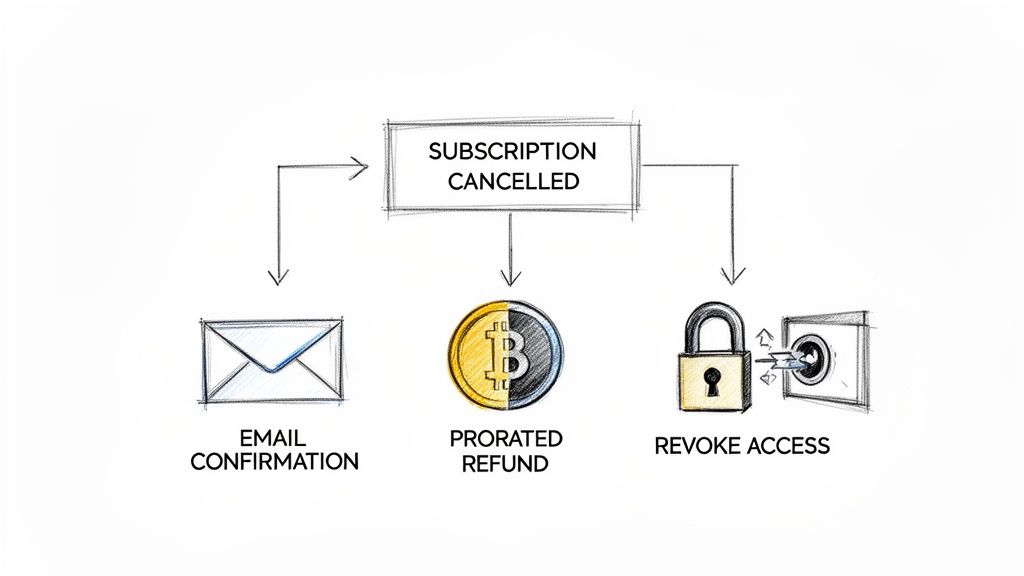
The second that stripe cancel subscription call goes through, your own system needs to know what to do. For SaaS platforms or membership sites, this is non-negotiable. If a user stops paying, their access to premium features has to be revoked at the right time. The only sane way to handle this at scale is with Stripe Webhooks.
Using Webhooks to Automate Access Control
Manually checking and revoking access is a recipe for disaster. It’s tedious, error-prone, and simply won't scale as you grow. Instead, you'll want to set up your application to listen for specific webhook events from Stripe. The key event here is customer.subscription.deleted.
When Stripe sends this event to your webhook endpoint, it's the official confirmation that the subscription is truly over. This is the trigger your backend has been waiting for. Your code should then automatically:
Update the user's role: Flip their status in your database from "premium" to "free" or "inactive."
Revoke their permissions: Immediately shut off access to any paid features, private content, or special services.
Send a final confirmation: A quick email letting them know their subscription and access have officially ended is a nice, professional touch.
Automating this flow ensures access rights are managed perfectly every time, preventing people from getting a free ride on services they're no longer paying for.
The Silent Killer: Involuntary Churn
Of course, not all cancellations are intentional. A huge chunk of lost revenue comes from involuntary churn, when a subscription is canceled because of a failed payment.
While Stripe has fantastic dunning and recovery tools, it’s still a major headache. We've seen recurring payment volumes on Stripe grow much faster than one-time payments, yet many businesses are still caught off-guard by payment failures. Even with AI-powered tools like Smart Retries recovering billions, a lot of revenue still slips through the cracks. It's a universal pain point for anyone operating a subscription business.
Getting the entire subscription lifecycle right, from the first payment to the final cancellation and access revocation, is crucial for your financial health. A big piece of that puzzle is consistent revenue recognition. For a closer look at that, our guide on Stripe revenue recognition is a great resource.
For businesses and creators who want to sidestep these global payment issues, new models are emerging. Our API, for instance, lets you accept payments by card or crypto and get paid out directly in USDC. This eliminates many of the headaches tied to cross-border transactions and payment failures. And for creators on our native Discord and Telegram integrations, it’s a much simpler way to manage paid communities.
Strategies for Subscription Management and Churn Reduction
Handling a customer's request to stripe cancel subscription isn't just an administrative task, it's one of your last, best chances to keep them. A smooth off-boarding experience can actually reduce churn by presenting alternatives, gathering crucial feedback, and leaving the door wide open for them to come back later. The idea isn't to trap customers, but to make staying an easy choice.
This starts with clear, proactive communication. Sending a cancellation confirmation email is non-negotiable; it gives the customer a clear record and prevents any confusion about future billing. But your communication should really begin long before they hit the cancel button. To get the full picture, you need to understand the proven methods to reduce subscription churn that keep customers happy from day one.
Offering a "pause" option is a game-changer. Many customers don't want to leave forever, they just need a temporary break. If you make it simple to pause and resume, you'll be surprised how many stick around.
Rethinking Rigid Commitments
One of the biggest points of friction I see with modern, global businesses is the inflexibility of annual contracts. Stripe's subscription rules, for instance, are quite strict. Businesses are often locked into full-year terms, which can cause some real headaches for SaaS companies trying to manage a global user base.
According to Stripe's own policies, all subscription plans default to an annual contract that kicks in at midnight UTC the day after signup. These contracts then automatically renew unless they're canceled at least 24 hours before the renewal date. So, if a business signs up on September 14, 2025, they are locked into a term from September 15, 2025, to September 14, 2026. If they cancel early, there are no prorated refunds, as all payments are final.
This kind of rigidity can really sour a customer relationship, especially when their business needs change partway through the year. While it might secure revenue in the short term, inflexible policies can do long-term damage to your brand.
The Value of Flexible Payment Solutions
This is exactly where more agile payment platforms come into play. Instead of locking you into unforgiving terms, they give businesses more control and simplicity. At Suby, for example, we built a straightforward API that lets any business accept payments by card or crypto, with payouts settling directly in USDC. This approach cuts right through the usual friction of currency conversion and cross-border payments.
Our model was built from the ground up for today's internet-native businesses and creators. By focusing on direct and predictable USDC settlements, we help merchants sidestep many of the complexities baked into traditional payment systems.
For SaaS and App Developers: A flexible API means you can build your own custom subscription logic. Think flexible pause options, easy downgrades, and cancellation flows that actually help you learn from your users.
For Community Managers: We have native integrations for Discord and Telegram that handle all the subscription management for you, making it incredibly simple to run a paid community.
By letting users pay with cards while businesses receive USDC, we provide a more direct and transparent payment pipeline. This doesn't just help with voluntary churn; it also significantly reduces involuntary churn from failed payments, a constant battle with older systems. If you're wrestling with payment failures, you might find our guide on what a dunning process is helpful.
Common Questions on Stripe Subscription Cancellations
As you get comfortable managing subscriptions, you'll notice a few questions pop up again and again. Let's walk through some of the most common scenarios you'll face and how to handle them.
Can I Reactivate a Canceled Stripe Subscription?
The short answer is no. Once a subscription is canceled in Stripe, that's it, it can't be brought back to life. To resume service, your customer has to go through the signup process and create an entirely new subscription.
This finality is exactly why offering a "pause" feature can be a smart move. Pausing keeps the subscription record intact but just stops billing for a while, making it much easier for a customer to resume later.
Does Canceling a Subscription Automatically Issue a Refund?
This is a big one: no, canceling a subscription does not automatically send a refund. You are in complete control here. Any refunds have to be issued manually, either through your Stripe Dashboard or with an API call.
This gives you the flexibility to decide what to do based on your own refund policy. You might refund the last payment in full, offer a partial refund for the unused time, or, depending on the situation, issue no refund at all.
What Happens to an Invoice When a Subscription Is Canceled?
It really depends on how you cancel it. If you cancel the subscription immediately, Stripe will generate a final, prorated invoice to bill for any time used in the current cycle that hasn't been paid for.
On the other hand, if you set the subscription to cancel at the end of the billing period, things are simpler. The customer keeps their access until the period they've paid for is over, and no new invoices are created.
How Do I Handle Failed Payments Before Canceling?
Stripe has a built-in feature called Smart Retries that is designed for this exact problem. It intelligently retries failed payments on a schedule that’s optimized to succeed. You can even configure your own rules in the Dashboard to control how many retries happen before a subscription is either marked as "unpaid" or canceled automatically.
It's always a good idea to notify customers about a failed payment. A simple dunning email gives them a chance to update their card and can save a customer you might have otherwise lost to involuntary churn.
Suby is a payment gateway and payment processor. Your customers pay with card, bank transfer, Apple Pay, Google Pay, Klarna, and more, or stablecoins, and you get paid out to your bank account, or directly in stablecoins (USDC, EURC) to your wallet. Anywhere in the world, no bank account required. That gives you a cleaner way to run recurring billing than a Stripe-only stack: subscriptions, renewals, and cancellations are handled for you, with native Discord and Telegram integrations for paid communities. Get started with Suby today.
