

Gaspard LEZIN
Your Guide to apple 30% payment in 2026
Master apple 30% payment in 2026! Understand legal changes, navigate commissions, compare options, & reduce fees for your iOS app. Get your guide.
Apple’s App Store commission has long been treated like a fixed cost of doing business on iOS. That mindset no longer holds. The fee structure that helped generate an estimated $30 billion annually for Apple from in-app purchases and subscriptions is now under legal pressure, and that changes how smart teams should think about pricing, margins, and checkout design, according to this legal analysis of Apple’s App Store commission model.
For developers, founders, and subscription businesses, the apple 30% payment issue isn’t just about fairness. It’s about whether your app can keep enough revenue to fund support, product work, and growth without pushing your prices to a level users resist.
Table of Contents
Why this change affects more than checkout
What developers need to decide now
The rule developers should map before building checkout
The rate is tiered, and the timing matters
Where the recent rulings change the decision
What works in practice
What this changes inside the business
The hidden business cost
Where the trade-off is sharpest
Why developers were frustrated
What changed on the ground
What still requires judgment
iOS Payment Method Comparison
What usually works best by business type
The payout question matters more than most teams expect
A practical way to decide
Where a hybrid model makes sense
What to change first
What doesn’t work
Conclusion Taking Control of Your Revenue
The Shifting Landscape of Apple's 30% Payment Fee
A 30 percent commission can erase more margin than many subscription apps have to spare. That is why the recent court pressure on Apple matters in practical terms, not just legal ones.
For years, many iOS businesses treated Apple’s payment rules as fixed. That assumption no longer holds. Developers now have more room to send users to external payment options, but the decision is not as simple as "leave IAP and save 30 percent." Apple’s revised structure still puts a cost on external purchases in some cases, and the operational trade-offs are real.
Why this change affects more than checkout
Payment control shapes four things at once. Margin, pricing, customer data, and product design.
If Apple owns the transaction, it also influences how you present offers, how subscriptions renew, what support burden lands on your team, and how much direct billing visibility you keep. I have seen teams focus on the headline fee and miss the follow-on cost of weaker customer ownership. That shows up later in failed win-back campaigns, refund disputes, limited upgrade flows, and less freedom to test pricing.
The dependency pattern is familiar. For a useful parallel, understanding cloud vendor lock-in gives a good framework for how convenience can turn into costly dependence over time.
Practical rule: If your highest-value revenue runs through a payment flow you do not control, policy changes turn into revenue risk very quickly.
What developers need to decide now
The immediate question is not whether Apple’s old rule is under pressure. It is which path leaves you with the best net revenue after fees, conversion loss, support overhead, and compliance work.
For some apps, keeping in-app purchase is still the rational choice. Conversion is stronger, billing is familiar to users, and Apple handles part of the subscription plumbing. For others, a web checkout can still improve economics even with Apple’s newer external payment fee structure, because owning the customer relationship has value beyond a few points of margin. Teams selling higher-priced subscriptions should model both cases line by line, including failed payments, tax handling, customer service time, and retention.
There is also a third path that gets more attention now: building payment flows outside Apple’s system entirely for eligible use cases, including setups that settle in USDC. That route can cut processor and cross-border friction in the right business, but it adds its own work around onboarding, compliance, wallet education, and reconciliation. For founders comparing billing models, this guide to billing for SaaS products across payment rails is a useful reference point.
The old question was whether Apple would keep control. The current question is how much control your business should keep for itself.
How the App Store Commission Actually Works
Confusion around apple 30% payment usually starts with a category error. Developers, founders, and creators often discuss Apple’s cut as if the same rule applies to every transaction on iOS. Apple’s payment rules depend first on what is being sold, then on how that purchase is delivered to the user.
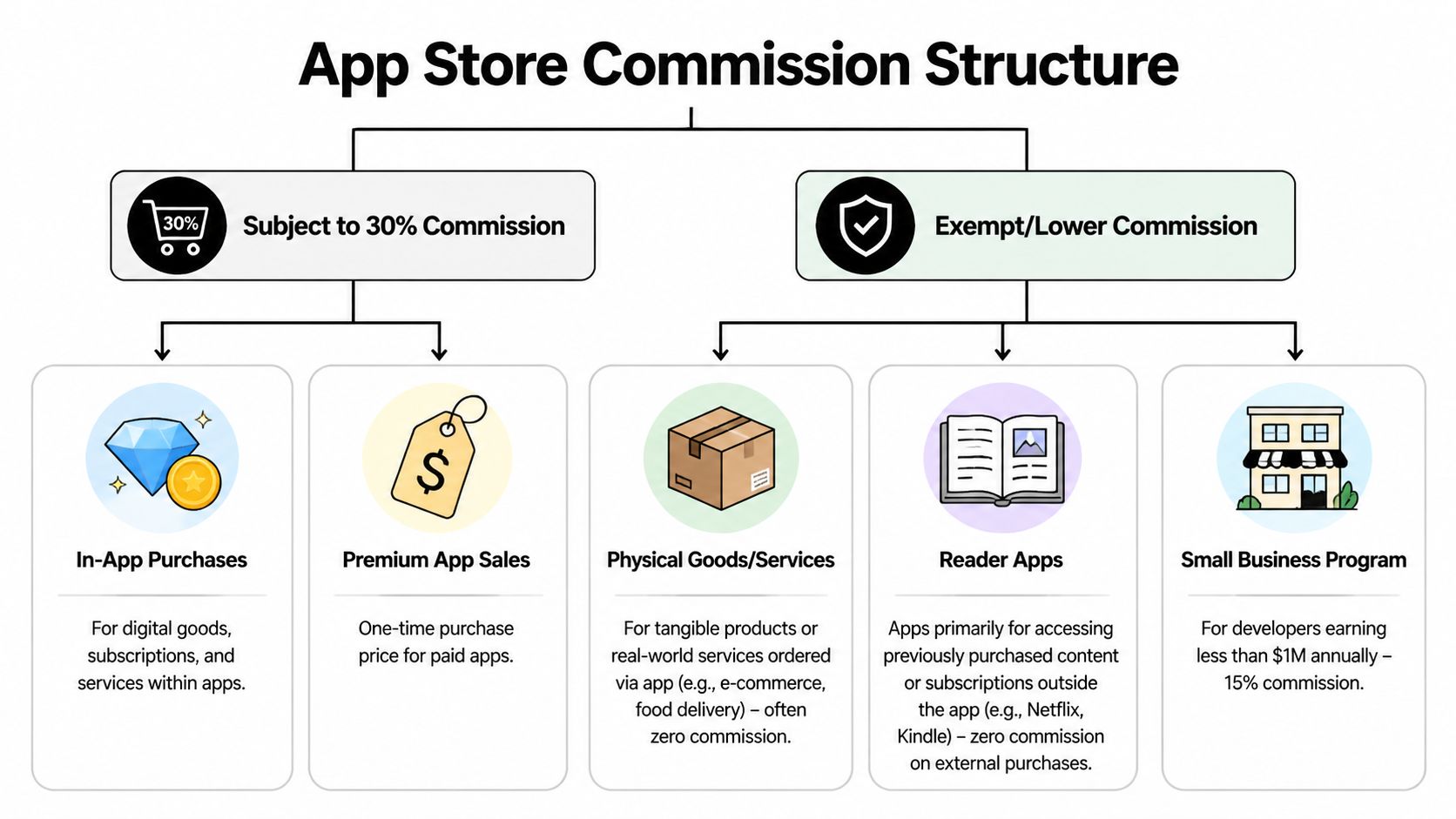
In practice, the line is simple. If the user is buying a digital product, digital feature, subscription, or virtual item used inside the app, Apple generally requires in-app purchase. If the app is facilitating a physical product, a real-world service, or access purchased elsewhere under an allowed reader model, the payment flow follows a different set of rules.
The rule developers should map before building checkout
Apple’s commission structure applies to a few specific buckets, not to every dollar your app touches.
Digital subscriptions and digital goods: Premium content, paid features, credits, and virtual items consumed in the app usually fall under in-app purchase rules.
Paid app downloads: One-time purchases of the app itself also sit inside Apple’s commission model.
Physical goods and offline services: Ecommerce, food delivery, ride booking, and other real-world transactions are usually outside the same IAP fee structure.
Reader-style apps: Apps that let users access content or services purchased elsewhere often require a different implementation pattern from direct in-app selling.
That distinction shapes product, billing, and review decisions early. A meditation app selling premium sessions inside iOS is in a different compliance category from a retail app selling shoes, even if both collect money from the same user on the same device.
The rate is tiered, and the timing matters
Apple’s standard commission on qualifying digital purchases through in-app purchase is 30%. Some developers qualify for 15% under Apple’s small business program, and many auto-renewable subscriptions move to 15% after the customer’s first year.
That changes the unit economics more than many teams expect. Year one subscription revenue can carry a very different margin from later renewals, so pricing a product on blended averages can hide where the business is tightest.
If your model treats every subscription month as having the same platform cost, the model is understating early pressure on margin.
Where the recent rulings change the decision
The legal changes did not erase the need to classify transactions correctly. They changed the set of payment paths some apps can consider.
For digital products sold on iOS, the practical choices are now broader but more nuanced: stay on Apple IAP, send users to a web checkout where Apple may still claim a reduced commission under its external payment terms, or build an eligible off-platform flow that uses a processor or settlement method outside Apple’s billing system. For some businesses, that now includes payment setups that settle in USDC.
Each path has a different cost stack. IAP usually gives the best native conversion and the least billing infrastructure work. A web redirect can lower headline fees in some cases, but the actual result depends on conversion drop, support burden, tax handling, and Apple’s updated fee rules. Independent payment rails can reduce processor and cross-border friction for the right product, but they add work around onboarding, compliance, refunds, and reconciliation.
What works in practice
Teams avoid expensive rework when they classify every SKU before writing billing code. That means deciding, product by product, which purchases must use IAP, which can stay outside it, and which are now worth testing through a web or independent flow.
A generic checkout strategy is where mistakes start. Apple reviews the product being sold, the user path, and the wording around payment. Billing architecture has to match that reality.
Calculating the True Cost of the 30% Fee
A 30% commission does not sound catastrophic until it starts hitting monthly recurring revenue. On every $100 sold through standard IAP, $30 leaves the business before processor costs, support time, refunds, or tax ops enter the picture.
For a subscription app, that changes planning fast. A $50 per month plan under the standard rate leaves $35 in the first year. At the lower 15% tier, it leaves $42.50. That gap is not accounting trivia. It is the budget for onboarding emails, failed payment recovery, customer support, and retention work in the exact period when a subscriber is most expensive to win and easiest to lose.
The more useful comparison is across all three paths now on the table. Stay on IAP and give up 30% or 15% for simplicity and better in-app conversion. Send users to a web checkout and model the savings against Apple’s external purchase terms, lower conversion, extra billing support, and any fee exposure that still applies. Build a fully independent flow and the percentage can drop much further, especially if settlement happens outside the card stack, but the operating burden moves onto your team.
What this changes inside the business
Margin pressure shows up first in product and growth decisions.
A SaaS team with healthy gross margin can afford onboarding calls, trial experiments, annual plan discounts, and win-back campaigns. The same team on thinner iOS economics usually cuts those first. Creator apps and paid communities feel this quickly because support needs are front-loaded and average order values are often too small to absorb platform fees without changing the offer.
Three patterns come up often:
Recurring revenue gets pinched early. The first months of a subscription carry the highest acquisition and retention cost, and that is when the platform take is usually hardest to absorb.
Low-priced digital products lose room for error. A modest refund rate or support load can wipe out what looked like acceptable margin in a spreadsheet.
Packaging starts serving the fee, not the customer. Teams push users toward annual plans, bundles, or higher tiers partly to make iOS unit economics work.
The hidden business cost
The direct commission is easy to calculate. The harder cost is the set of decisions that never get approved because contribution margin is too thin.
Hiring gets delayed. Paid acquisition targets get tighter. Regional pricing gets postponed because finance does not want extra complexity on a compressed margin. Product teams become conservative about experiments that would be reasonable if they kept more of the first-year subscription revenue.
For SaaS operators working through recurring revenue design, this guide to billing models for SaaS products is a useful companion. Billing model, payment rail, refund handling, and reconciliation need to be designed together.
Where the trade-off is sharpest
The 30% fee hurts most when all of the following are true:
The product is digital
Revenue is subscription-led
Retention work after purchase is part of the model
That is why this issue keeps resurfacing in SaaS, media subscriptions, creator memberships, and premium communities.
After the recent court fights, the practical question is no longer just whether Apple’s cut is expensive. It is whether IAP’s higher conversion and lower operational load still beat a web flow with partial fee relief, or an independent setup with lower payment costs and more back-office work. For some businesses, especially ones selling globally and already comfortable with alternative settlement rails, even USDC-based collection is now worth modeling alongside card-based web checkout. The right answer depends on your conversion rate, refund profile, support burden, and how much operational complexity your team can carry.
Navigating Payments After Recent Legal Changes
The legal shift didn’t produce a clean, simple outcome. It produced a new negotiation between platform rules, court orders, and product design.
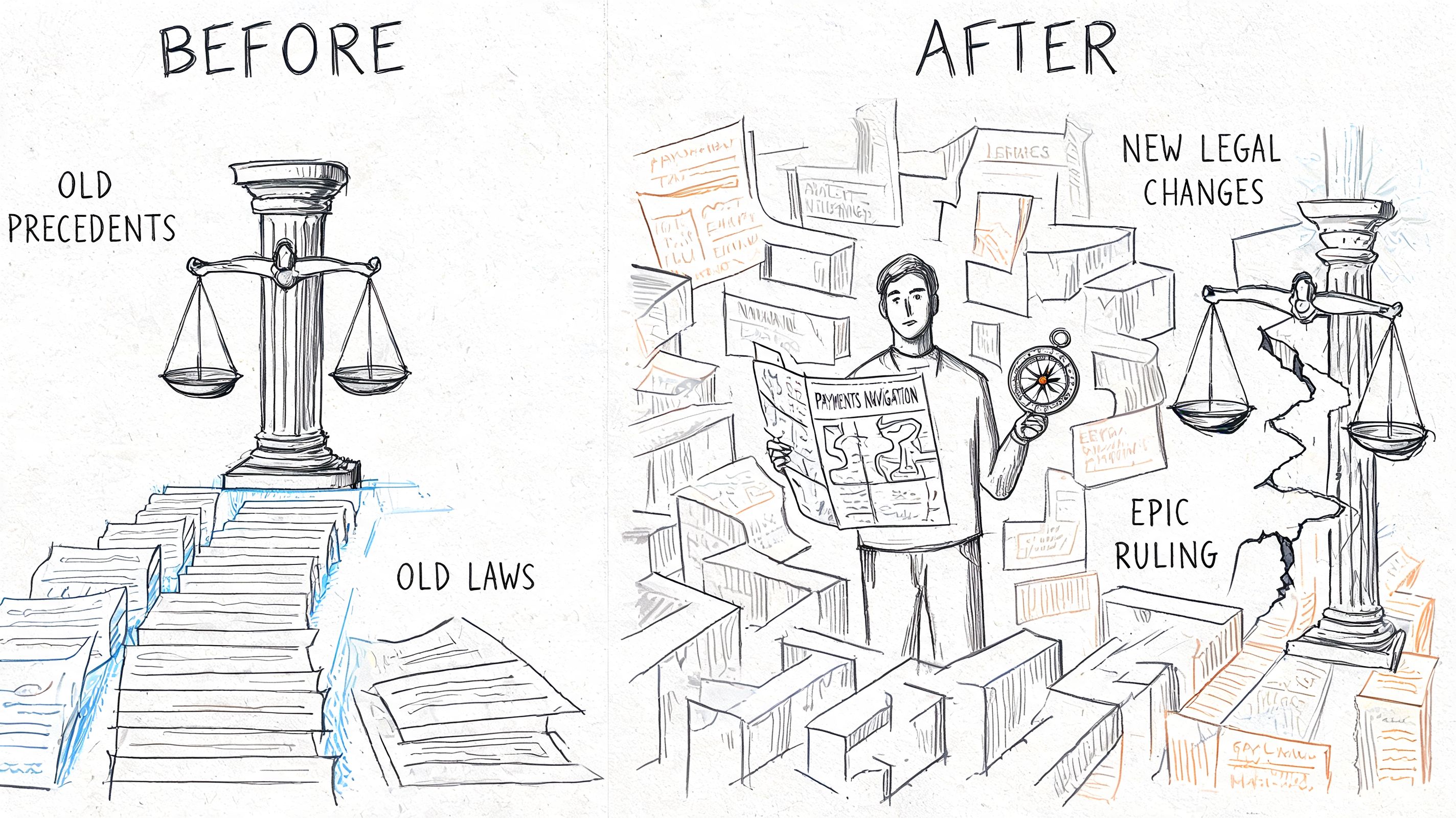
After the Epic ruling, Apple imposed a 27% commission on external web purchases and added user experience barriers such as scare screens that were modeled to cause 20-40% drop-off. Courts later deemed that behavior “contemptuous” and mandated unrestricted linking without such fees or interference, according to this summary of Apple’s post-ruling response and the later court reaction.
Why developers were frustrated
From a product perspective, Apple’s first response created the worst of both worlds. Developers took on the extra work of building a web checkout flow, but they didn’t get the full economic benefit they expected. On top of that, the user journey became harder to convert because the platform inserted friction right at the handoff point.
That matters because checkout isn’t just a legal endpoint. It’s a conversion funnel. If a user taps “subscribe” and then sees warnings, browser jumps, or an awkward redirect path, some of them won’t complete the purchase even if they intended to.
Here’s the practical takeaway:
Legal permission doesn’t equal good UX
A web redirect can save margin, but only if the handoff is clean
Compliance work now includes copy, screen flow, and review risk, not just billing logic
What changed on the ground
The biggest operational shift is that developers can think more seriously about steering users to external checkout without treating it as a fringe tactic. That opens room for direct billing relationships, dynamic pricing logic, and faster iteration on checkout pages that don’t wait on App Store review cycles for every small adjustment.
A short explainer can help if your team is aligning product and legal on what changed:
What still requires judgment
The new environment is better, but it isn’t effortless. Review interpretation can still affect how comfortable teams feel with in-app messaging. Some apps benefit from keeping Apple IAP in place for a subset of purchases while shifting more deliberate, higher-intent transactions to the web.
That’s the actual post-ruling reality. The question isn’t whether the rules changed. They did. The question is whether your payment design changed with them.
Comparing Your Payment Options on iOS
Once you move past headlines, the decision usually comes down to three models. Keep Apple IAP as the primary path. Send users to a web checkout from the app. Or structure your business so purchases happen more independently from the app experience.
Each path has a different mix of margin, friction, and operational control. There isn’t a universal winner. There is only the option that best fits your product and customer behavior.
iOS Payment Method Comparison
Method | Effective Fees | User Experience | Payout Speed & Currency | Compliance Burden |
|---|---|---|---|---|
Apple In-App Purchase | High for standard digital transactions, with lower rates in limited cases already covered above | Native, familiar, low-friction inside iOS | Tied to Apple’s payout model and platform-controlled settlement flow | Lower on payment flow design, but strict platform rules apply |
External link to web checkout from app | Potentially better margin than IAP when platform restrictions don’t consume the savings, but execution matters | Can work well, but weak redirects and unclear messaging hurt conversion | Depends on your payment provider and how they settle funds | Higher, because app copy, link flow, and review posture all matter |
Independent web-based sales flow | Strongest control over pricing and billing design | Best when users already trust your brand and expect a web purchase path | Depends on provider, currency, and settlement setup | Higher business ownership, but less dependence on in-app purchase rules |
What usually works best by business type
For subscription software, Apple IAP is strongest when convenience matters more than margin. If your users discover your product on mobile and convert quickly inside the app, the native flow can still win despite the fee.
For higher-value plans, the web path often makes more sense. Buyers who need to compare tiers, enter business details, or review invoice information usually tolerate a browser checkout better than impulse buyers do.
For community products, education, or membership businesses, a more independent model is often cleaner. If the relationship starts on the web, in Discord, in Telegram, or through direct acquisition channels, you don’t have to force the app to be the billing center.
A payment method isn’t just a processor choice. It decides who owns the customer relationship after the first transaction.
The payout question matters more than most teams expect
A lot of teams compare only checkout conversion and headline fees. They should also compare what happens after the payment succeeds. Settlement timing, payout currency, and cross-border friction can become a bigger operational drag than the checkout itself.
That’s why it helps to evaluate payment infrastructure as part of the whole revenue system, not as a button at the end of the funnel. If your team is looking at broader payment architecture choices, this guide to a global payment API for online businesses is useful context.
A practical way to decide
Use this simple lens:
Choose Apple IAP when native convenience is your top priority and the product is built around mobile-first conversion.
Choose web checkout from the app when margin improvement justifies the extra product and compliance work.
Choose a more independent purchase flow when your business benefits from direct billing control, global flexibility, and less platform dependence.
The right answer usually isn’t ideological. It’s operational.
A Practical Approach to Reducing App Store Fees
The strongest approach for most digital businesses isn’t total replacement. It’s selective routing.
Trying to force every transaction into one payment path usually creates avoidable trade-offs. A smarter model is to keep the native purchase experience where it helps conversion most, and move the transactions that need better economics or more billing flexibility into a separate flow you control.
Where a hybrid model makes sense
A hybrid setup tends to work well when your catalog has mixed buying behavior.
Small, low-friction purchases may still perform best with Apple’s native flow. A user tapping quickly to access a feature on mobile may not want to leave the app. But larger subscriptions, annual plans, team access, and products that require more explanation often fit better in a web checkout where you control the page, messaging, and billing logic.
That creates a practical split:
Use native purchase paths for impulse-friendly digital buys
Use external checkout for plans where margin and flexibility matter more
Keep pricing and entitlement logic synchronized across both paths
What to change first
Don’t start by rebuilding your whole billing stack. Start by auditing the offers where Apple’s payment rules create the most pressure on margin or product design.
Then test these changes:
Simplify the offer ladder so mobile users see fewer choices inside the app.
Move complex plans to web checkout where you can explain them properly.
Build acquisition channels outside the app so more buyers arrive ready to purchase directly.
For teams with recurring revenue, merchant structure also matters because tax handling, chargeback ownership, and billing responsibility affect how cleanly the payment stack scales. This overview of a merchant of record model is worth reviewing when you’re deciding how much operational burden to keep in-house.
What doesn’t work
Two patterns fail repeatedly.
First, teams bury external purchase options so thoroughly that hardly anyone finds them. That preserves formal compliance but doesn’t create a real alternative.
Second, teams send users to a weak web checkout with poor continuity from the app. If the purchase page looks generic or disconnected from the product context, users hesitate, and a smooth authentication step such as 3D Secure payments matters here because clumsy verification adds even more friction. Margin gains disappear when trust drops.
Clean routing beats aggressive routing. Give users the payment path that fits the purchase, not the one your finance sheet prefers.
A practical payment strategy on iOS is less about rebellion and more about fit. Use the app for what the app does best. Use the web for what the web does best.
Conclusion Taking Control of Your Revenue
The apple 30% payment debate started as an argument about platform fees. It has become a broader question about control. Who controls pricing, checkout design, customer relationships, and the economics of digital products on iOS?
Apple’s system still offers convenience. For some products, that convenience is worth paying for. But the old assumption that every digital business must absorb the standard App Store cut is no longer the only workable path. Legal changes have widened the set of options, even if they’ve also made implementation more nuanced.
The most useful mindset is practical, not ideological. Look at where your users buy, where margin matters most, and where billing flexibility creates real business value. Then choose the payment mix that fits those realities.
The teams that handle this well won’t just save money. They’ll build a payment stack that matches how their business sells.
Suby is a payment gateway for global internet businesses. Your customers pay with card, bank transfer, Apple Pay, Google Pay, Klarna, and more, or crypto, and you get paid out to your bank account, or in stablecoins (USDC, EURC) to your wallet, anywhere in the world with no bank account required. Delivered through the API, checkout, or paylinks, that lets you monetize outside the App Store and keep the 30 percent that Apple would otherwise take.
