

Gaspard LEZIN
How to Build a Discord Crypto Payment Bot in 2026
Learn how to build and launch a Discord crypto payment bot using Suby. Accept card and crypto payments and get paid instantly in USDC for your community.
If you're running a paid Discord community, you know the grind. Juggling payment links, chasing down bank transfers, and manually assigning roles is a time-consuming task. It pulls you away from what you actually want to do, which is building a great community.
A Discord crypto payment bot is your way out of that manual mess. It’s a specialized tool that plugs directly into your server, automating everything from collecting payments to granting members access to private channels. Whether you’re selling memberships, digital products, or exclusive content, a bot handles the transaction and role assignment in seconds.
Why You Need to Ditch Manual Payments Yesterday
Let's be real, trying to manage a growing community with manual payments is a recipe for burnout. You're constantly checking payment notifications, dealing with high fees from traditional platforms, and then painstakingly matching usernames to transactions before you can even grant access. It’s slow, clunky, and frustrating for both you and your members.
This is where a dedicated payment bot completely changes the game. Imagine a world where a new member pays, and instantly gets the access they paid for. No waiting. No DMs asking "did my payment go through?" That’s the power of smart automation, and it’s the new standard for any serious creator or community manager.
How It Streamlines Your Entire Operation
A Suby-powered bot acts as the central nervous system for your server's economy. By using our simple API or native integrations for Discord and Telegram, you can unlock a much smoother workflow.
Here’s what that looks like in practice:
Accept both crypto and card payments, opening the door to a global audience.
Get paid out instantly in stable USDC. This makes your accounting a breeze.
Sidestep crypto market volatility, since you're not holding fluctuating assets.
Your members get a checkout experience they recognize, they can just use their card, while you get the speed and low-fee benefits of crypto settlements. We dive much deeper into this setup in our guide on how to run a paid Discord server without manual payments.
One of the biggest myths I hear is that crypto payments are too technical for the average user. With modern tools, it's literally as simple as clicking a link. The real advantage is cutting out the middlemen, which means lower fees and no more waiting for your money.
Discord Was Built for Bots
The demand for this kind of automation isn't just a niche trend; it's baked into Discord's DNA. With over 400,000 unique bots running on the platform every week, it’s clear that automation is how successful servers operate.
A huge chunk of these bots are already handling financial tasks, which shows you just how hungry communities are for seamless payment solutions. Building a discord crypto bot is the next logical step, offering instant USDC transactions that bypass the delays and friction of old-school banking.
This diagram shows you exactly how a Suby-powered system works, connecting the payment directly to access.
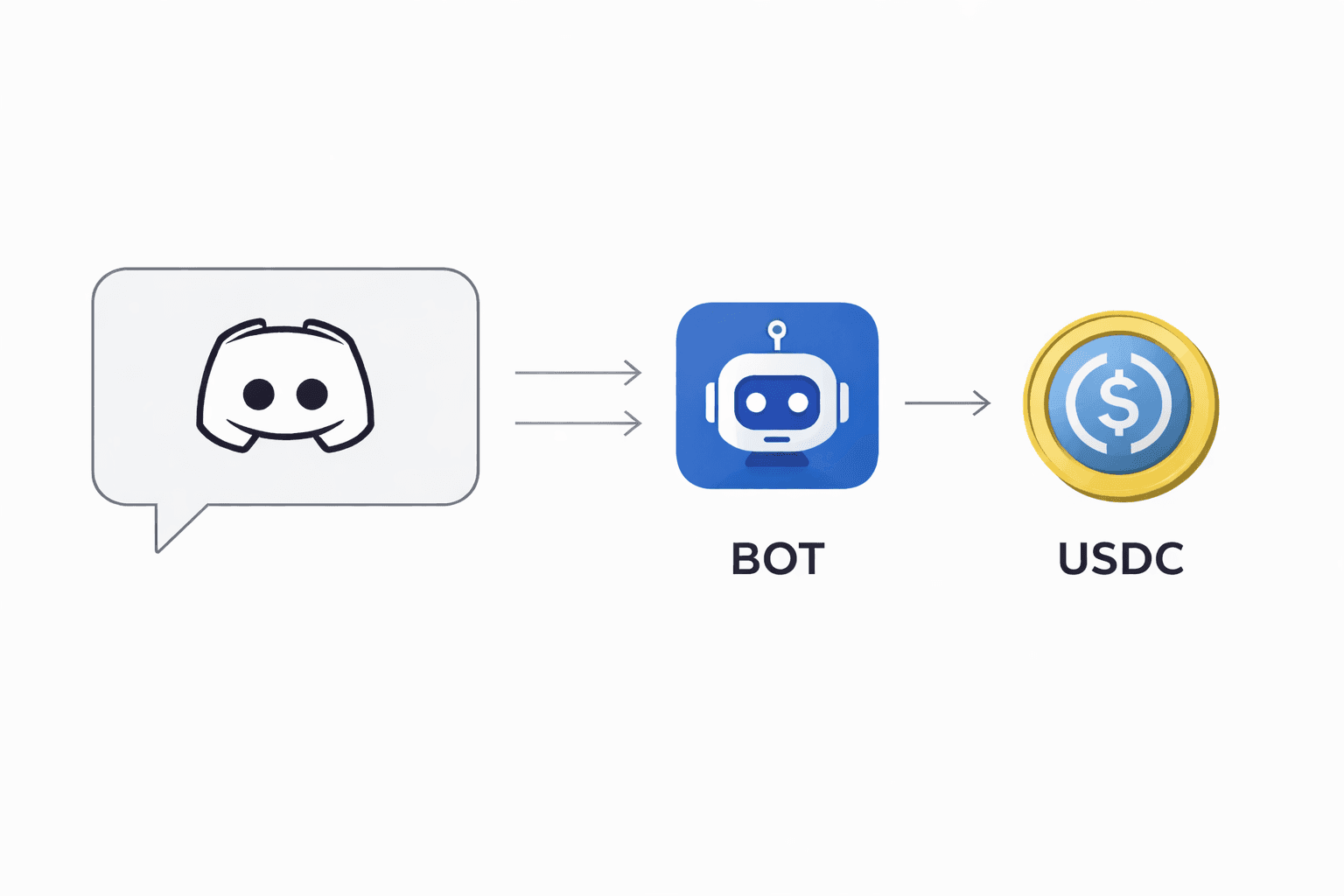
As you can see, it creates a clean, automated loop. Payment comes in, access goes out. Simple. Once you grasp the efficiency this brings, you'll start seeing the value in all sorts of automation tools, including things like Passflow's payment automation services.
Discord Payment Methods A Realistic Comparison
Here's a breakdown of how an integrated bot stacks up against traditional manual payment methods.
FeatureManual Methods (PayPal, Bank Transfer)Integrated Bot (Using Suby)Speed of AccessSlow: Manual verification, hours or daysInstant: Access granted in secondsAdmin WorkloadHigh: Constant payment checking and role assignmentZero: Fully automated from payment to accessPayment FeesHigh: 2.9% + fixed fee is commonLow: Typically 1% or less, significantly cheaperGlobal ReachLimited: Restricted by region and platformGlobal: Anyone can pay with card or cryptoMember ExperienceFriction: Delays and confusion about accessSeamless: Simple checkout, instant gratificationRevenue SecurityVulnerable: Prone to chargebacks and holdsSecure: USDC settlements, less risk of disputes
The difference is night and day. Moving to an automated system isn't just a small upgrade, it fundamentally changes how you manage and scale your community.
Getting Your Suby Payment Engine Running
Alright, let's get our hands dirty and set up the core of your payment system. This is where we connect all the dots, starting with Suby, the engine that will actually process your payments (card, bank transfer, Apple Pay, Google Pay, Klarna, and more, or crypto) and manage subscriptions. Think of it as the central command for your entire payment operation.
We'll walk through creating your account and grabbing the essential credentials you'll need. Don't worry, you don't need to be a developer to get through these first few steps.
Your Account and API Keys
The first thing you’ll need is a Suby account. The signup is quick, and once you're in, you’ll land on the main dashboard. This is your home base for tracking transactions, viewing customer details, and managing subscriptions.
The most important things you'll pull from the dashboard are your API keys. These are basically long, unique passwords that let your Discord bot talk securely to Suby's payment system.
You'll find two different sets of keys:
Test Keys: Perfect for when you're building and testing. You can run fake payments with these to make sure your bot works exactly as planned before you launch. No real money moves, so you can experiment freely.
Live Keys: Once you're ready to accept real payments, you'll switch to these. Treat your live keys like you would your bank account password, keep them private and secure at all times.
Generating these keys is just a button click inside your account settings. These keys are the bridge that connects your community's payments to your wallet.
This kind of automation is becoming essential. Discord has grown far beyond a simple chat app; it's a bustling hub for digital economies. Suby was built to meet this exact need, giving you a single API to handle both crypto and card payments, with the major benefit of instant USDC payouts that bypass slow, traditional banking.
If you want to go deeper into just how integrated bots are on the platform, you can explore more on the topic of Discord's bot ecosystem.
A Quick Tour of the Suby Dashboard
The Suby dashboard is clean and built to give you a clear overview without overwhelming you. Here’s a rough sketch of what the main application area looks like, showing the key pieces you’ll be working with.
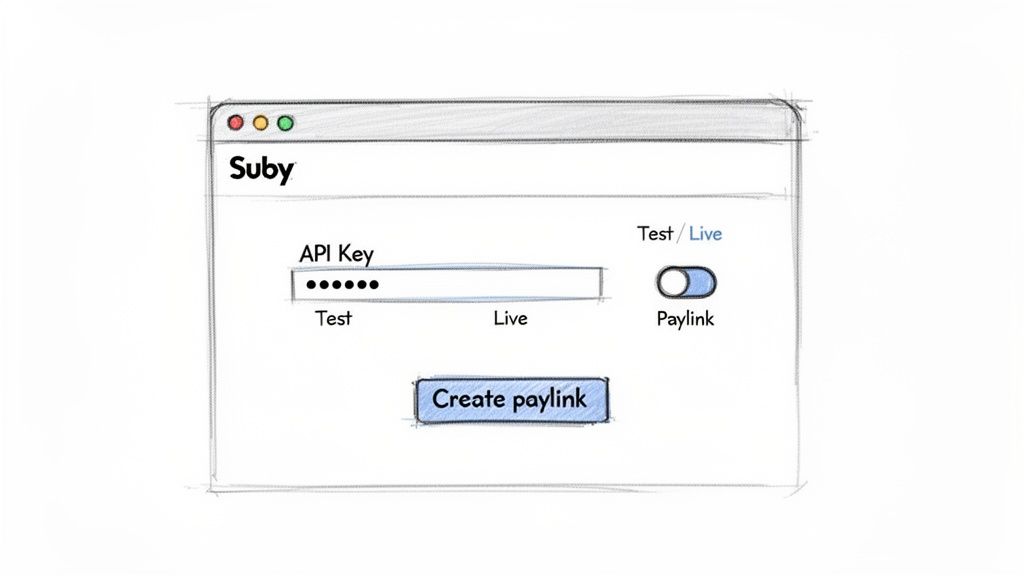
From this screen, you can easily switch between 'Test' and 'Live' modes, copy your API keys, and start creating payment links. It’s designed to put the most important tools for monetizing your server right where you need them.
Connecting Suby To Your Discord Server
Alright, you've got your Suby account set up and your API keys are ready to go. Now for the fun part: plugging this payment engine directly into your Discord community. This is where the magic happens, turning your server into a fully automated business by building a bridge between payments and member access.
We’ll start by creating a bot inside Discord, inviting it to your server, and then using Suby’s tools to link payments to specific member roles.
First things first, you need to head over to the Discord Developer Portal. Think of this as your command center for any app or bot you want to connect to Discord. You'll create a "New Application," which is Discord's way of saying you're building something new. This process automatically creates a bot user for you.
A quick pro-tip: Give your bot a name that makes sense to your members. Something like "VIP Access Bot" or "[Your Brand] Manager" is much clearer than a generic name.
Once your application is created, you’ll see a bot token in the bot section. This token is the key to the kingdom, it’s essentially the password that lets your bot operate on your server.
Treat this token like your bank account password. Never, ever share it publicly or accidentally commit it to a public GitHub repository. If it leaks, someone could take control of your bot.
Inviting Your New Bot
Your bot can't do much on its own; it needs an invitation to your server. You can generate a custom invitation link right from the Discord Developer Portal.
While creating the link, Discord will ask you to choose the permissions your bot needs. For managing payments and roles, it will primarily need to Manage Roles and see channels.
It's tempting to just give it admin access, but don't. Always stick to the principle of least privilege, only grant the permissions your bot absolutely needs to do its job. This is a simple security step that can save you a massive headache later on.
Once the link is generated, click it, pick your server from the dropdown, and authorize it. You'll see a friendly message in your server announcing the bot's arrival.
Using Suby Paylinks and Webhooks
With your bot now inside your server, it's time to teach it what to do when someone pays. This is where Suby's design really shines, giving you two powerful tools: paylinks and webhooks.
Paylinks: These are just what they sound like, simple, shareable URLs that take a user to a checkout page. In your Suby dashboard, you can create a paylink for a specific product, like "Premium Membership" or "Exclusive Content Pack." A customer pays with their card, and the payment is settled as USDC directly to your wallet.
Webhooks: This is the core of the automation. A webhook is simply a notification that Suby sends to a URL you control whenever something happens, like a successful payment. Your bot can "listen" for these pings to kick off a specific action.
The real power comes from combining these two. You can create a paylink for your "VIP" role and then set up a webhook that listens for successful payments made through that specific link. When a payment goes through, the webhook fires, and your bot instantly assigns the role. No manual work required.
This is how you can fully automate access management. Let's look at a simplified code example to see how your server might listen for a payment confirmation from Suby and then assign a Discord role.
Example Code Snippet:
// A simplified example of a server listening for a Suby webhook
// This is NOT production-ready code
const express = require('express');
const app = express();
app.post('/suby-webhook', (req, res) => {
const event = req.body;
// Check if the event is a successful payment
if (event.type === 'payment.succeeded') {
const discordUserId = event.data.customer_metadata.discord_id;
const discordRoleId = 'YOUR_VIP_ROLE_ID'; // The role to assign
// Your function to assign the role in DiscordassignRoleInDiscord(discordUserId, discordRoleId);
}
res.status(200).send();
});
As you can see from the snippet, the logic is straightforward. Your server gets a POST request from Suby's webhook. It checks if the event is a successful payment, pulls the user's Discord ID (which you'd collect at checkout), and then triggers a function to grant them the right role.
This setup completely removes you from the process, creating a seamless experience for both you and your new paying members.
Setting Up One-Time and Subscription Payments
To build a thriving paid community, you need to give people flexible ways to pay. Some will want to make a single purchase for a lifetime pass or a digital product. Others will be perfectly happy with a recurring subscription. The good news is, with a Suby-powered bot, you don’t have to pick just one, you can offer both and automate the whole thing.
How to Handle One-Time Payments
One-time payments are great for selling specific, high-value items. I've seen them work wonders for things like:
Lifetime access passes to a premium community.
Exclusive content packs or digital downloads.
Tickets for a special workshop or online event.
Getting this set up is surprisingly simple. Inside your Suby dashboard, you just create a product and generate a "paylink" for it. When a user clicks that link, they’re sent to a clean checkout page to pay. You get the funds settled as USDC right in your wallet.
This flow is what makes connecting your payment logic to Discord actions possible.
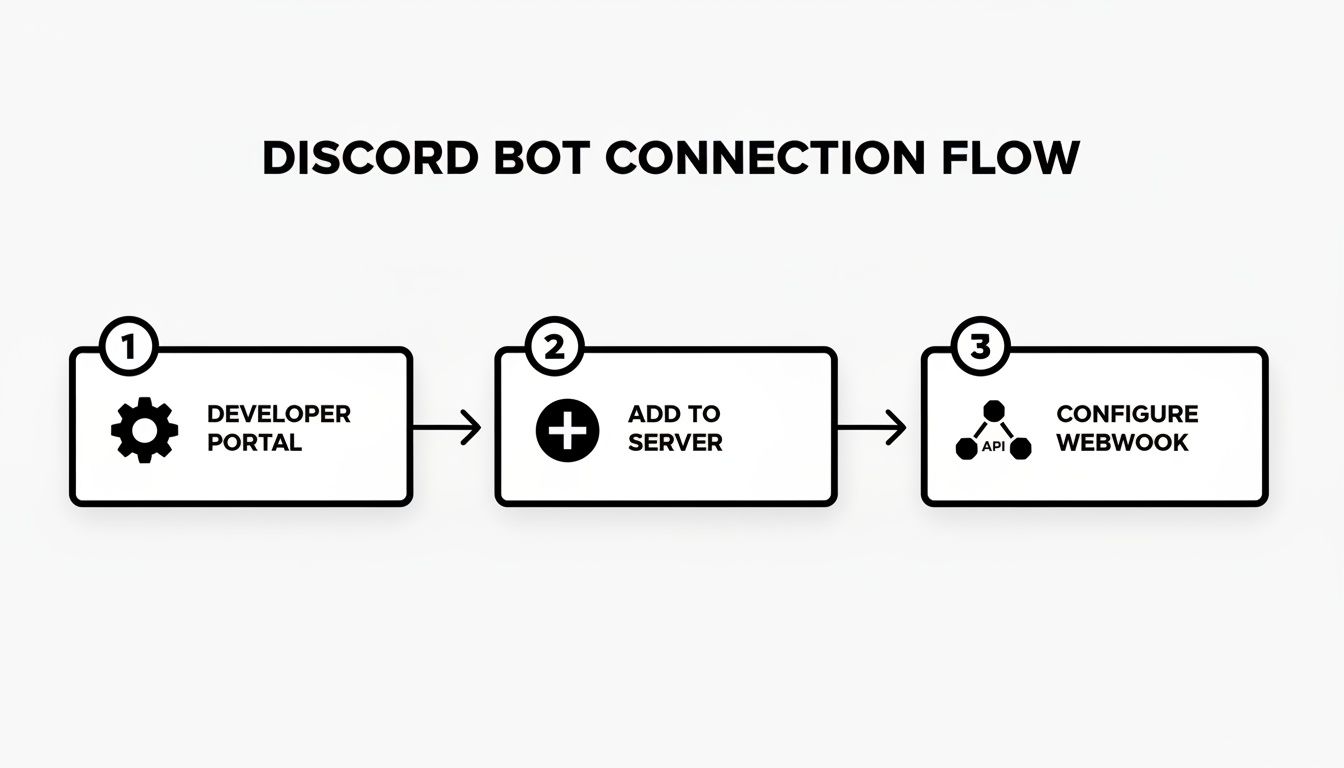
Once the webhook is configured, payment events from Suby can trigger an action, like assigning a role, directly within your server.
The Power of Recurring Subscriptions
While one-offs are useful, subscriptions are where you build predictable, steady revenue. This is the financial foundation that lets you forecast your income and reinvest in your community with confidence. Whether you’re offering monthly or yearly tiers, Suby can manage the entire subscription lifecycle for you.
You'll set up a subscription product in your dashboard, much like you did for a one-time payment. From there, you can link it directly to a specific Discord role, like 'Gold Member'.
The real magic isn't just taking that first payment; it's automating everything that comes after. Suby handles the renewals, chases down failed payments, and most importantly, automatically revokes a Discord role if a subscription is canceled or lapses. It’s a true 'set it and forget it' system for community access.
A Fully Automated System
This level of automation turns your Discord server into a self-managing business. Suby simplifies this by accepting both crypto and card payments, settling everything in USDC. You can track all your key metrics like churn right from the dashboard. It's a complete toolkit with a clear, all-in 5% fee.
Whether you use our API, paylinks, or native integrations for Discord and Telegram, you can create a seamless experience for your members.
You can also create different access levels based on subscription tiers, giving you fine-grained control. For instance, a 'Gold Member' might get access to a few exclusive channels, while a 'Platinum Member' gets those channels plus a monthly Q&A with you. Just create a different paylink for each role, and you're good to go.
By automating access management, you can finally stop playing gatekeeper and focus on what really matters: building your community. If you want to dive deeper into this model, you can learn more about setting up recurring payments in our dedicated guide.
Best Practices For Security and Member Experience
Getting your Discord crypto payment bot up and running is a huge milestone, but it's really just the starting point. To build a thriving, trusted community, you have to think beyond the code and focus on two key areas: rock-solid security and a seamless member experience.
Think of it this way: a great payment process should feel almost invisible. It needs to be safe, transparent, and completely straightforward for your members.
Your top priority, without question, is protecting your credentials. The Discord bot token and your Suby API keys are literally the keys to the kingdom. I’ve seen too many developers make the critical mistake of hardcoding these secrets directly into their bot’s script or, even worse, pushing them to a public GitHub repository. Please, don't do this.
The industry-standard solution is simple: use environment variables. This practice keeps your sensitive keys separate from your codebase. If a key ever gets compromised, and you should always plan as if it might, you can revoke it and update the variable without ever touching a line of code.
Enhancing The Member Journey
On the other side of the coin is the user experience. When someone decides to pay for access, the last thing you want is confusion. Clarity is king.
Create Obvious Instructions: Have a channel like
#how-to-payor#get-premiumwith a pinned post. Walk them through the process, show a screenshot of the payment link, and tell them exactly what role they’ll receive.Offer Human Support: A dedicated
#payment-supportchannel where people can ask questions is non-negotiable. Your responsiveness here is what builds real trust and turns frustrated users into happy members.Automate Confirmation: The moment a payment succeeds, your bot should spring into action. Send a private DM confirming the purchase or post a public welcome message in a members-only channel. This instant feedback is incredibly reassuring.
Proactive communication like this heads off a ton of confusion and drastically cuts down on the support tickets you'll have to deal with.
A transparent and secure checkout isn't just about good business, it's about respecting your members. When users feel confident in the payment process, they are more likely to become long-term supporters of your community.
Building that trust also means actively protecting your server from scammers. It’s a common tactic for bad actors to impersonate support staff or create fake "official" payment bots to phish unsuspecting users. Make it a habit to remind everyone that all official payments go through your one bot. If you want to go deeper on this, check out this excellent guide on detecting and preventing payment fraud.
Ultimately, a secure bot protects everyone. While Suby handles the heavy lifting of payment processing security, it's a shared responsibility. Your members also need to know the basics of digital asset safety. To ensure the funds they use are secure, it's worth encouraging them to learn how to safely store cryptocurrency. A secure platform combined with an educated community creates the safest possible environment for your project to grow.
Common Questions About Discord Payment Bots
If you're thinking about setting up a payment bot for your Discord, you've probably got a few questions. That's completely normal. I've helped countless creators get their systems up and running, and the same handful of concerns always come up.
Let's walk through the most common ones I hear so you can get started with total clarity.
Why Are USDC Payouts Better For My Business?
For any online business, the number one reason is stability. When you accept payments in most cryptocurrencies, your revenue can swing wildly from one day to the next. That makes financial planning a nightmare.
USDC, on the other hand, is a stablecoin pegged to the US dollar. This means you get all the benefits of crypto, like near-instant, global payments, without the volatility. Your income stream becomes predictable and easy to manage, just like getting paid in traditional dollars, but way faster.
Can My Community Members Pay With a Credit Card?
Yes, absolutely. This is probably the most important feature for maximizing your sign-ups. While you receive funds as USDC on the backend, your members see a simple, familiar checkout page where they can use their Visa or Mastercard.
They don't need a crypto wallet or any special knowledge. This setup removes the biggest friction point for potential customers, making it accessible to everyone. You provide a smooth, professional payment experience, and you still reap the benefits of fast, stable USDC settlements.
The goal is to make payments feel effortless for the user. By accepting cards, you remove the biggest barrier to entry, all while you reap the benefits of instant USDC payouts on the backend.
How Are Failed Payments or Cancellations Handled?
This is where the automation really shines. You don't have to do a thing. When a member's recurring subscription payment fails, or if they decide to cancel, the Suby system catches it immediately.
A webhook is instantly sent from Suby to your bot. Your bot then automatically revokes that user's special Discord role, removing their access to paid channels. This process ensures your premium content is always protected and that access is perfectly synced with payment status, preventing any manual clean-up or revenue loss on your end.
Do I Need to Be a Developer to Set This Up?
Not at all. While the API is there for developers who want to build something highly custom, you don't have to touch a line of code to get started.
We built native integrations for Discord and simple paylinks specifically for creators and community managers. You can generate a link, post it in your server, and start accepting payments in minutes. Whether you’re a coder or a creator, there's a straightforward path to getting your monetization automated.
Suby is a payment gateway and processor. Your members pay with card, bank transfer, Apple Pay, Google Pay, Klarna, and more, or stablecoins, and you get paid out to your bank account, or directly in stablecoins (USDC, EURC) to your wallet, anywhere in the world, no bank account required. Paired with native Discord and Telegram integrations, it turns your crypto payment bot into automatic role assignment the moment a member pays. Start building with Suby
