

Gaspard LEZIN
Accept SEPA Payments: Step-by-Step Guide for 2026
Learn how to accept SEPA payments with credit transfers and direct debit, including mandates, integrations, settlement timelines and a go-live checklist.
You've just won your first customers in Germany, France, and the Netherlands. They want to pay in euros from their bank accounts. You add SEPA at checkout, a customer says they've paid, and then nothing settles. Or you start a subscription on signup day and learn the first direct debit can't land yet.
That's the gap many teams miss. To accept SEPA payments well, you don't just add a button. You manage a payment lifecycle. Who starts the payment, when the mandate allows collection, whether the payee name matches the IBAN, and when settlement is confirmed all decide whether revenue is real.
SEPA was built as common infrastructure, not a single product. By the formal migration endpoint in August 2014, 99.4% of credit transfers and 99.9% of direct debits had migrated to SEPA formats in the migration figures reported for the euro area. It's a mass-market rail. Getting the details right matters from day one.
Table of Contents
Choose Between SEPA Credit Transfer and Direct Debit
A payment method sets the next steps in your billing flow. With a SEPA Credit Transfer, the customer sends the money from their bank app. This fits one-off invoices, deposits, and large orders where you can wait for confirmed settlement before delivering.
With SEPA Direct Debit, you initiate each collection after the customer signs a mandate. It fits subscriptions and repeat billing on an agreed schedule. The trade-off is timing: a signed mandate allows collection, but does not mean the payment has settled.

How the four options compare
A standard credit transfer should reach the beneficiary's bank within one banking business day after an electronic instruction. The instant version makes funds available or rejects the transfer within 10 seconds, around the clock, according to the 2025 SEPA Credit Transfer Rulebook from the European Payments Council. Direct debit follows a separate timetable: it is a scheduled collection, not an immediate checkout payment.
Method | Who starts it | Best for | Timing | Refund right |
|---|---|---|---|---|
SEPA Credit Transfer (SCT) | Customer | One-off invoices, deposits, large orders | Within one banking business day | No built-in unconditional refund in the cited rulebook |
SEPA Instant Credit Transfer | Customer | Checkout where confirmation speed matters | Within 10 seconds, 24 hours a day, 365 days a year | No built-in unconditional refund in the cited rulebook |
SEPA Direct Debit Core | Merchant, with a signed mandate | Subscriptions and recurring consumer or small business billing | After pre-notification and scheme lead times | Unconditional refund for eight weeks after debit. Unauthorized collections are generally refundable for up to 13 months |
SEPA Direct Debit B2B | Merchant, with a mandate from a business payer | Recurring contracts between businesses | After the mandate workflow and scheme timing | No unconditional eight-week refund right under the B2B scheme |
For example, a SaaS company can use SDD Core to collect monthly plans on a set date. A design agency billing a Dutch client a 4,800 euro invoice can request a credit transfer with a unique reference, then match the incoming payment to the invoice before marking the project paid.
Practical rule: Use a credit transfer or instant transfer for one-off payments. Use direct debit for repeat billing. You can offer both when customers have different payment needs.
An initiated transfer is not confirmed settlement. Validate the IBAN, display the amount and payment reference, and release goods or access only when settlement is confirmed. For direct debit, keep mandate status separate from revenue status. Track each collection result, return, and refund exposure so a collection that later fails does not remain marked as paid.
Check Per-Method Pricing Before You Build
Check cost right after you choose the method, not after you've built the flow. With Suby, pricing depends on the payment method used, so there's no single flat rate for SEPA. Don't estimate from memory or copy another provider's page.
Open the pricing page at suby.fi/pricing, find the figure for the exact SEPA method you picked, and confirm it in the current documentation before you publish prices to customers. If you want context on how method level pricing is structured, read the guide to payment gateway pricing before you run your numbers.
Then test margin with real amounts from your business.
Small recurring plan: Take a 40 euro monthly plan, subtract the per transaction cost for direct debit, and check whether what's left covers support, infrastructure, and failed collection handling.
Large invoice: Run the same test on a 4,800 euro invoice. See how a percentage based fee compares with a fixed fee at that size.
If margin is thin on a small plan, don't force direct debit. A credit transfer or invoice may suit that customer better. If margin is thin on large invoices, the opposite may be true.
Finally, match the product path to the job. Suby Payments fits an API build, Suby Invoicing fits client billing, and Suby Gating fits Discord, Telegram, downloads, and courses. Setup details live in the documentation at documentation.suby.fi.
Prepare Your Account, IBANs and Verification Details
You need two basics in place before any integration work. First, a bank account that can receive euro payments or a settlement destination you control. Second, a valid IBAN for every payer you send to or collect from.
Validate IBAN format at entry, not during settlement. Store the account holder name exactly as the bank holds it. Keep mandate details and invoice details linked to the same customer record, so support can trace a payment without hunting across systems.
What onboarding usually asks for
Expect to provide company registration details, your legal entity name, beneficial owner information, your website, and a clear product description. Providers also commonly ask for an estimate of monthly volume and sample invoices. Confirm the exact list during onboarding, since requirements vary by business type and risk profile.
Don't rush this part. A mismatch between your registered name, your website, and your invoices creates questions later, especially when payers start checking names against accounts.
Verification of Payee changes checkout
Verification of Payee (VoP) is now the layer teams underestimate. From 9 October 2025, euro area payment service providers must offer payee verification for both standard and instant euro credit transfers, comparing the beneficiary name with the IBAN before authorization, and the service must be free to the payer, as set out in the ECB overview of the Instant Payments Regulation.
The payer can get four kinds of result. A match, a close match, no match, or an inability to verify. The payer may still proceed after a warning, but many won't. They'll pause, contact support, or abandon the payment.
If your customer knows your brand but doesn't recognize your account holder name, VoP turns that gap into friction at the exact moment of payment.
Decide now which legal entity or trading name you'll display. Work through subsidiaries, brands, marketplaces, freelancers, and pooled or virtual accounts. Each one can produce a different name at the bank than the name on your checkout.
Use a simple test. If your brand name differs from the bank account holder, explain the difference on the invoice and at checkout, in plain language, before the customer opens their bank app. Show both names where you can, for example trading name and legal entity. Then plan reconciliation for payments that proceed after a warning, so finance doesn't treat them as suspicious by default.
Pick Between Paylinks, Invoices and the API
A payment path affects more than checkout. It determines what you need to build, how you confirm payment, and whether a delayed or returned SEPA payment could lead you to grant access too soon. Choose based on the billing flow you need, then verify SEPA support for that specific path before committing.
Suby offers four paths to compare: Paylink, Invoicing, API, and Gating. Suby Crypto is a separate crypto service, not a fifth SEPA checkout path. The product information describes Suby Payments as supporting card and crypto payments through the API, but does not confirm SEPA support across the four paths. Check the current documentation for each one. In particular, confirm which payment methods Gating accepts before offering SEPA to buyers there.
Path | Best for | What you set up | Check before building |
|---|---|---|---|
Paylink | Freelancers and small sellers | A shareable link with the amount and currency | Confirm payment status before delivering |
Invoicing | Agencies billing clients abroad | An invoice where the client chooses a payment method | Match each invoice reference to the incoming payment |
API and webhooks | SaaS teams and apps with custom checkout | API checkout and a webhook endpoint | Process each webhook event once, including retries |
Gating for Discord and Telegram | Creators selling community access, courses, and downloads | Paid access connected to a Discord or Telegram community | Confirm SEPA is supported for the gate and how payment status controls access |
A paylink is a practical starting point when you lack a checkout and charge a fixed amount. It does not remove the need to check the payment status before delivery. For a no-code setup, compare the Suby no-code checkout option with the steps in your existing payment flow.
Invoicing suits work where the commercial document and payment need to stay connected, such as retainers, project milestones, and cross-border client billing. Set a process for matching incoming payments to invoice references. A transfer can arrive later than expected, so avoid treating an issued invoice as proof that it has been paid.
The API offers more control over checkout, but your team must own subscription logic, retries, and access rules. That means deciding how a delayed transfer or later return changes a customer's status, not just how the initial payment appears. Gating reduces the need to build membership access yourself, but only works for SEPA buyers if the gate supports the relevant method.
Before building, verify SEPA availability for the specific path and confirm which payment states it exposes. A method supported in one path is not necessarily available in the others. Make delivery or access depend on a confirmed payment state, with a separate process for late or returned payments.
How to Set Up Direct Debit Mandates and Collections
A customer can sign up today, but their first SEPA Direct Debit collection may be weeks away. The mandate, advance notice, and submission deadline all affect when the payment can be collected. Build the billing schedule around those steps, rather than treating direct debit like an immediate card charge.
Use this sequence to set up mandates and collections:

Capture the mandate: Collect the customer's name, IBAN, collection scheme, and a unique mandate reference. The mandate authorizes later debits.
Connect mandate and account records: Link each mandate to the relevant customer and subscription. This makes it possible to check the authorization when a collection is questioned or returned.
Send pre-notification: Tell the payer the amount and due date at least 14 calendar days before collection, unless another period has been agreed.
Allow time for the first collection: The payer's bank must receive a first or one-off Core collection at least five interbank business days before the due date.
Schedule recurring collections: Later collections must reach the payer's bank at least two interbank business days before the due date.
Track the payment lifecycle: Record whether each collection is accepted, rejected, returned, or refunded, and link it to the mandate and notification.
These timings and the mandate expiry rule are covered in EPC guidance on SEPA Direct Debit.pdf). A mandate expires 36 months after the last initiated collection.
Rule | Minimum requirement | What it means for billing |
|---|---|---|
Pre-notification | At least 14 calendar days, unless another period is agreed | Schedule the first due date to allow for notice |
First or one-off Core collection | Received at least 5 interbank business days before due date | Allow for the longer lead time on the first debit |
Later recurring collections | Received at least 2 interbank business days before due date | Submit repeat collections ahead of their due dates |
Mandate expiry | 36 months after last initiated collection | Re-authorize customers whose mandates have expired |
A late return changes whether revenue is actually collected, even if the debit initially appeared to proceed. Handle each return according to its reason. Retrying every failure can create confusion or prompt another collection from an account with a problem. If the mandate has expired or account details are uncertain, pause and obtain fresh authorization.
Keep mandate records for the retention period required by the applicable rulebook or local law. If the first collection fails, update the subscription's payment state as well as the invoice, so service access does not rely on an unpaid debit.
Use the walkthrough below alongside your billing calendar to check the setup and collection steps.
Reconcile Settlement and Track Each Payment
An initiated transfer isn't a paid order. That's the trap. Teams see a redirect, a screenshot, or a customer email saying sent, and they release the product. Then the payment never arrives, arrives late, or arrives for a different amount.
Timing depends on the method. A standard credit transfer reaches the beneficiary's provider within one banking business day. An instant transfer is different. SEPA Instant Credit Transfers make euro funds available to the payee within 10 seconds of the payment order, 24 hours a day and 365 days a year, with the recipient's provider informing the payer's provider within that period, according to the ECB page on instant payments.
Even with instant payments, your own confirmation process matters. The bank may make funds available quickly, but your system still needs to match the payment to the right order and update access once.
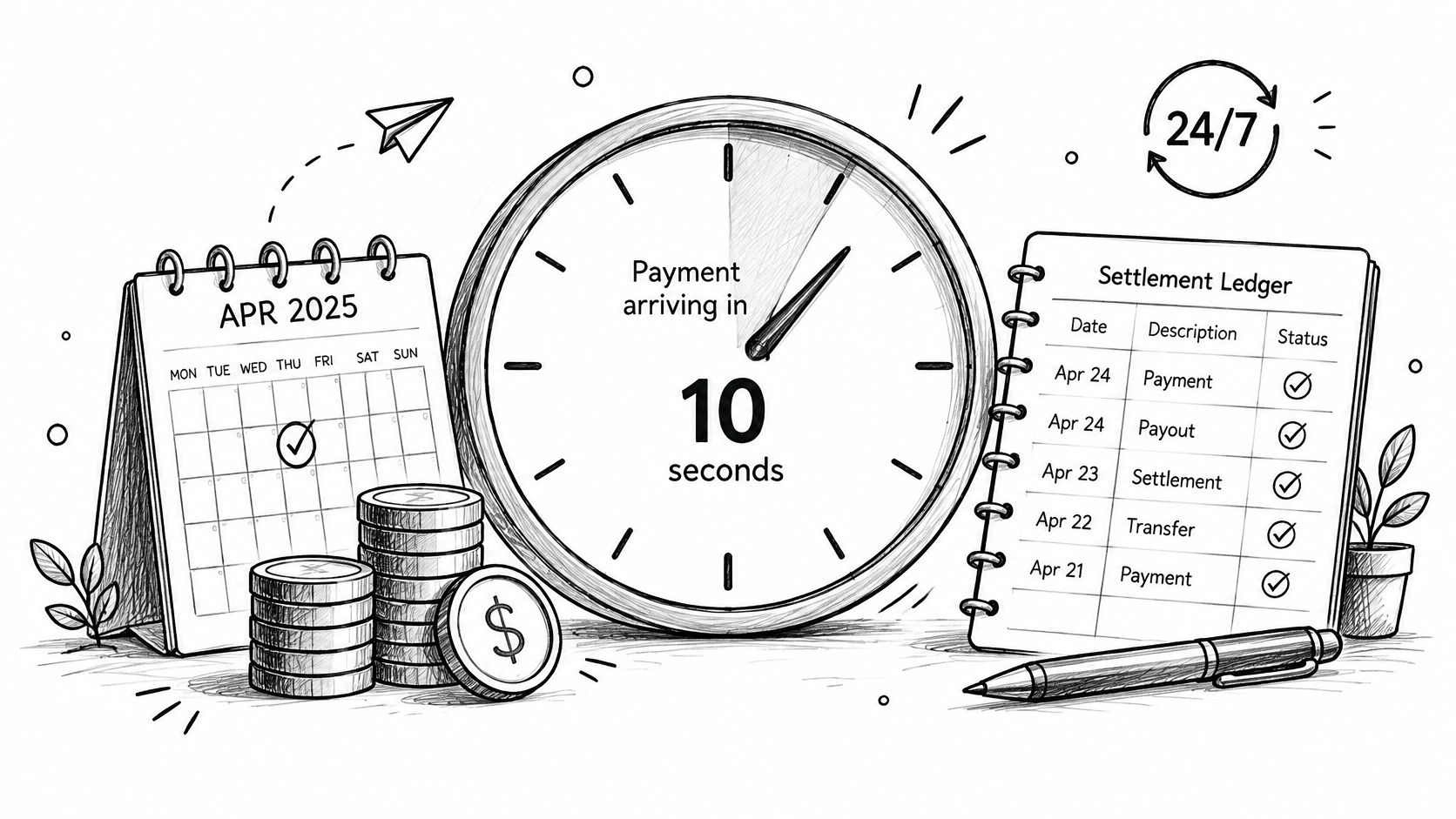
This illustration captures the waiting and matching work behind every confirmed payment.
Build confirmation into your system
Don't trust a browser redirect or a customer uploaded receipt. Use provider status changes delivered by webhook. Handle each event idempotently, so a repeated message doesn't grant access twice or create two ledger entries. Confirm on the server before you release goods, grant access to a download, or activate a subscription.
Use a four step reconciliation routine.
Match by reference: Match each incoming payment to its unique payment or invoice reference.
Mark paid after confirmation: Update the invoice or subscription only after settled status is confirmed.
Post to your ledger: Record amount, currency, method, and customer in one entry.
Flag exceptions: Open a review item for unmatched, partial, or duplicate amounts the same day.
For day to day process design, the Suby guide to payment reconciliation is a useful reference when you define who reviews exceptions and how often.
Operator note: Reconciliation isn't finance cleanup at month end. It's the system that decides who has access today.
With Suby, funds land in the Suby balance, where you can view the balance in USD or EUR. Payouts can then go to your bank account or in stablecoins such as USDC, in the currency you choose. One common flow is a customer paying by card while the business receives USDC, but that's one option among several, alongside bank settlement.
Picture a SaaS company with a few hundred subscribers. Collection events update each subscription state automatically. Finance sees failed collections the same day, support sees why access paused, and the customer gets a clear next step. Without that link, you get paid users locked out and unpaid users still active.
Confirm webhook retry behavior and exact status names in the documentation before you write status handling code. Names differ by provider. Code against the documented states, not assumptions.
Test and Go Live With a Safe Checklist
A mandate can succeed while the payment lifecycle still fails. Test timing, returns, name checks, and duplicate events before real customers rely on the setup.
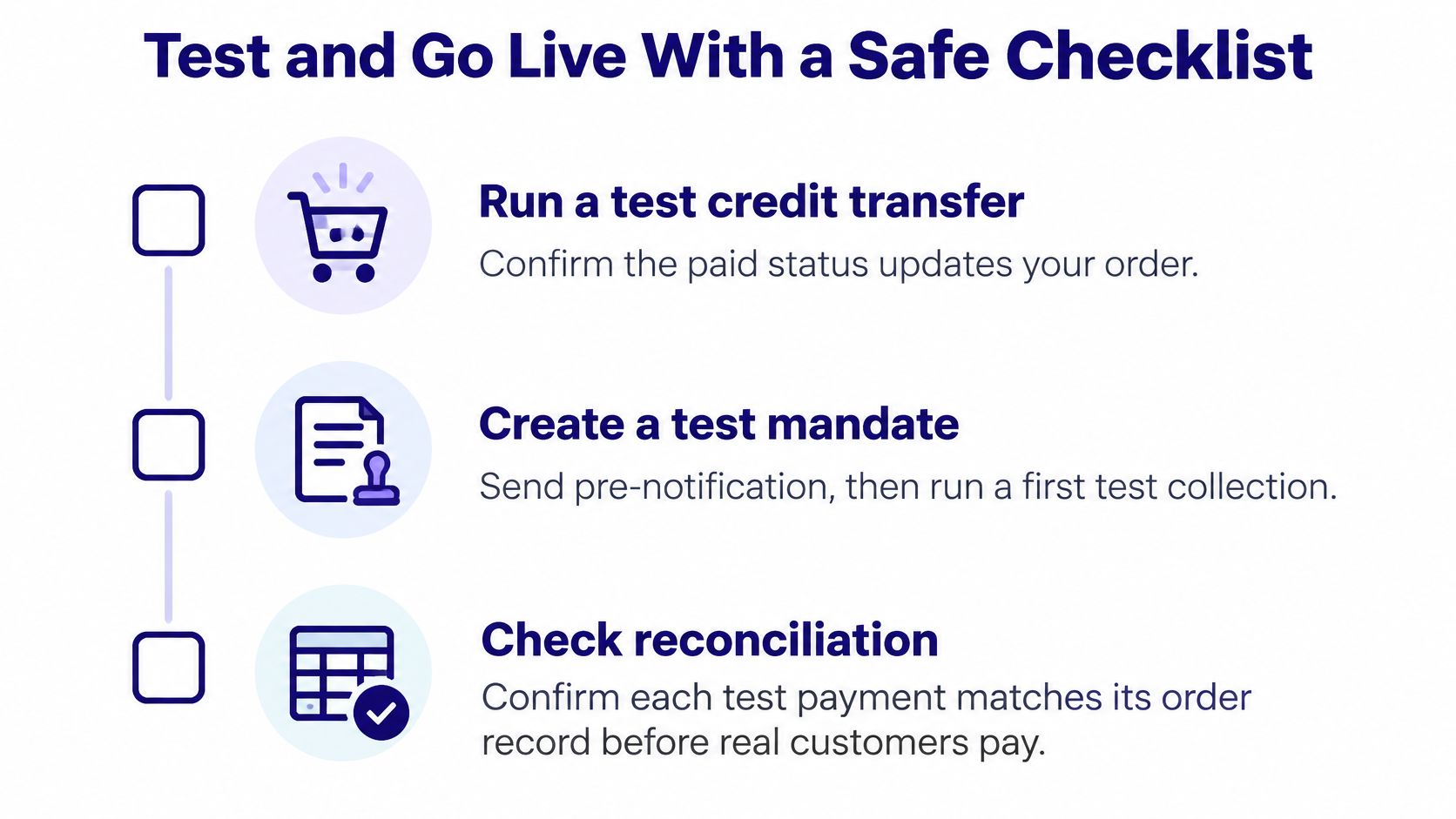
Use this visual checklist as a pre-launch prompt, then verify each step in your payment flow.
Pre-launch checks
Run a test credit transfer: Confirm the paid status updates the correct order.
Create a test mandate: Send pre-notification, then run a first collection and a recurring collection.
Trigger a rejected collection: Check that the subscription moves to the correct state.
Process a test refund: Confirm it is recorded against the original payment.
Replay a webhook event: Send the same event twice and verify access is granted only once.
Check Verification of Payee names: Ensure invoices use the legal entity or trading name that matches the account holder.
Review dispute terms: Confirm dispute handling and refund fee terms against the documentation.
Once live, monitor fraud at the beneficiary and invoice level. A customer can be tricked into paying the wrong account, or invoice details can be altered, even when your checkout is secure. Review beneficiary changes and payment instructions as part of your operating process.
Track five measures from the first month:
Mandate to collection match rate: How often each debit links to a valid mandate.
First collection return rate: How often the first debit is returned.
Time to reconciliation: How long confirmed payments take to match your records.
Refund rate within eight weeks: How often Core payers use the refund right.
Unauthorized debit incidents per 10,000 collections: A rate to review monthly.
Scheme sources do not set a benchmark target. Record your baseline and review it monthly. Investigate changes early. A rise in first collection returns can point to onboarding, mandate capture, or pre-notification problems. It needs investigation, not guesswork.
If you're ready to accept SEPA payments alongside card, wallet, bank, and crypto, Suby offers paylinks, invoices, API checkout, and gated Discord and Telegram access, with settlement to your bank or in stablecoins such as USDC. Check pricing by method, confirm SEPA support for your chosen setup in the documentation, and test mandate timing and return handling before your first live collection.
