

Gaspard LEZIN
What Percent Does Patreon Take? A 2024 Guide for Creators
Curious what percent does Patreon take from your earnings? We break down the platform fees, payment processing costs, and hidden charges for creators in 2026.
So, what percentage does Patreon really take? If you're a creator launching on the platform, you've probably seen the 10% platform fee. But that number is just the beginning of the story.
The total amount deducted from your earnings is always higher than that headline 10% because a few different fees are layered on top of each other. Before that hard-earned money lands in your bank account, it's chipped away at from multiple angles.
Your Quick Guide to Patreon Fees
The first thing every creator needs to understand is that Patreon's pricing isn't a single charge. It’s actually a bundle of three separate fees that combine to create your "total effective rate."
Let's break down what you're actually paying for:
The Platform Fee: This is the most straightforward part. For new creators, it’s a flat 10% cut that Patreon takes for providing the tools, hosting, and community features that make your membership possible.
The Payment Processing Fee: This isn't a Patreon fee at all. It’s a variable percentage, typically between 2.9% and 3.9%, that goes directly to payment processors for handling the actual credit card transaction.
The Fixed Transaction Fee: On top of the percentage-based fees, there's also a small, fixed charge on every single pledge. This is usually around $0.30 per transaction. It might seem tiny, but if you have a lot of fans making small pledges, this fee can add up surprisingly fast.
When you add it all up, your actual take-home pay is often reduced by closer to 15% or even more, depending on the size of your pledges. This isn't unique to Patreon; it's how most online payment systems work. If you want to get into the nitty-gritty of how these processing fees are structured, you might find it helpful to check out our guide on what Stripe fees are.
To give you a clearer picture, here’s a simple table summarizing the fees a new creator can expect on each transaction.
Patreon Fee Summary for New Creators
This table outlines the standard fees a new creator on Patreon can expect to pay on each transaction.
Fee Component | Percentage or Cost | What It Covers |
|---|---|---|
Platform Fee | 10% | Access to Patreon's tools, hosting, and features. |
Payment Processing (Variable) | 2.9% - 3.9% | The cost of processing the card payment. |
Payment Processing (Fixed) | $0.10 - $0.30 | A fixed charge applied to each individual transaction. |
Ultimately, understanding these three components is the key to accurately forecasting your income and avoiding any surprises when payout day arrives.
Understanding the Three Layers of Patreon Fees
To really get a handle on what percentage Patreon takes, you have to stop thinking of it as one single number. It’s actually three different fees stacked on top of each other. Every single pledge that comes in gets hit with these deductions before it ever shows up in your creator balance. This is the detail that trips up so many creators, leaving them shocked when their payout is way less than they were expecting.
So what are these fees? It’s a mix of a platform fee, a payment processing fee, and a fixed transaction fee. Let’s break down exactly what each one is and how it affects your earnings.
1. The Platform Fee
This is the fee everyone knows about. For any creator who launched their page after August 4, 2023, Patreon charges a 10% platform fee on all successfully processed payments. Think of this as Patreon’s cut for giving you the tools to run your membership, the page hosting, the content delivery, the community features, all of it. It’s the cost of doing business on their platform.
This handy diagram shows how a patron's pledge gets split right from the start.
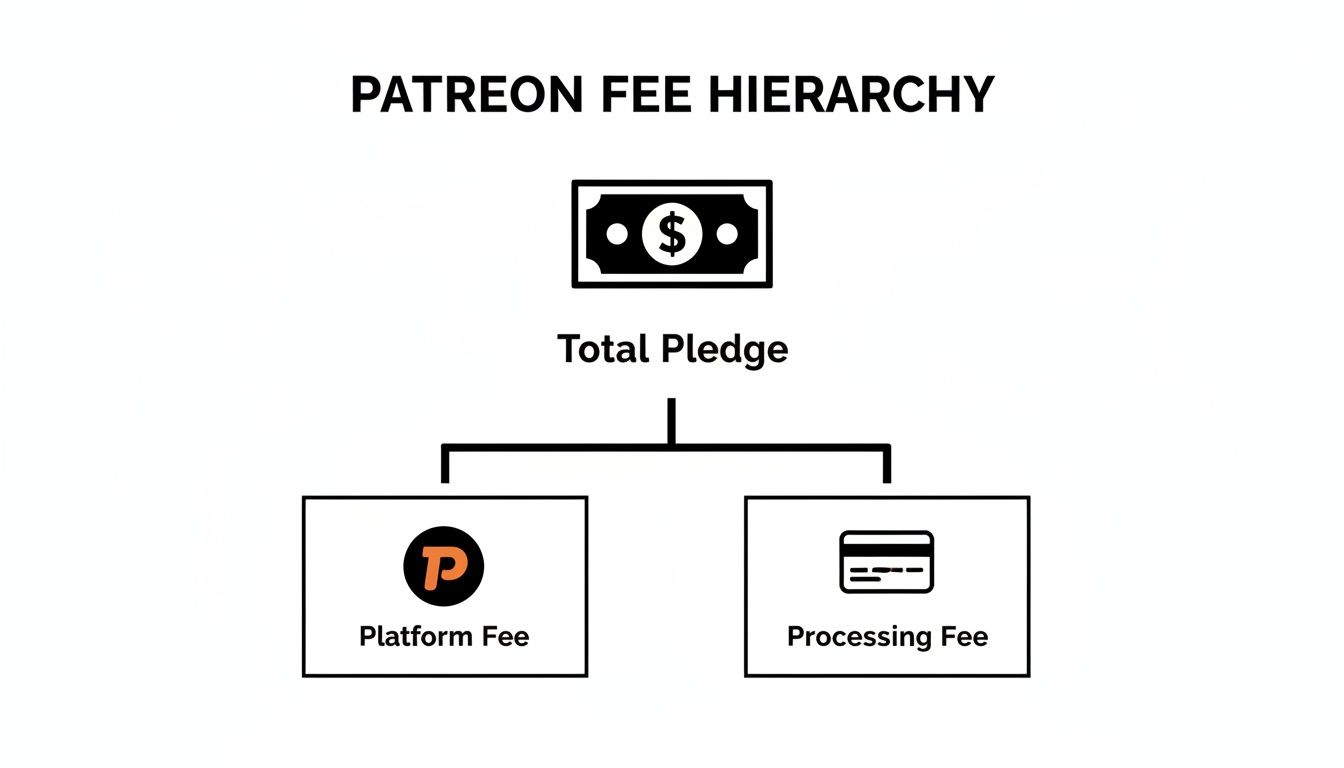
As you can see, the moment a pledge is made, it's divided. A slice goes to Patreon for the platform fee, and another goes to cover payment processing, all before you see the rest.
2. The Payment Processing Fee
Here’s where it gets a little more complicated. This fee does not go to Patreon. It’s what the payment processors charge to handle the actual money transfer. This fee itself is made up of two parts:
A variable percentage: This usually falls somewhere between 2.9% and 3.9% of the pledge. The exact rate can change based on things like whether your patron used a credit card or PayPal and where they're located geographically.
A fixed fee: On top of that percentage, there's a flat fee of around $0.30 tacked onto every single pledge. This fixed amount can really eat into your profits if you have a lot of members making small pledges, since it represents a much bigger chunk of a $3 pledge than a $20 one.
This two-part structure is pretty standard for online payments, but it’s absolutely critical to remember that it’s a separate cost from Patreon's own fee.
Patreon actually simplified things for new creators starting on August 4, 2023, when they rolled out this standardized model for everyone. It was a significant change, marking their first major pricing update in six years. The good news for established creators is that this only applied to new accounts; anyone with an existing page got to keep their old pricing plan.
While this layered model works, it can feel a bit rigid, especially for businesses with a global audience. That's where alternatives like Suby come in, offering a much simpler approach. With Suby, your customers pay with their card like usual, but you receive your funds directly as USDC. This completely streamlines cross-border payments and gets rid of currency conversion headaches. We provide an API and native integrations with Discord and Telegram, designed for businesses that need a simple system for managing subscriptions and monetizing their community.
How to Calculate Your Actual Take-Home Pay
Let's get down to what really matters: how much money actually ends up in your bank account. It’s easy to see a platform fee and think that’s the whole story, but the reality is a bit more complicated.
To see how all the deductions add up, let’s walk through a simple, realistic scenario. Imagine you had a great month and earned $1,000 from 100 patrons, each pledging $10.
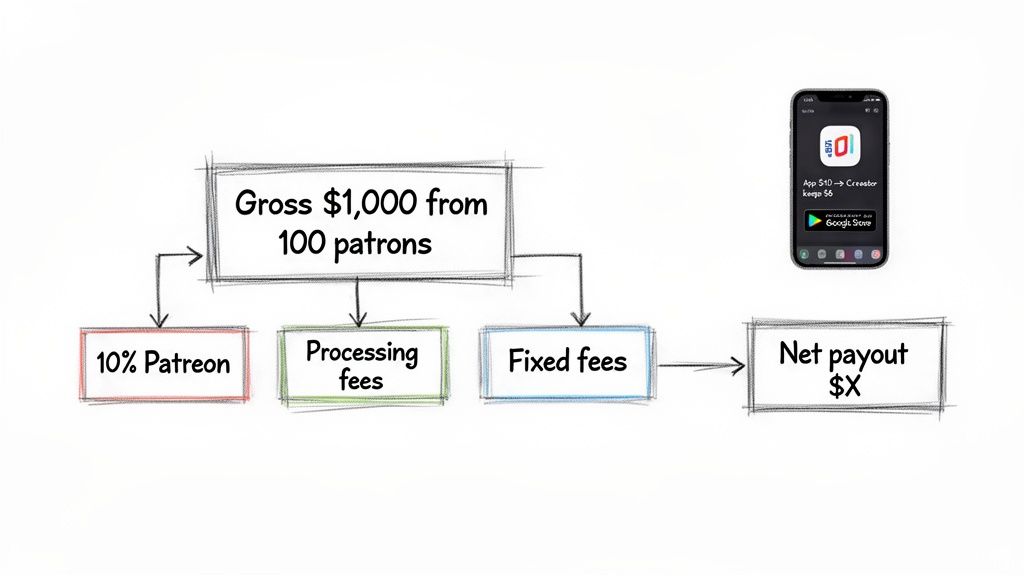
First, Patreon takes its platform fee. If you’re a new creator, that’s 10% right off the top.
Platform Fee: $1,000 x 10% = $100
Next up are the payment processing fees. These are a combination of a percentage and a fixed amount for each transaction. Assuming the standard 2.9% + $0.30 rate, it breaks down like this for our 100 patrons:
Variable Processing Fee: $1,000 x 2.9% = $29
Fixed Transaction Fee: 100 patrons x $0.30 = $30
When you put it all together, you start to see the true cost of using the platform.
A Standard Payout Calculation
Let’s do the final math to see your net payout. This is what you can expect if all your patrons paid through a standard desktop browser or on Android.
Total Gross Revenue: $1,000
Total Deductions: $100 (Platform) + $29 (Variable) + $30 (Fixed) = $159
Final Take-Home Pay: $1,000 - $159 = $841
So, in this scenario, your effective fee rate isn't the advertised 10%. It's actually 15.9%. This is a crucial distinction. To get a real grip on your business's health, it helps to think like an investor and start calculating total return on investment on your creative work.
The Hidden Cost of App Store Payments
Now for the real kicker: payments made through Patreon’s iOS app. This is where many creators get a nasty surprise. Apple takes a 30% cut of in-app purchases before Patreon even touches the money.
This creates a painful "fee stacking" effect that can seriously eat into your earnings. Let’s see what happens to a single $10 pledge made on an iPhone.
Apple's Fee: First, Apple skims its 30% cut. That's $3.00, leaving only $7.00.
Patreon's Fee: Patreon then takes its 10% platform fee from the remaining $7.00, which comes out to $0.70.
Processing Fees: The standard processing fees are then applied to that same $7.00 amount.
The table below breaks down just how stark the difference is between a desktop and an iOS transaction for the same gross revenue.
Fee Calculation Example for $100 Revenue
This table shows a hypothetical scenario of earning $100 from ten $10 patrons, comparing fees for desktop vs. iOS App Store checkouts.
Fee Component | Desktop Checkout Cost | iOS App Store Checkout Cost |
|---|---|---|
Initial Revenue | $100.00 | $100.00 |
Apple's Fee (30%) | $0.00 | $30.00 |
Remaining Revenue | $100.00 | $70.00 |
Patreon's Fee (10%) | $10.00 | $7.00 |
Processing (2.9% + $0.30) | $5.90 | $5.03 |
Total Fees | $15.90 | $42.03 |
Your Payout | $84.10 | $57.97 |
As you can see, the final payout is dramatically different. What starts as a 15.9% effective fee on desktop balloons to an eye-watering 42% on iOS. You end up with less than $58 from your original $100.
This difference gets even more pronounced with international patrons on iOS. While desktop transactions typically hover around a 13-15% effective fee, some creators report losing 40-43% on an international iOS pledge. It’s a massive gap that highlights just how important it is to know how your patrons are paying you.
The Hidden Costs of Payouts and Currency Conversion
So, your patrons have paid, the platform fees have been deducted, and the payment processing charges have been settled. That number sitting in your Patreon balance looks pretty good, right? Well, you're not quite home free just yet.
Getting that money from your Patreon balance into your actual bank account is the final step, and it comes with its own set of fees that often catch creators by surprise. These payout and currency conversion costs can take another bite out of your earnings.
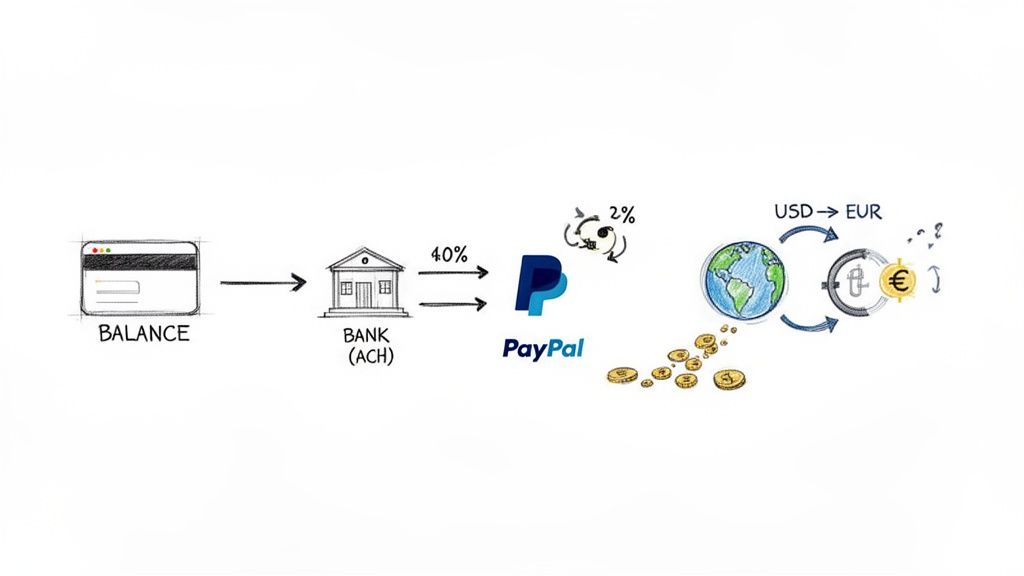
Let's break down these final costs so you know exactly what to expect.
Payout Method Fees
Every time you decide to withdraw your earnings, Patreon charges a small fee for the transfer. The exact amount depends on where you are and how you choose to get paid.
Direct Deposit (ACH): If you're a creator in the U.S., this is your best bet. It's a straightforward bank transfer that costs just $0.25 per payout.
PayPal: Using PayPal is more expensive. The fee is 1% of the total amount you're transferring. It has a $0.25 minimum, but it’s capped at $20.00. For a $1,000 payout, that’s an extra $10 fee you wouldn't pay with ACH.
Payoneer: This is a popular option for creators outside the United States. Fees typically start from $1 per payout to a Payoneer account.
Remember, these fees are charged per withdrawal. If you pull out your money frequently in small amounts, you'll pay a lot more in fees over the year than if you let it build up and make fewer, larger withdrawals.
Currency Conversion Fees
This is another big one, especially for creators with an international following. If your patrons pay you in one currency (like USD) but your bank account is in another (like EUR or GBP), you'll face a currency conversion fee.
Patreon charges a 2.5% currency conversion fee on top of the daily exchange rate. This can add up fast. For creators who aren't based in the US or who have a global audience, it's a significant and often unexpected cost. There are some great guides that cover how to avoid currency conversion fees that are worth a read.
Imagine you've earned $2,000 in your Patreon balance, all in USD. If you withdraw that to a Euro bank account, the 2.5% conversion fee alone will cost you $50, and that’s before any payout fees are even applied.
This is one area where some modern platforms are changing the game. For example, a service like Suby helps creators bypass these international headaches entirely. Patrons pay with their local currency and card, but the business receives the funds in USDC. This completely removes the expensive currency conversion step from the equation.
So, after all that talk about platform percentages, processing charges, and payout fees, you might be scratching your head. With total costs potentially creeping over 15%, why do more than a quarter of a million creators stick with Patreon?
The truth is, for a lot of creators, the decision boils down to two simple things: trust and convenience. Over the past decade, Patreon has become a household name. When a fan sees that familiar orange logo, they know exactly what to do. There is no hesitation or confusion, which removes one of the biggest hurdles to getting paid.
It’s Everything in One Place
A huge part of Patreon's appeal is that it isn’t just a payment button; it's a complete toolkit built for creators. You’re not just getting a way to collect money, you’re getting an entire business infrastructure that handles the messy stuff for you.
A Secure Home for Your Content: You can upload exclusive videos, audio files, blog posts, and images, all kept safely behind the paywall for your members.
Built-in Community Features: Things like member-only polls, direct messaging, and seamless Discord integrations mean you can foster a real community without having to juggle a bunch of different apps.
No Tech Headaches: Let's be honest, most creators want to create, not become web developers. Patreon’s interface is dead simple for both you and your patrons, letting you get a page up and running in no time.
For many, paying a higher fee is a fair price for a platform that handles all the technical heavy lifting. It frees them up to do what actually matters, making great stuff for their biggest fans.
The Power of the Network Effect
You also can't ignore the sheer momentum of the platform. The Patreon ecosystem is massive and still growing, with over 250,000 active creators—a figure that’s jumped 15% since 2023 alone as it expands globally. You can dig into more of these numbers in this great breakdown of Patreon's growth statistics on Fueler.io.
With a community of more than 8 million monthly paying patrons and total creator payouts now exceeding $10 billion since its launch, Patreon offers access to a massive, built-in audience ready to support creative work. This network effect is a powerful incentive, as creators know they are joining a proven and thriving platform.
Modern Alternatives for Lower Fees and Global Payouts
Let's be honest, while Patreon has been a staple for many, its fee structure can feel like a maze. When you start adding up the platform cut, payment processing, and surprise charges for payouts or currency conversion, your actual take-home pay can be a lot smaller than you expected. For creators and businesses who want more control over their income, a new generation of payment platforms is offering a much clearer path. If you are still mapping the landscape, it is worth understanding what buymeacoffee offers as a lighter tipping-and-membership option before you commit.
These modern tools are built from the ground up for a global internet economy, ditching complex, layered fees for something much more straightforward. One standout example is Suby, which was designed specifically to solve the financial headaches businesses often face elsewhere.
A Simpler Approach to Payments
Instead of juggling multiple percentages, Suby runs on a simple, all-inclusive model: a 2.9% + $0.30 per transaction. That’s it. This single fee covers everything, so you always know exactly how much you're keeping from every single payment. No need to pull out a calculator.
For your supporters, the process feels just like any other checkout.
Customers Pay Easily: They use their credit or debit card to buy a subscription or a one-time product through a secure checkout.
You Receive USDC: Here’s the key difference. Instead of your money sitting in a platform balance waiting for a payout, you get your revenue instantly as USDC (a stablecoin pegged 1:1 with the US dollar) in your own digital wallet.
This is a game-changer, especially if you have an international audience. Because you’re paid in USDC, the pesky 2.5% currency conversion fees and cross-border transfer delays simply disappear. Your earnings settle immediately, no matter where your customers are.
By settling revenue in USDC, businesses can sidestep the entire system of international bank transfers, payout minimums, and currency exchange markups. This means more of the money your supporters pay ends up directly in your control, ready to use globally.
Tools Built for Modern Businesses
Lower fees are just the start. The real power of these newer systems is their flexibility. Suby gives you a simple API and embeddable checkouts, which means you can plug payments directly into your own website or app. You're not stuck inside someone else's branded ecosystem; you can build a business that looks and feels entirely like your own.
And for those building online communities, Suby has native integrations for Discord and Telegram. This lets you sell subscriptions and automatically manage access to your private groups, rolling payment and membership management into one clean workflow. If you're exploring different ways to sell your work, you might also find our guide on the best platforms for selling digital products helpful.
For any business tired of wondering what percentage Patreon really takes, alternatives like Suby offer a refreshingly clear and cost-effective way to get paid for your work, anywhere in the world.
A Few Lingering Questions About Patreon Fees
After walking through Patreon's fee structure, a few key questions always seem to pop up. Let's tackle those common head-scratchers so you know exactly what to expect.
Do My Patrons Pay These Fees, or Do I?
You do. Full stop.
When a supporter pledges $10 to your campaign, their credit card is charged exactly $10. Patreon then subtracts its platform fee, payment processing costs, and any other charges from that amount before it ever lands in your creator balance. The patron never sees these deductions, they are entirely on your side of the equation.
What’s the Absolute Lowest Fee I Can Get?
On paper, the best-case scenario for a new creator puts the total fee at around 13-14%. This would happen if you were on a new plan (10% platform fee) and received a single, large pledge from a domestic patron using a standard credit card (2.9% + $0.30).
But let's be realistic, that's a lab-perfect scenario. In the real world, a mix of smaller pledges, international supporters, and different payout choices will almost certainly push your total effective rate higher.
Is There a Way Around Apple’s Huge App Store Fee?
Yes, and you absolutely should take advantage of it. The simplest way to bypass Apple's 30% cut is to ask your audience to sign up on a desktop or mobile web browser, not through the Patreon iOS app.
Pro Tip: Add a simple note to your welcome posts or tier descriptions: “To make sure your support has the biggest impact, please consider signing up on a computer instead of the mobile app!” This one small action steers your patrons away from Apple’s checkout and back to Patreon’s standard processing, saving you a massive chunk of your income.
Guiding your audience this way is one of the most effective things you can do to protect your earnings on the platform.
Suby is a payment gateway and payment processor. Your customers pay with card, bank transfer, Apple Pay, Google Pay, Klarna, and more, or stablecoins, and you get paid out to your bank account, or directly in stablecoins (USDC, EURC) to your wallet, anywhere in the world, no bank account required. Instead of stacking a platform fee, processing fee, App Store cut, and a 2.5% currency conversion charge like Patreon, you keep a simple, predictable rate and skip the FX markups entirely, no matter where your patrons pay from.
