

Gaspard LEZIN
Convert Currency PayPal: Fees & Alternatives 2026
Learn how to convert currency paypal with our step-by-step guide. Uncover hidden fees, save money, & explore better alternatives for 2026.
You send an invoice, the client pays on time, and the amount that finally lands in your account is lower than you expected. Not slightly lower. Lower in a way that makes you open PayPal, your bank app, and the invoice side by side trying to figure out what happened.
That frustration is usually what sends people searching for convert currency paypal in the first place. They don't just want to know where the button is. They want to know why the final amount feels off, why the rate looks worse than Google, and whether there’s any practical way to stop losing money on international payments.
If you’re a freelancer, creator, SaaS founder, or small online business owner, this matters more than most payment guides admit. In 2019, 18% of PayPal’s total payment volume came from cross-border transactions, and by 2025 PayPal’s total payment volume reached $1.79 trillion across 26.3 billion transactions, with 439 million active users worldwide, according to PayPal statistics compiled by PayCompass. This isn't a niche annoyance. It’s a routine cost issue affecting businesses that sell across borders every day.
Table of Contents
Why Managing PayPal Currency Conversion Matters
On a desktop browser
Using the PayPal mobile app
Before you confirm the conversion
What PayPal actually charges
A $5,000 payment example
Why this hits small businesses so hard
The cost you do not see on the invoice
Fix the primary currency problem first
Practical ways to reduce damage if you must stay on PayPal
When the issue is bigger than fees
The problem most PayPal guides leave out
PayPal vs Suby for international receipts
Who this model fits best
Choosing the Right Path for Your Business
Why Managing PayPal Currency Conversion Matters
PayPal is convenient, and that’s exactly why so many businesses tolerate its weak spots for too long. A client already has an account. Checkout feels familiar. Money moves fast enough. Then you start working with overseas clients regularly, and the conversion losses stop feeling like background noise.
For a small business, currency conversion isn't just an admin detail. It changes your margin. If you quote in one currency, receive in another, and withdraw in your home currency, the difference between the invoice amount and the final usable amount becomes part of your real operating cost.
Practical rule: If you sell internationally, payment flow is part of pricing. Treat it that way.
The issue is that PayPal combines convenience with poor transparency at the point where it hurts most. The conversion cost is often embedded in the rate itself, not shown the way a normal line-item fee would be. That makes it easy to underestimate. Many people notice the transaction fee and miss the exchange-rate haircut.
Here’s where this becomes serious for growing businesses:
Freelancers often price tightly, so conversion losses come straight out of take-home income.
Creators and community operators may collect recurring payments from several countries, which makes small losses repeat every cycle.
E-commerce merchants deal with cross-border revenue often enough that hidden FX costs start affecting pricing decisions.
SaaS companies care about predictability. If settlement amounts move around because of FX timing, forecasting gets messy fast.
A lot of payment advice stops at “compare rates before converting.” That’s useful, but incomplete. What matters in practice is the total effective cost of using PayPal for international receipts. That includes the visible fee, the cross-border charge, and the exchange-rate spread inside the quote.
Once you start looking at it that way, the problem gets easier to manage. In some cases, PayPal is still workable. In other cases, it’s the wrong tool entirely.
How to Convert Currency in Your PayPal Account
If your immediate goal is to convert currency paypal inside your account, the mechanics are straightforward. The hard part isn’t finding the button. The hard part is deciding whether you should press it after seeing the rate.
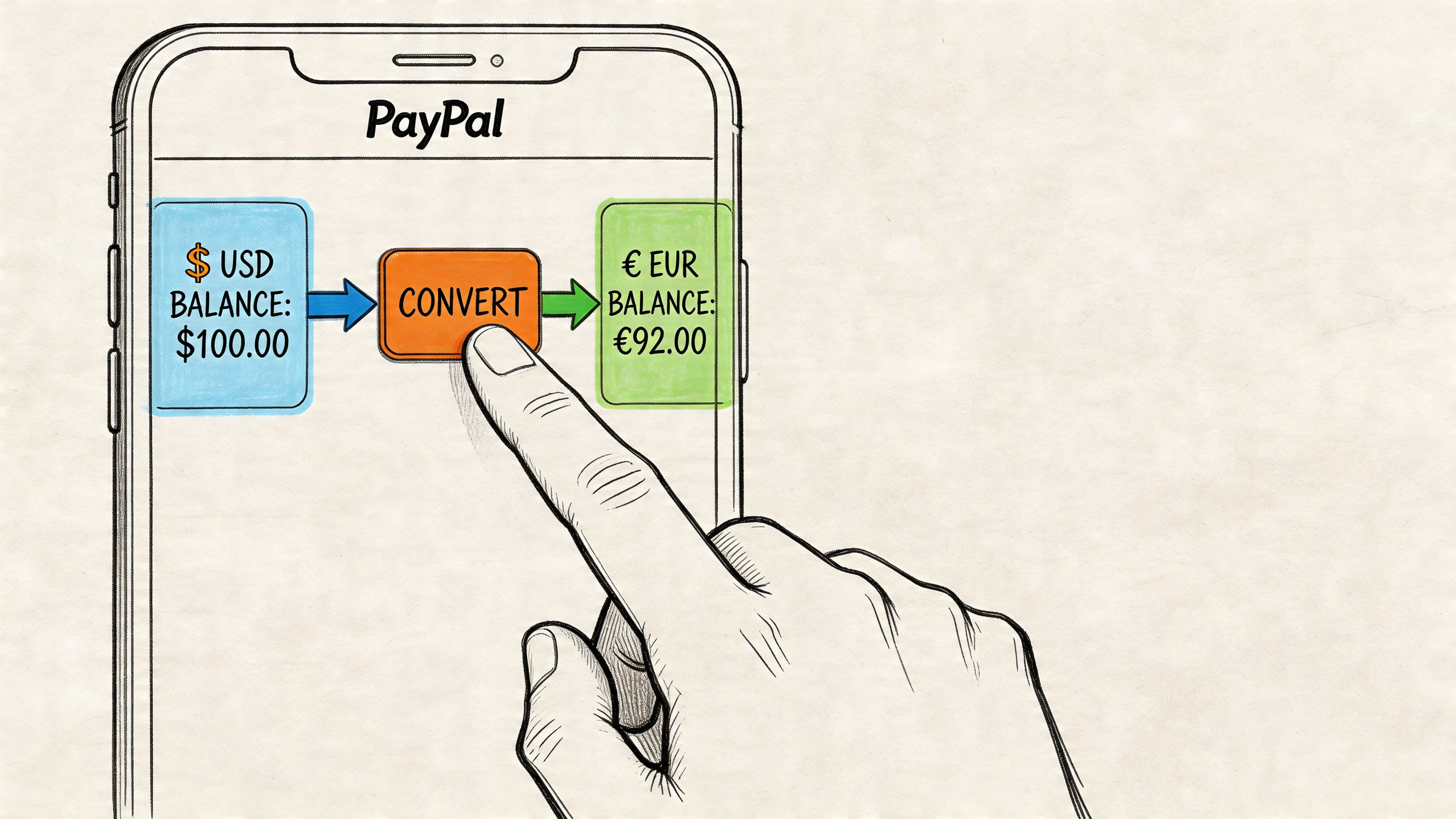
According to this PayPal conversion walkthrough from Rates.fm, on desktop you go to Wallet, click More next to a balance, choose Convert currency, select the currencies, enter the amount, and confirm. The mobile flow mirrors this through Manage currencies. The same guide notes that the displayed rate typically includes a 3% to 4% markup.
On a desktop browser
Desktop is usually the easiest place to do this because the balance view is clearer.
Log in to your PayPal account.
Open Wallet.
Find the currency balance you want to convert.
Click the More icon, shown as three dots.
Select Convert currency.
Choose the source currency and target currency.
Enter the amount.
Review the quoted rate carefully.
Confirm the conversion.
That’s the full process. It’s simple enough that most users won’t get stuck technically. The practical mistake happens at the review screen, where people focus on convenience and skip the rate check.
Using the PayPal mobile app
The mobile app follows the same logic, with slightly different navigation.
Tap your balance
Open Manage currencies
Select Convert currency
Choose the currencies involved
Enter the amount
Review the exchange quote
Confirm
If you convert balances frequently, mobile is fine for quick actions. For larger amounts, desktop is better because you can compare numbers more carefully before confirming.
A short video can help if you want to see the flow visually before touching a live balance:
Before you confirm the conversion
Experience matters. The interface makes conversion feel like routine account housekeeping. It isn’t. It’s a pricing decision.
Use this quick checklist before confirming:
Check which balance is being converted: Make sure you’re not moving funds from the wrong currency wallet.
Look at the quoted rate, not just the final amount: PayPal’s convenience can hide an expensive rate.
Pause on larger receipts: A conversion that feels minor on a small amount gets painful on a larger invoice.
Match the conversion to an actual need: If you can hold the original currency for a while, converting immediately may not be your best move.
Don’t treat the convert button like a neutral tool. On PayPal, it’s often the moment where margin disappears.
If you only use PayPal occasionally, the built-in conversion may be tolerable. If you use it for regular cross-border business, the button works exactly as designed, but the economics usually don’t work in your favor.
The Real Cost of PayPal Currency Conversion
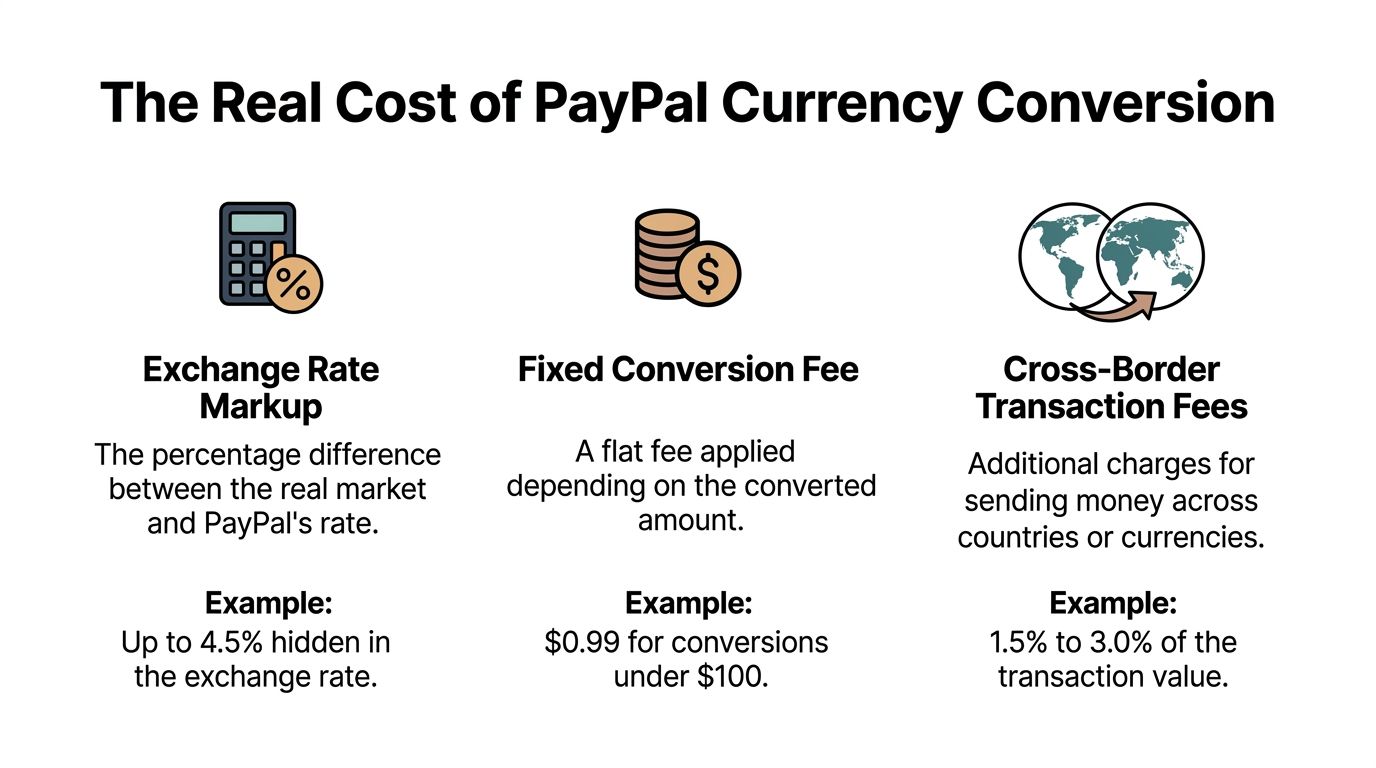
A $5,000 client payment can arrive looking healthy and land noticeably smaller by the time it reaches your usable balance. That gap usually is not one fee. It is a stack of charges that hit at different points, with the FX markup buried inside the rate PayPal shows you.
What PayPal actually charges
The part that catches people out is the exchange-rate spread. Analysts at CanAm Currency Exchange’s review of PayPal conversion costs found that PayPal’s conversion rate can sit about 3% to 4% away from the mid-market rate. You do not see that as a separate line item. It is built into the quote.
For a business payment, that spread often sits on top of other charges:
Cost layer | What it means in practice |
|---|---|
Transaction fee | PayPal’s standard commercial processing charge |
Cross-border fee | An extra fee when the sender and recipient are in different countries |
FX spread | A weaker exchange rate than the mid-market rate |
That structure matters because your total effective cost is not obvious unless you calculate it yourself.
A $5,000 payment example
Using the same CanAm example, a $5,000 USD payment converted to CAD at a mid-market rate of 1.38 should settle near C$6,595.99. With a 4% FX spread, the working rate drops to 1.3248, and the recipient ends up with about C$6,332.15. That is C$263.84 lost to conversion before standard business and international fees are added.
Once those other charges are included, the all-in cost in that example reaches roughly C$568, or 11.4% of the original payment value.
That is the number worth tracking. Not the listed fee. The total effective cost.
Why this hits small businesses so hard
PayPal splits the cost into pieces, which makes the loss feel smaller at each step. A processing fee looks normal. A cross-border fee looks annoying but manageable. The FX markup is easy to miss because it is wrapped into the quoted rate.
For freelancers, agencies, Amazon sellers, and small exporters, this creates a pricing problem, not just a payment problem. If your margin is 15% and your payment stack eats 8% to 11%, a profitable job can turn average fast.
I learned to check three numbers every time: the invoice amount, the mid-market rate, and the final settled amount in my home currency. If those numbers are not sitting side by side, PayPal conversion costs are easy to underestimate.
The cost you do not see on the invoice
There is also FX risk between the moment you get paid and the moment you convert. If you hold a foreign balance and your home currency moves against you, the final value drops again. PayPal does not solve that risk. It just gives you a button to convert at its own rate when you decide to act.
For businesses with recurring international revenue, that creates two separate problems:
You pay PayPal’s spread when you convert
You still carry exchange-rate risk while you wait
That is why many businesses eventually stop treating PayPal as an FX tool and start treating it as a collection rail only.
If you want a side-by-side breakdown of tactics that reduce these losses, this guide on how to avoid currency conversion fees covers the practical options. The cleanest fix is to remove the conversion step entirely. Flexible settlement through Suby, paid out to your bank account, or in stablecoins (USDC, EURC) to your wallet, lets you receive international payments without PayPal’s FX spread, and it cuts out the waiting period where currency swings can erode the value of a payment before you touch it.
For sellers already dealing with PayPal account disputes on top of fee pressure, AMZ Sellers Attorney PayPal appeal services may also be relevant.
PayPal is convenient. Convenience has a price. On cross-border payments, the only number that matters is what percentage of the original invoice disappears after every fee and rate adjustment is counted.
Troubleshooting and Minimizing PayPal Conversion Costs
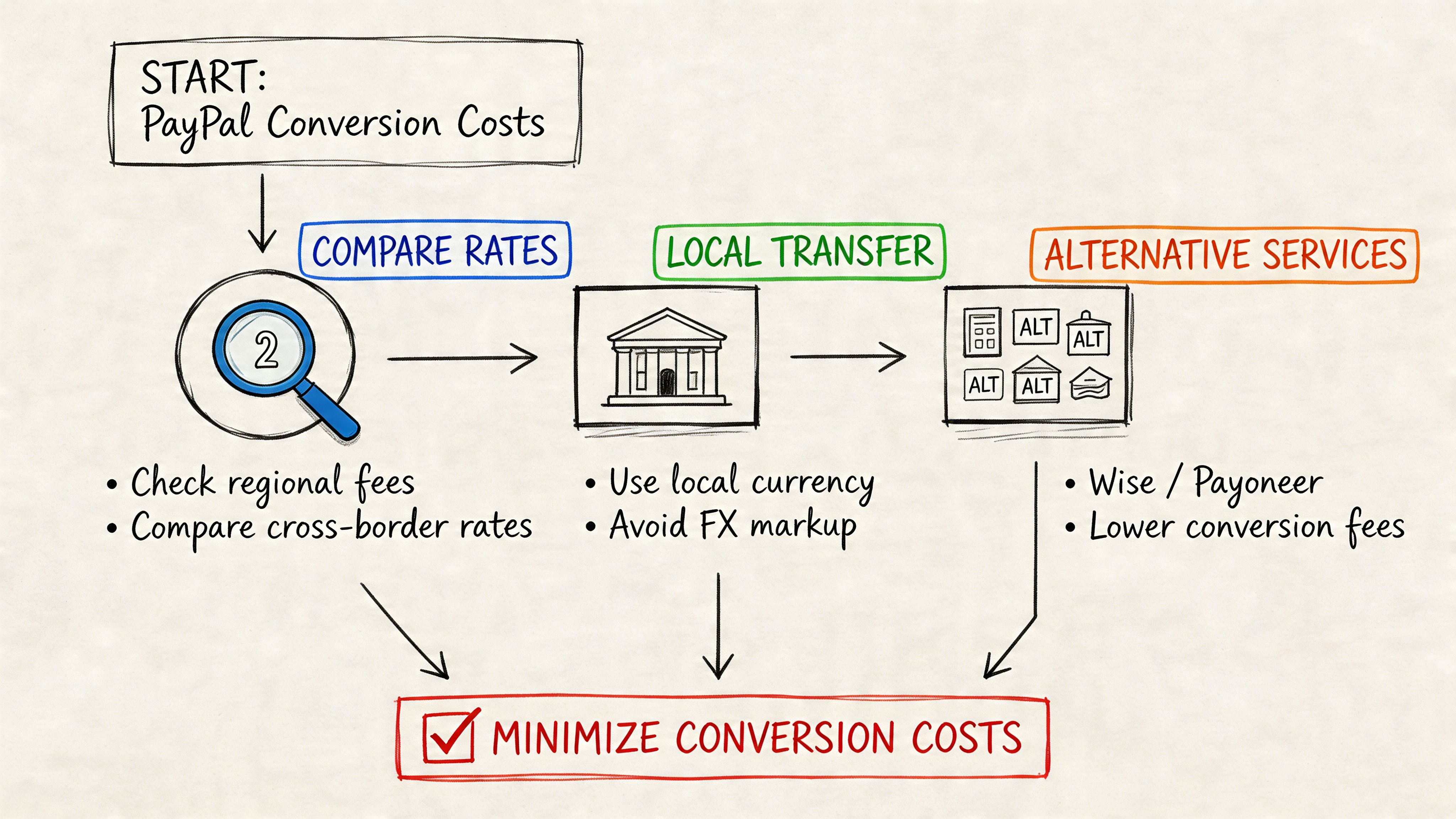
If you have to keep using PayPal, the goal is damage control. You probably won’t turn it into a low-cost FX tool, but you can avoid some of the most expensive mistakes.
Fix the primary currency problem first
One of the most common PayPal setup issues is having the wrong primary currency in your wallet. According to Wise’s PayPal currency settings guide, that mistake can trigger unintended auto-conversions on incoming payments, and it’s reported to cause up to 20% of user support tickets related to fees.
That tracks with what many merchants run into. A client pays in one currency, PayPal converts it automatically into another, and by the time you notice, the loss is already locked in.
Check these settings first:
Primary currency: Make sure it matches the currency you most want to hold, not just the one you used when opening the account.
Available balances: If you receive multiple currencies, verify that PayPal is set up to hold them separately.
Invoice currency: Confirm that your outgoing invoices align with the balance structure you want to maintain.
Field note: A bad primary-currency setting can cost more than a visible fee because it removes your chance to choose when conversion happens.
Practical ways to reduce damage if you must stay on PayPal
There’s no magic switch, but a few habits do help.
Hold funds in the original currency when possible: If you expect to pay expenses in that same currency later, converting immediately may be unnecessary.
Review each larger conversion manually: This is tedious, but it’s better than treating every conversion as automatic background admin.
Build payment costs into pricing: If a client insists on paying through PayPal from another country, your pricing should reflect that reality.
Keep fee documentation organized: If your account ever runs into limitations, reviews, or payout issues, clean records matter.
For merchants dealing with account friction beyond FX, legal and procedural help can be more useful than generic forum advice. If you’re in an account limitation or funds-hold situation, AMZ Sellers Attorney PayPal appeal services is a relevant resource because it focuses specifically on PayPal-related disputes and appeals.
A practical companion to this is a fee-avoidance mindset. If you want a broader strategic overview, this guide on how to avoid currency conversion fees is worth reading because it frames payment flow as a business decision, not just a checkout setting.
When the issue is bigger than fees
Sometimes the problem isn’t just that PayPal is expensive. It’s that PayPal is the wrong settlement model for how your business operates.
That becomes obvious when you:
invoice clients in one currency but budget in another
run subscriptions across several countries
pay contractors from incoming client receipts
need consistent settlement rather than fluctuating converted totals
At that point, optimizing settings helps, but only up to a limit. You can reduce leakage around the edges. You usually can’t remove the structural FX problem from inside PayPal itself.
Is There a Better Way to Handle International Payments
For many businesses, the hardest part of cross-border payments isn’t the visible fee. It’s the uncertainty between payment initiation and settlement.
The problem most PayPal guides leave out
Most guides on PayPal conversion talk about button clicks, basic fees, or wallet settings. They rarely deal with mid-transaction currency fluctuations and the fact that businesses often need a predictable settlement outcome, not just a successful payment.
That gap matters. As noted in PayPal’s help context and related analysis, most guidance doesn’t really address how businesses should handle rate volatility during the payment flow. A service like Suby solves that by settling payments directly in USDC, which removes FX rate volatility and conversion fees from the merchant side.
That’s a distinctly different model. Instead of accepting payment, waiting for conversion, and absorbing the rate difference, the business receives settlement in a stable digital dollar unit. For a lot of online businesses, that’s closer to what they want most, which is predictable value retention.
For broader context on international payment options, Klink Finance's payment guide is a useful read because it compares cross-border approaches in practical business terms.
PayPal vs Suby for international receipts
Suby’s model is simple to explain. Users pay with cards, and businesses receive USDC. It also supports crypto payments, but the merchant settlement stays in USDC. That means the seller doesn’t have to manage PayPal-style conversion friction after the fact.
Here’s the side-by-side view:
Feature | PayPal | Suby |
|---|---|---|
Customer payment methods | Familiar digital wallet and card-linked flows | Card and crypto payments |
Merchant settlement | Can involve currency conversion and FX exposure | Settles directly in USDC |
FX risk for merchant | Often present when receiving or withdrawing across currencies | Removed from the merchant settlement flow |
Conversion fees | Can be embedded in the exchange rate | No merchant-side FX conversion step in the settlement model |
Payout structure | Depends on PayPal balances, withdrawal paths, and currency handling | Direct USDC settlement |
Best fit | Occasional international payments where convenience matters most | Online businesses that want predictable global settlement |
If you’re comparing payment stacks more broadly, this overview of the best international payment gateway options is a useful starting point.
Who this model fits best
A USDC-settlement model fits businesses that care more about predictable receipts than local-wallet familiarity.
It’s especially relevant for:
Freelancers and agencies billing global clients and wanting one stable settlement asset
SaaS companies running recurring subscriptions across countries
Creators selling memberships, paid access, or digital products to international audiences
Community businesses monetizing access inside Discord or Telegram
Suby also provides an API for businesses that want to accept payments by card or crypto and receive USDC, plus native Discord and Telegram integrations for subscriptions, paid access, and online communities. The key idea stays the same. Users pay with cards, businesses receive USDC.
This isn’t “better” for every scenario. If your business lives entirely inside one banking region and most customers pay domestically, PayPal may still be good enough. If your revenue is international and recurring, removing FX from the merchant side is often a cleaner answer than trying to out-manage a bad conversion system.
Choosing the Right Path for Your Business
PayPal still has a place. If you need a familiar checkout, occasional cross-border payments, and minimal setup, it can do the job. You just need to treat currency conversion carefully, keep your wallet settings clean, and stop assuming the quoted rate is harmless.
For businesses handling regular international revenue, the bigger lesson is that conversion management is not the same thing as conversion avoidance. You can reduce some losses inside PayPal. You usually can’t turn it into a predictable low-friction settlement system for global sales.
That’s why more online businesses are separating payment acceptance from settlement. Let the customer pay in a familiar way, but make sure the business receives something stable and consistent. If that idea fits how you operate, a PayPal alternative built for global online payments is worth serious consideration.
The right path depends on volume, geography, and how much unpredictability your margins can absorb. If international receipts are still occasional, optimize PayPal and monitor every conversion. If global payments are becoming a core part of your business, it’s smarter to change the settlement model rather than keep patching around the fees.
Suby is a payment gateway and payment processor. Your customers pay with card, bank transfer, Apple Pay, Google Pay, Klarna, and more, or stablecoins, and you get paid out to your bank account, or directly in stablecoins (USDC, EURC) to your wallet, anywhere in the world, no bank account required. With an API, paylinks, checkout, and native Discord and Telegram integrations, it lets you receive international payments without the PayPal-style currency conversion spread that quietly erodes cross-border margins.
