

Gaspard LEZIN
Stripe Connect Pricing Explained (2026 Guide)
A clear guide to Stripe Connect pricing. Understand Standard, Express, and Custom fees, payout costs, and how to choose the right model for your platform.
You’re probably in the same spot most platform founders hit sooner or later. A customer pays on your site, a seller or contractor needs a payout, you want to keep your margin, and suddenly stripe connect pricing stops looking simple.
The confusion usually starts with one wrong assumption. People think the processing rate is the whole story. It isn’t. The baseline card fee is only the first layer, and then Connect adds platform-specific costs depending on how you structure onboarding, payouts, and fee ownership.
A good pricing model for a marketplace, SaaS platform, or creator tool isn’t just the cheapest line item on a pricing page. It’s the one you can predict, explain to your finance team, and live with when payout volume grows, vendor activity gets uneven, and support tickets start landing.
Table of Contents
Untangling Stripe Connect's Pricing A First Look
What changes between the models
Stripe Connect Models At a Glance
The base fee comes first
Where Connect charges start
Why operators get caught off guard
The costs people usually miss
Operational overhead is a real cost too
Example one, a commission marketplace
Example two, a platform with many low-activity accounts
Use pricing schemes carefully
Match the payment design to the business model
Finding a Simpler Alternative for Global Payments
Untangling Stripe Connect's Pricing A First Look
A founder approves a marketplace model on a spreadsheet. A customer pays $100, the platform takes a commission, and the rest goes to the seller. It looks clean until the payment flow gets implemented and a critical question appears. How much of that $100 remains after processing, transfers, payouts, account-level charges, and support work?
That is the starting point for stripe connect pricing.
Stripe Connect is often presented as a way to route money between parties. That part is true. The harder part is that your effective cost is rarely just the card fee. The bill can spread across payment processing, connected account charges, payout activity, dispute handling, and the internal time your team spends explaining where funds went and why the numbers do not match the original margin model.
I have seen teams get caught here because the first estimate only included payment processing. The second estimate included Connect fees. The third estimate finally included support load, payout exceptions, and the cost of carrying low-volume accounts that still need onboarding, reporting, and attention.
That gap matters more than many founders expect.
If you are building a marketplace, a vertical SaaS product, or a platform that splits money between multiple parties, Stripe Connect can be a good fit. It gives you flexibility and broad coverage. It also pushes you to make early decisions about ownership. Who controls onboarding? Who explains payout timing? Who absorbs the edge cases when a seller expects one amount and receives another?
Those decisions shape cost just as much as published fees do.
A useful way to frame this is operational ownership. If you want sellers to feel like they are using your platform, you usually take on more responsibility for the payment experience. If you are still deciding how much of that experience should carry your brand versus a payments provider’s brand, this guide to understanding white label solutions is a helpful reference.
Three questions usually surface the actual economics quickly:
Who owns the payment experience? Decide whether sellers should feel like they are interacting with your product or with Stripe’s tooling.
Who handles the operational work? Onboarding, payout questions, support tickets, and fee explanations do not disappear. Someone on your team handles them.
Who needs predictable unit economics? If your platform makes money on a small take rate, account charges and payout-related fees can erase margin faster than expected.
A simple rule helps here. If you cannot explain your money flow clearly, from customer charge to final payout, you probably do not know your true Connect cost yet.
Choosing Your Model Standard, Express, or Custom
The biggest pricing mistake happens before anyone calculates fees. It happens when a platform chooses the wrong Connect setup for its business.
Stripe Connect usually gets discussed as if pricing sits in one neat bucket. In practice, your account model shapes your costs, support burden, and product experience. Standard, Express, and Custom can all move money, but they don’t create the same operational workload.
What changes between the models
Standard is the lightest setup. It works best when the connected business is comfortable dealing directly with Stripe for much of the payment account experience. Onboarding is simpler, and the account holder has more direct visibility into Stripe’s environment.
Express sits in the middle. It gives you more product control while still relying on Stripe for major parts of onboarding, payouts, and reporting. This is often the practical middle ground for platforms that want a branded user journey without taking on the full burden of a customized payments operation.
Custom is the most controlled path. It’s also the easiest one to underestimate. You can shape more of the account experience yourself, but more control means more design decisions, more support responsibility, and more operational edge cases.
If you’re still thinking through branding and ownership, this guide to understanding white label solutions is useful because it frames the broader product question behind the payment setup. The payment model isn’t just about fees. It affects whether your users feel like they’re using your platform or getting handed off to someone else’s.
Stripe Connect Models At a Glance
Attribute | Standard | Express | Custom |
|---|---|---|---|
Brand control | Lower | Medium | Highest |
Onboarding experience | More Stripe-led | Shared between platform and Stripe | More platform-led |
User visibility into Stripe | Higher | Moderate | Lowest |
Operational burden on platform | Lowest | Moderate | Highest |
Best fit | Early platforms, simpler partner setups | SaaS and marketplaces that want balance | Platforms that need deep control and can handle complexity |
A few practical patterns show up repeatedly:
Standard works when independence matters: Good when connected accounts are real businesses that don’t need a tightly embedded platform experience.
Express works when product matters: Good when you want cleaner onboarding and a more polished in-app experience without owning every edge case.
Custom works when payments are core: Good when payments are central to your product and you’re ready for the support and compliance workflow that comes with that.
The most expensive model isn’t always the one with the highest visible fee. It’s often the one that forces your team to solve problems you didn’t plan to own.
Dissecting Stripe Connect's Fee Structure
A platform owner usually notices the actual cost of Stripe Connect after the first month-end review. The card processing line looks familiar. The surprise shows up in the extra layer tied to connected accounts, payouts, and the way money moves through your platform.
The base fee comes first
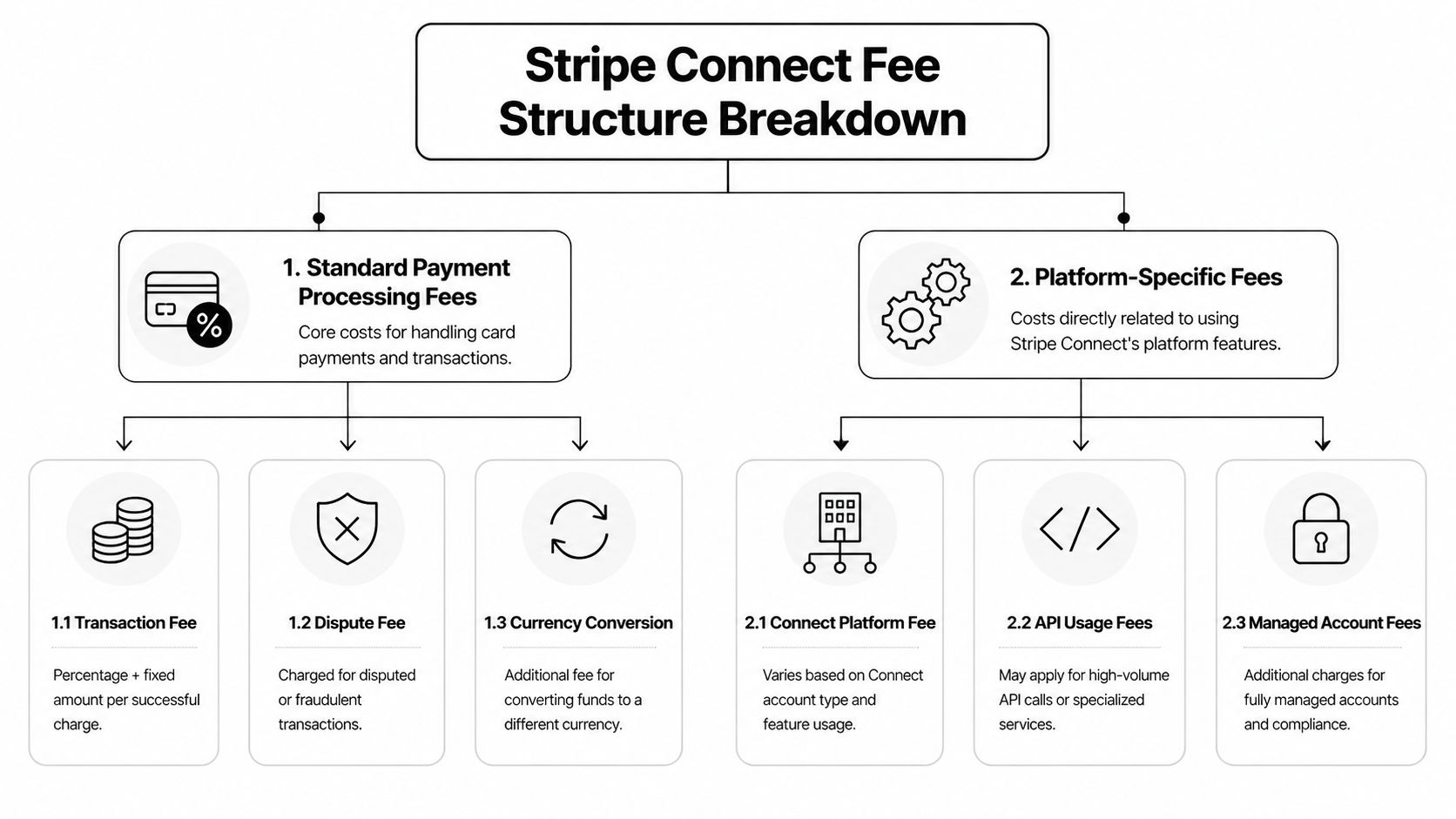
Every Connect setup starts with the underlying payment processing cost. For standard online card payments, Stripe’s published pricing begins at 2.9% plus $0.30 per successful online card charge, based on Stripe’s pricing page. Connect does not replace that fee. It adds another pricing layer on top of it.
That distinction matters in margin planning.
If your platform takes a commission, the clean way to model it is to subtract the payment processing fee first, then apply the Connect-specific charges, then account for payout and account-level costs. Teams that skip that order often overestimate contribution margin, especially on lower-ticket transactions. For a broader breakdown of the underlying payment layer, this guide to what Stripe fees are is a useful reference.
Where Connect charges start
On Stripe’s own Connect pricing page, the self-serve pricing model includes 0.25% + 25¢ per transaction plus a $2 monthly fee for each active connected account. Stripe defines an active account as one that receives a payout to a bank account or debit card during that month.
That definition is easy to gloss over, but it changes the economics for platforms with uneven seller activity. A creator who gets paid once in a month can still trigger the active account fee. If you support a long tail of small or occasional earners, that fixed monthly charge can matter more than the percentage fee.
Then the optional and situational costs start to stack:
Instant Payouts: 1% of payout volume
Cross-border payouts: 0.25% of volume
Currency conversion: separate FX costs may apply depending on account country and settlement setup
Tax reporting: extra filing charges can apply for US tax forms
None of these line items looks dramatic on its own. Together, they change the total effective cost of using Connect.
Why operators get caught off guard
The hard part is not understanding any single fee. The hard part is seeing how the fee structure behaves across real payout patterns.
A marketplace with weekly domestic payouts will experience Connect differently from a creator platform paying thousands of small accounts across countries at irregular intervals. The first business can often keep the model predictable. The second usually deals with more active-account charges, more payout events, more support questions, and more edge cases around FX and tax handling.
That same pricing pattern shows up in other platform businesses. If you have ever worked through setting SoundCloud premiere rates, the logic is familiar. The posted rate is only the starting point. Actual cost depends on behavior, exceptions, and who absorbs the operational extras.
A practical way to model Stripe Connect is:
Start with the customer payment
Subtract the base processing fee
Subtract Connect fees tied to your platform model
Add any payout, FX, or tax-reporting costs
Check what remains for your platform and the connected account
The useful question is not “what does Stripe Connect cost on paper?” It is “what does this setup cost once account activity, payouts, and exceptions show up in production?”
The Hidden Costs in Stripe Connect Pricing
The headline rate almost never tells the whole story. What hurts margin is usually everything wrapped around the transaction, especially when your platform has lots of small sellers, freelancers, or creators with irregular payout patterns.
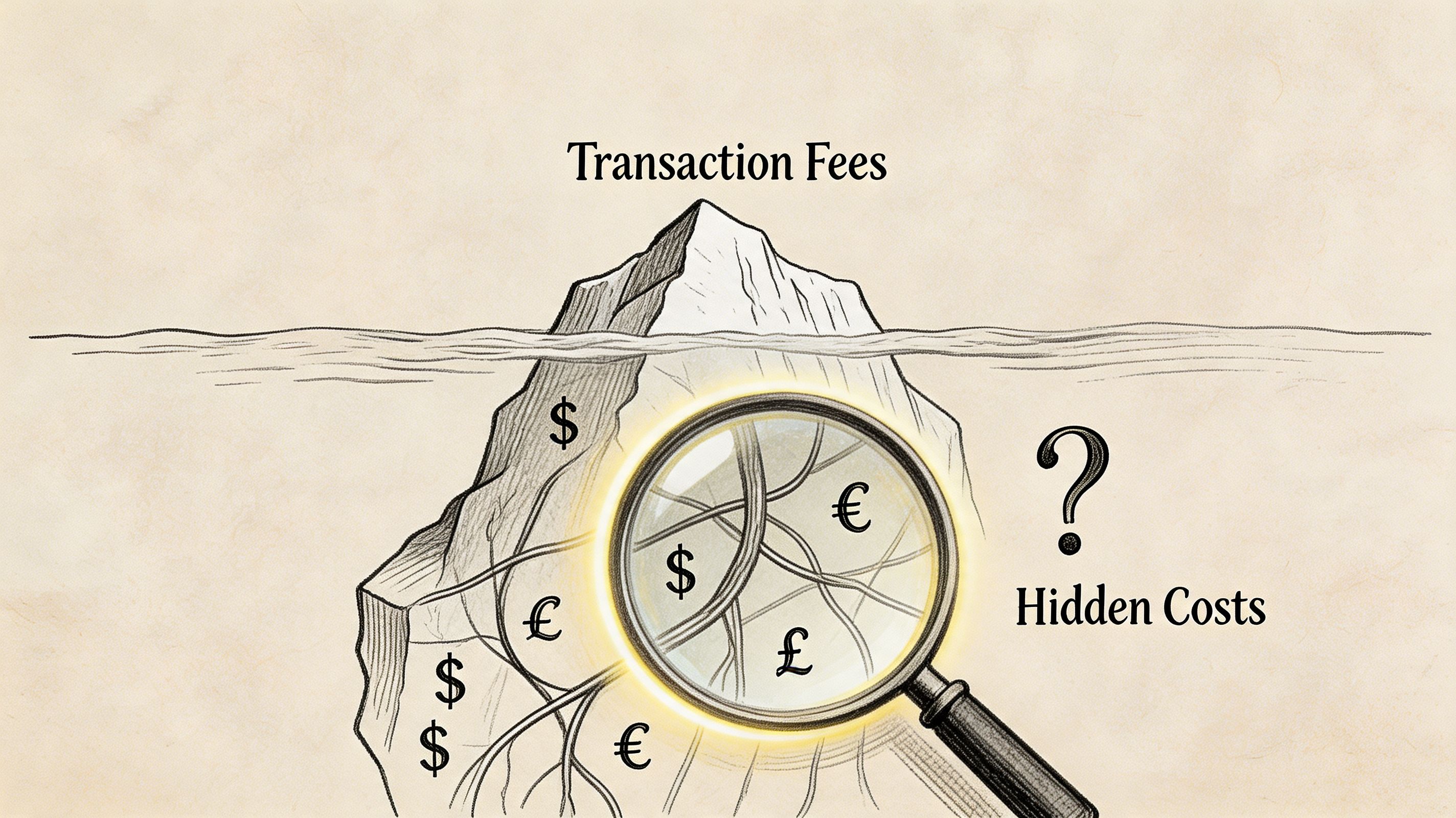
One of the clearest examples comes from global platforms. Stripe’s own platform pricing tools note that additive fees such as Instant Payouts at 1%, cross-border payouts at 0.25%, and the $2 monthly active account charge can push effective costs above 4-5% for creators or freelancers with sporadic payouts, especially when the setup isn’t optimized for predictable cash flow, as described in Stripe’s platform pricing tools documentation.
The costs people usually miss
Founders often model a healthy margin using a clean transaction example. Then live operations introduce friction.
A few common pain points show up fast:
Irregular activity: A seller who barely uses the platform can still become a billable active account if they receive a payout that month.
Cross-border settlement: Extra payout and conversion fees can stack when seller geography doesn’t match your main market.
Fast access to funds: Instant payout convenience costs more, and platforms often end up fielding requests for it even if it wasn’t part of the original financial model.
For teams managing operational risk, payout delays and account restrictions also become part of the true cost picture, and a run of chargebacks can even pull a platform into the visa acquirer monitoring program with fines and stricter oversight attached. This writeup on Stripe frozen account situations is useful because it highlights how payment operations can become a support issue, not just a finance issue.
Operational overhead is a real cost too
The hard part about stripe connect pricing is that some of the biggest costs don’t show up as one tidy fee line. They appear as work. Your support team explains payouts. Your finance team reconciles account-level charges. Your product team decides whether to absorb fees or pass them through.
A platform with clean domestic payouts and active sellers behaves very differently from one with occasional global payouts to hundreds of low-volume accounts.
That distinction is worth seeing in a broader context:
When businesses say stripe connect pricing feels expensive, they don’t always mean the listed fee is unreasonable. They usually mean the effective cost became hard to forecast.
Putting It All Together With Worked Examples
A pricing page can make Stripe Connect look predictable. The forecast changes once real payout behavior shows up in the numbers.
Example one, a commission marketplace
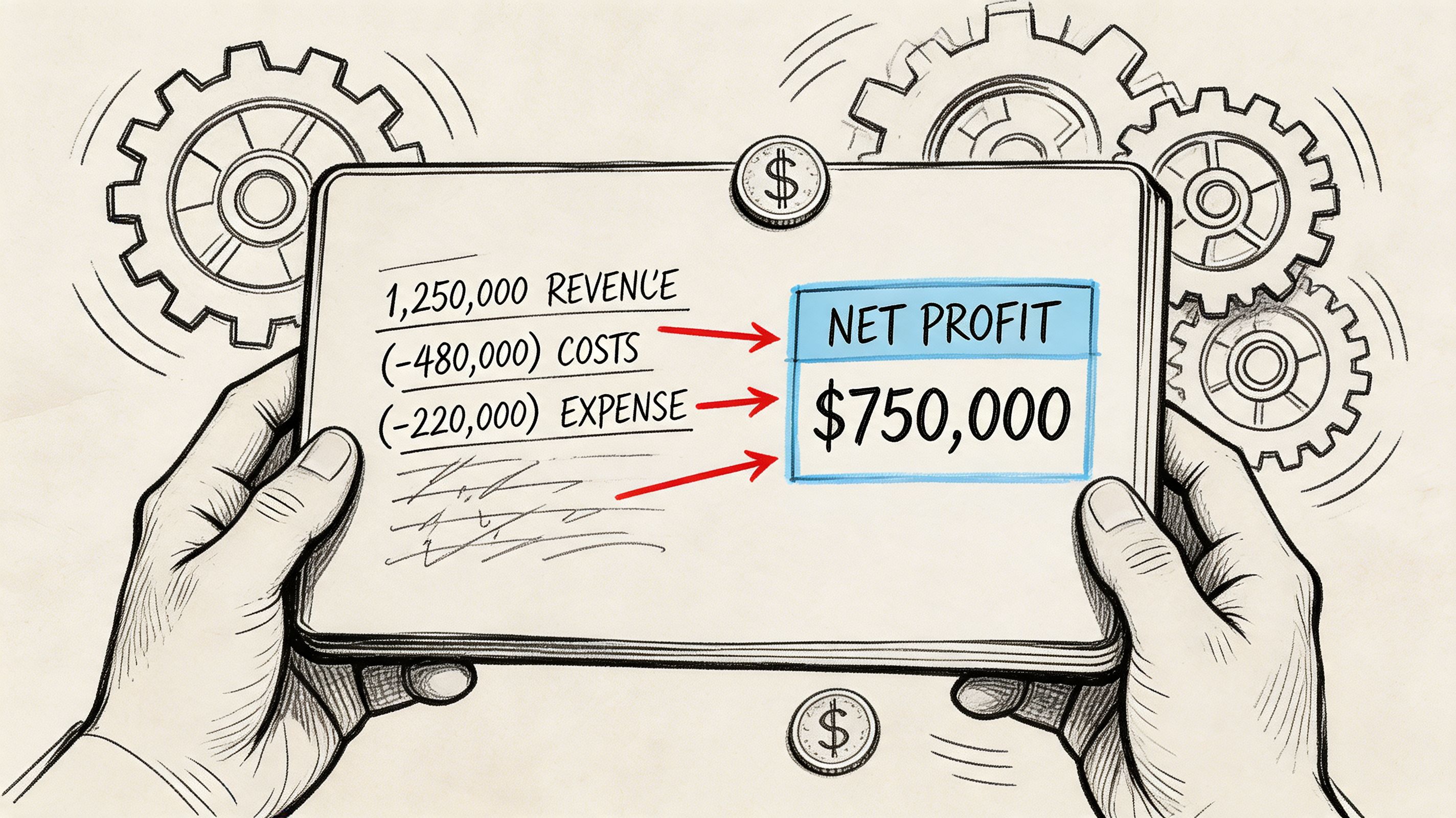
Start with a simple marketplace sale. A customer pays £100. The platform plans to keep 25% and send the rest to the seller. On paper, that looks like £25 in platform revenue.
In practice, the platform keeps less once payment processing, Connect-related charges, and payout costs are applied. As noted earlier, one published breakdown of this setup shows that the retained amount can land well below the headline commission after those layers are accounted for.
That gap matters because it changes how founders should model margin. The true benchmark is retained revenue per transaction after funds move through the full flow, not the commission setting in the dashboard.
A practical read of this example looks like this:
Customer payment: £100
Target commission: 25%
Actual retained revenue: lower than the headline commission once fees are applied
Main reason: payout structure and account-level charges reduce what the platform keeps
I usually tell teams to track three numbers side by side:
Gross payment volume
Planned commission revenue
Actual retained margin after fees and payouts
Those three numbers expose a common mistake. Teams price the business around commission percentage, then discover later that payout behavior is doing as much damage to margin as card processing.
Margin check: Run the same model using small seller balances, irregular payout timing, and a few low-value transactions. That version is often closer to operating reality than the clean average-case forecast.
Example two, a platform with many low-activity accounts
Now look at a platform with lots of connected accounts and inconsistent seller activity. Creator marketplaces, freelancer platforms, and niche service networks run into this pattern all the time. Revenue may be spread across hundreds of accounts, while payouts happen in uneven bursts.
That setup usually looks fine at the transaction level. It gets expensive at the account level.
Cost driver | What it does to your margin |
|---|---|
Low-activity connected accounts | Small or infrequent payouts make fixed payout costs harder to absorb |
Irregular payout timing | Monthly margin becomes harder to forecast because costs do not follow a clean schedule |
Cross-border sellers | Currency conversion and international payout charges hit some accounts harder than others |
High account count | Finance and support work grows even when payment volume per seller stays low |
Stripe Connect can feel expensive without any single fee looking outrageous. The effective cost rises because the platform is supporting a messy payout operation, not just processing payments.
A useful internal model includes five inputs:
Average payment size
Typical payout frequency per connected account
Number of accounts that receive payouts in a normal month
Domestic versus cross-border payout mix
Expected use of faster payout options
If those inputs are fuzzy, the pricing model is fuzzy too. That is usually the point where business owners realize they are not choosing between two fee schedules. They are choosing between two operating models, one with more moving parts and one with fewer.
How to Optimize Your Stripe Connect Costs
Once a platform has real volume, optimization matters more than chasing the lowest-looking headline rate. Stripe gives you some useful levers, but they work best when you match them to actual transaction patterns.
Use pricing schemes carefully
Stripe Connect’s advanced pricing schemes let platforms create up to 125 conditional rules evaluated sequentially. Those rules can support tiered rates or caps and can reduce effective costs by 15-25% on marketplaces with variable transaction volumes compared with a single flat-rate commission, based on the breakdown at Meet Markko’s Stripe Connect guide.
That’s valuable if your platform has very different transaction shapes. A high-value B2B payment shouldn’t always be priced the same way as a low-value creator payout. Rule-based pricing gives you room to cap fees, segment by country, or treat small and large transactions differently.
A practical use case looks like this:
Small payments: Protect margin with a fee structure that accounts for fixed-cost pressure
Large payments: Cap or reduce platform fees so you don’t price yourself out of bigger accounts
Mixed geographies: Separate domestic and cross-border logic instead of pretending they behave the same
Match the payment design to the business model
Optimization isn’t just about rules. It’s also about structure. The way you design charges, payouts, and account ownership changes who feels the cost and who has to explain it later.
A few patterns consistently work better:
Keep payout logic boring: Complicated payout timing creates support work fast.
Avoid one-size-fits-all commissions: Different transaction sizes often need different treatment.
Review low-activity accounts regularly: Small sellers can create disproportionate admin and fee drag.
Be careful with convenience features: Fast payout options are attractive, but they need clear economics.
The strongest platforms don’t just accept stripe connect pricing as a fixed outcome. They model it, segment it, and redesign weak spots before fee creep turns into a margin problem.
Finding a Simpler Alternative for Global Payments
A common breaking point looks like this. The platform is live, payments are coming in, and revenue still feels harder to predict than it should. Fees vary by country, payout timing creates support tickets, and finance has to explain why the amount collected is not the amount that lands.
That is usually the moment to reconsider the setup.
Stripe Connect is a strong fit when you need deep control over account structure, onboarding, and payout behavior. But if the business model is straightforward, that flexibility can become expensive in practice. The total cost is not only the listed fee schedule. It is also the time spent handling exceptions, reconciling balances, explaining payout delays, and managing cross-border settlement decisions that customers never see.
Some teams start looking outside the usual card-stack playbook at that stage. That can include specialist infrastructure partners such as a web3 fintech development company, especially when the priority shifts from payment acceptance to settlement design and simpler global operations.
Suby is a payment gateway and payment processor with a simpler operating model than Connect. Your customers pay with card, bank transfer, Apple Pay, Google Pay, Klarna, and more, or crypto, and you get paid out to your bank account, or in stablecoins (USDC, EURC) to your wallet, anywhere in the world with no bank account required. If you are comparing Stripe Connect pricing and want less payout complexity, that clearer settlement is often the better deal.
The trade-off is clear. You give up some of the granular Connect-style configuration, but you may get a cleaner operating model in return. For many digital businesses, that is the better deal. Lower operational drag, clearer settlement, and less payout complexity often matter more than having every possible payment workflow available.
If your team is spending more time managing payment mechanics than improving the product, a simpler global setup is probably worth serious consideration.
