

Gaspard LEZIN
Build a Discord Crypto Bot to Monetize Your Community
Learn how to launch a Discord crypto bot to automate paid memberships. This guide shows you how to accept card or crypto payments and get paid in USDC.
At its core, a Discord crypto bot is an automated assistant for your server, but one built specifically to handle tasks like managing paid memberships. Instead of you having to manually check for payments and then assign roles, the bot does all the heavy lifting. This creates a much smoother, professional experience for both you and your community members.
Why a Discord Crypto Bot Changes the Game
Think about monetizing your Discord server without the constant headache of manual payment tracking. That's the problem a Discord crypto bot solves, completely changing how creators can offer paid access and special roles. It's less of a gadget and more of a powerful business tool that eliminates payment friction and the tedious work of member management.
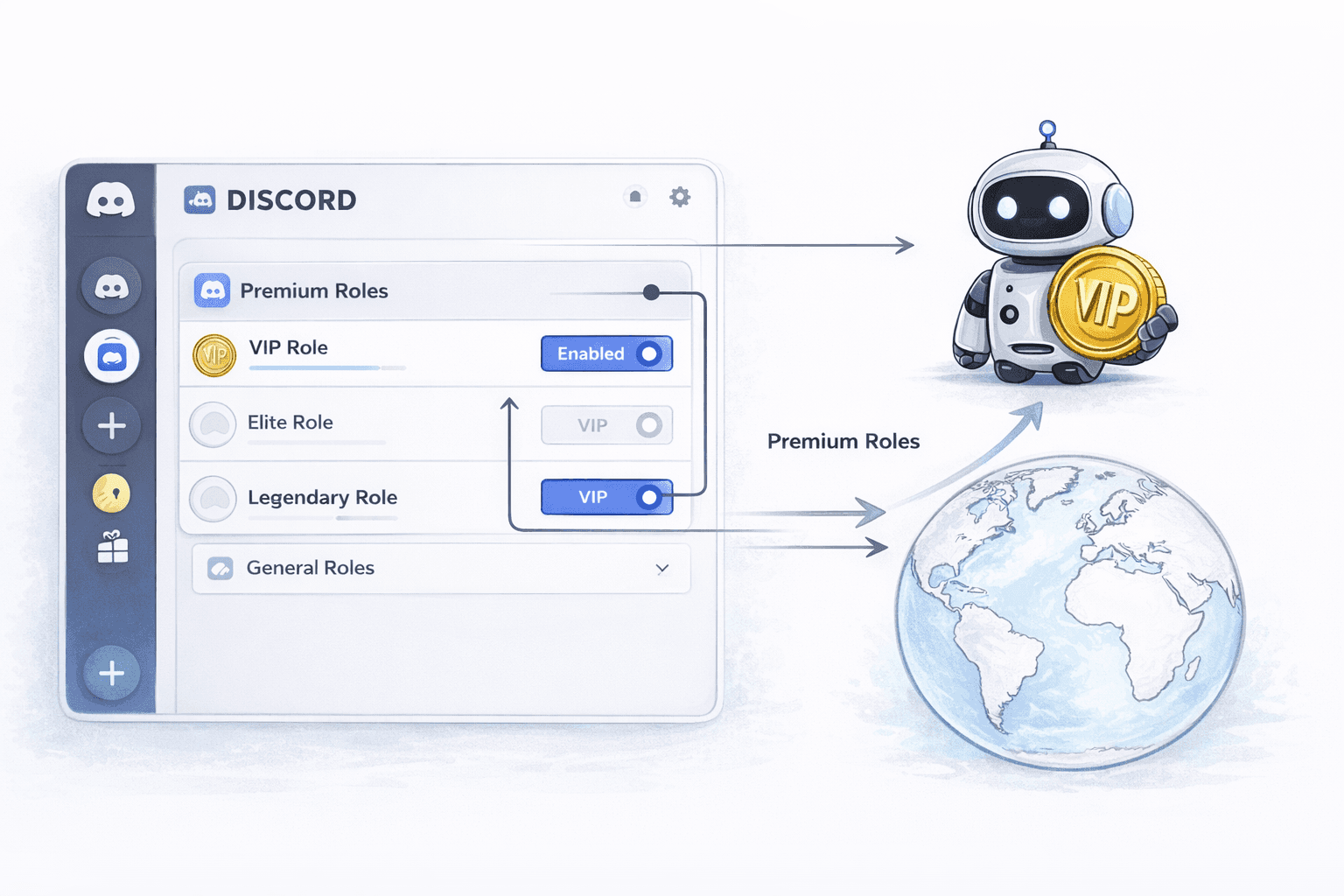
It doesn't matter if you're running a trading group, an educational hub, or an exclusive alpha community. This kind of automation is your ticket to monetizing your server without all the usual effort. The real goal here is to move past basic, clunky tools and start generating global revenue with instant USDC settlements from customers who can easily pay by card.
The Shift to Automated Community Monetization
Many community managers start out by handling payments and memberships by hand. This usually means juggling spreadsheets, trying to match wallet addresses to Discord usernames, and manually giving or taking away roles. Not only is this incredibly time-consuming, but it’s also easy to make mistakes, which can lead to a frustrating experience for your paying members.
An automated bot integration completely flips this script. You get a system that works for you 24/7, managing your community and making things better for everyone involved.
Let’s quickly compare the old way with the new, automated approach.
Automated Bot vs Manual Community Monetization
.tbl-scroll{contain:inline-size;overflow-x:auto;-webkit-overflow-scrolling:touch}.tbl-scroll table{min-width:600px;width:100%;border-collapse:collapse;margin-bottom:20px}.tbl-scroll th{border:1px solid #ddd;padding:8px;text-align:left;background-color:#f2f2f2;white-space:nowrap}.tbl-scroll td{border:1px solid #ddd;padding:8px;text-align:left}FeatureManual ManagementAutomated Discord Crypto BotPayment TrackingDone by hand in spreadsheetsAutomatically verified on-chainRole AssignmentManually assigned by an adminInstantly granted upon paymentSubscription RenewalRequires manual follow-upsAutomatically handled by the botMember AccessDelayed until admin is onlineImmediate, 24/7 accessScalabilityBecomes unmanageable with growthScales effortlessly with your communityError RateHigh risk of human errorNearly zero, reliable and consistent
As you can see, automation isn't just a convenience, it's a necessity for any serious paid community.
Here’s a breakdown of the benefits:
For Members: They get instant access to premium channels the moment their payment goes through. They can pay with a card or crypto, and the entire process is simple and straightforward.
For Creators: You get paid directly in USDC, which sidesteps the headaches of currency conversion and international payment gateways. This creates a predictable, borderless revenue stream.
A well-integrated Discord crypto bot removes the operational friction of running a paid community. It automates payment collection, role assignments, and subscription management, freeing you to focus on creating value for your members. If you want to understand the mechanics under the hood, our walkthrough on how to build a Discord crypto payment bot covers the payment layer in detail.
The opportunity here is massive. By 2025, Discord’s user base had already swelled to 560 million registered accounts, with a huge number of those users flocking to crypto-focused servers. In this environment, bots have become essential, powering a staggering 28% of all server messages and allowing creators to monetize memberships with instant USDC settlements. If you want to dig into the numbers, this report on Discord statistics has some great insights.
While building a fully custom solution from scratch is an option, and exploring expert fintech software development services can help with that, our guide is going to focus on a much simpler approach using native integrations.
Getting Your Server Ready for Monetization
Before we even touch the bot, there's a little groundwork we need to do on your Discord server. Getting this right from the start is the secret to a smooth, headache-free setup later on. Think of it as laying the foundation for your paid community.
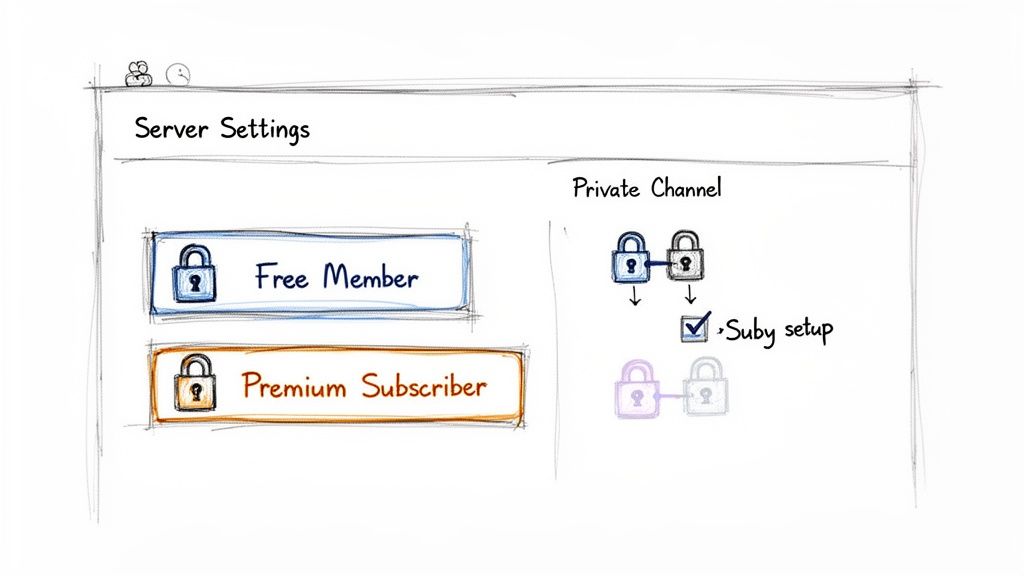
It really boils down to two things: structuring your server with the right roles and channels, and setting up a free Suby account to handle the payments. By getting this organized first, you create a clean framework for the bot to plug into, which saves a ton of confusion down the line. It ensures a seamless experience for you and, more importantly, for your future paying members.
Create Your Suby Account
First up, you’ll need an account with Suby. This is your command center for creating memberships, generating payment links, and keeping an eye on your revenue. The signup process is quick and lands you right in the dashboard where all the magic happens.
Suby is the engine that lets your members pay with either crypto or a card, while you get everything settled in USDC. We've built native integrations for both Discord and Telegram to make this process incredibly simple. For anyone wanting to build something more custom, Suby also provides a powerful API that allows any business to accept payments.
Define Your Server Roles
Now, let's jump over to your Discord server. The entire system of automated membership hinges on one key feature: roles. Roles are how you control who can see what and do what in your server. For a paid community, you'll want at least two main roles to start.
Free Members: This is the baseline role for everyone who joins. They'll have access to your public channels, announcements, and any teasers you post for your premium content.
Premium Subscribers: This is the paid-for role. When someone buys a subscription, our bot will automatically give them this role, unlocking all your exclusive channels.
Of course, you can get more granular. Many successful communities add tiers like 'VIP Members' or 'Founding Members', each with its own private channels and perks. The crucial part is to have these roles created before you connect the bot.
Expert Tip: Don't rush this part. Taking the time to properly structure your roles is the single most important thing you can do at this stage. A well-organized server lets the bot do its job of granting and revoking access automatically and without any errors.
Set Up Your Private Channels
Once your roles are in place, the final bit of prep is creating the channels your premium members will call home. When you create a new channel in Discord, you can easily set its permissions to make it private.
For instance, you might create a channel named #vip-lounge. In its settings, you'd configure it so only users with the 'Premium Subscribers' role can see it and send messages. To your free members, that channel simply doesn't exist. This exclusivity is precisely what makes your membership valuable.
By setting up your account, roles, and channels now, you’ve created the perfect environment for a successful Discord crypto bot integration. You have your free community spaces and your exclusive paid sections clearly separated and ready to be automated.
Now that your Discord server has the right roles and channels set up, it's time to bring it all together. Let's get the Suby bot connected to your server. This is where the real magic happens, transforming your server into a self-managing, automated community.
The goal here is to establish a single, powerful connection that manages everything from payments and subscriptions to assigning roles automatically. This way, you don't have to waste time with manual admin tasks or juggle a bunch of different tools.
Getting the Bot into Your Server
Your first move is to grab the bot invitation link from your Suby dashboard. Think of this as a special key that lets the Suby bot join your server, just like inviting a new member.
When you click the link, Discord will pop up a window. Simply choose the server you've been setting up from the list. Next, you'll see a list of permissions the bot needs to do its job. This part is crucial, so pay close attention.
Why the Bot Needs These Permissions
The Suby bot requires specific permissions to automate role management and interact with your members. Don't worry, these are standard requests for any management-style bot and are essential for the automation to work as intended.
Here's a quick rundown of what you're approving:
Manage Roles: This is the big one. It allows the bot to grant your 'Premium Subscriber' role when someone pays and, just as importantly, remove it if their subscription lapses.
Send Messages: This lets the bot send welcome messages or payment confirmations into the channels you designate.
Create Invite: The bot can generate secure, one-time invites for certain processes, so you don't have to.
After you approve these permissions, you'll see the Suby bot pop up in your server's member list. Your Suby dashboard will also confirm the connection is live. This single link now acts as the bridge between your payment gateway and your community.
The growth of bots on Discord has been staggering. By 2025, there were over 12 million active bots on the platform, and bot-driven messages made up a whopping 28% of all server traffic. This trend has been a game-changer for the 1.5 million Discord servers focused on crypto, where bots are essential for automating everything. You can dive deeper into this and other key Discord statistics in this detailed report.
This kind of automation is exactly what Suby was built for, handling both the payment side (card, bank transfer, Apple Pay, Google Pay, Klarna, and more, or crypto) and the Discord access management in one seamless system. If you’re already using another payment bot, we have a guide on how to migrate your payments bot to Suby to help you make a smooth transition. It’s a straightforward, powerful way for any business to accept payments by card or crypto, with all payouts settled in USDC.
Alright, with your Discord server and Suby connected, it's time for the fun part: creating the product you're going to sell. This is where you take the exclusive access or content you’ve planned and turn it into something people can actually buy.
The whole process boils down to creating a product in your Suby dashboard and then tying it directly to a specific role on your Discord server.
Whether you're thinking about a recurring subscription or a simple one-time payment, the setup is pretty much the same. You'll give your product a name, think 'VIP Access Pass' or 'Pro Trading Signals', and set your price. It’s this link between your Suby product and a Discord role that makes the magic happen. When someone pays, the bot does the heavy lifting and grants them the role instantly.
Setting Up Your Product and Price
First things first, head over to your Suby dashboard and create a new product. You'll immediately face a key decision: a subscription model for steady, recurring revenue or a one-time payment for things like lifetime access. This choice really defines the kind of community you're building.
Subscriptions: These are perfect if you're offering continuous value, like weekly market analysis, ongoing trading signals, or daily access to a private chat. You can set up billing cycles for monthly or even yearly renewals.
One-Time Purchases: This is the way to go for selling access to a specific item or event. Think of a recorded masterclass, a digital download, or maybe a permanent pass to a "Founding Members" group.
After picking the payment type, you'll set the price. While you have full control over the amount, a major benefit here is that all your earnings are settled directly into your wallet as USDC. This is a huge plus. It means you don't have to worry about managing a dozen different currencies or getting hit with conversion fees, regardless of how your customer actually pays.
Linking Products to Discord Roles
Now for the most crucial step. Once your product's price and type are defined, you need to link it to a Discord role.
Let’s say you created a product called "$10/month VIP Access." You would simply connect this product to the 'VIP' role you made earlier on your server. The moment a user completes their purchase, the Suby bot springs into action and assigns them that 'VIP' role.
This automatic role assignment is what unlocks the private channels you've set aside for your paying members. It’s a completely hands-off system for you. And it works both ways, if a member cancels their subscription or their payment fails, the bot automatically revokes the role, instantly securing your premium content.
The real beauty of this setup is the flexibility it offers. A customer can pay with their credit card, or they can use crypto like USDC or SOL. For them, the checkout is smooth and simple. For you, the outcome is always the same: a clean USDC payout to your wallet.
Building a paid community can be incredibly rewarding. With your bot handling payments, you can focus on making your membership site thrive and keeping members engaged for the long haul. You can also dive deeper into setting up Discord subscriptions with crypto payments with our more detailed guide on the topic.
With your first product created and linked, your Discord crypto bot is now officially open for business.
Putting Your Paylinks to Work
Alright, you've done the setup work. Your first paid membership is configured and tied directly to a Discord role. Now for the fun part: getting it in front of your community and turning all that hard work into a real, active revenue stream. We'll do this by sharing some simple, yet powerful, payment links.
But these aren't just any old links. Think of them as the "on" switch for your new Discord crypto bot. Once you share them, the system you've built takes over completely. It handles granting access when someone pays and, just as importantly, revoking it if a subscription ends. This frees you up from the tedious admin tasks that can quickly bog you down.
Getting Your Paylinks Out There
Head over to your Suby dashboard. For every single product you've created, Suby automatically generates a unique, shareable paylink. This URL is your golden ticket for selling memberships. The real magic here is how versatile these links are, you can drop them pretty much anywhere your audience hangs out.
From my experience, here are a few spots that work wonders:
Discord Channels: The most obvious place, right? Post the paylink in your main announcements channel. Pro tip: pin the message so it's the first thing new members see when they join.
Social Media: Your social profiles are prime real estate. Pop the link in your Twitter bio, your Instagram profile, or create a dedicated post in your Facebook group.
Your Website: If you have a blog or a personal site, drive traffic directly from there to your checkout page. It's a natural fit.
When a potential member clicks your link, they're sent to a clean, straightforward checkout page. They get the choice to pay with a Visa or Mastercard or, of course, with crypto. Either way, the revenue lands in your wallet as USDC. This makes accounting a breeze and completely sidesteps any cross-border payment headaches.
Letting the Bot Handle the Member Lifecycle
This is where you really get to see the set-it-and-forget-it power of an integrated system. As soon as a paylink is live, your bot takes charge of the entire member journey. No more manually checking for payments or assigning roles in Discord.
The whole process boils down to three simple stages: creating the product, setting the price, and linking it to the right Discord role.
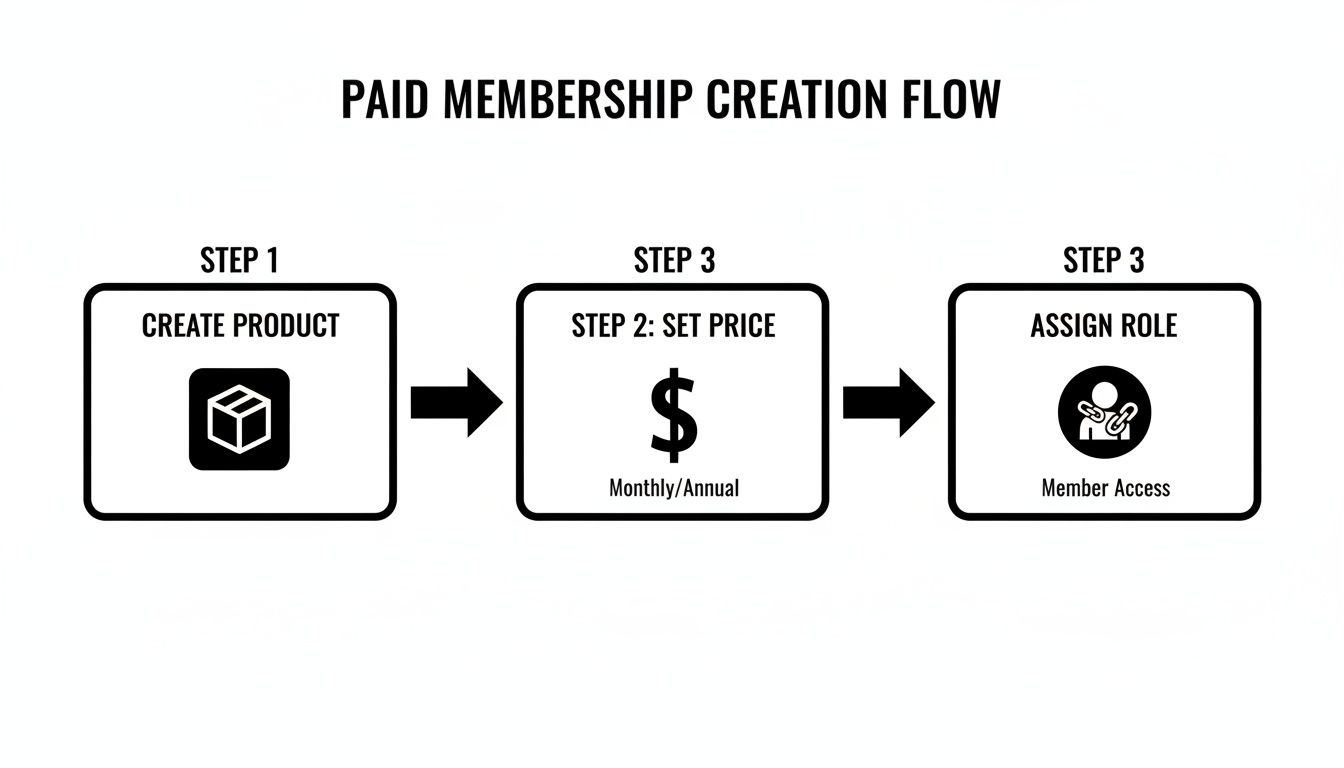
This three-step flow is the bedrock of a fully automated community monetization model.
It's not just about granting access. The Suby bot also manages the full subscription lifecycle. If a member's recurring payment fails, the system will try to collect it a few more times. If those attempts fail, the bot automatically kicks in, removes their premium role, and revokes access to your private channels. All of this happens without you lifting a finger.
This automation is also a huge security win. Scammers love to target Discord invite links to redirect users to phishing sites. By using a secure, dedicated paylink from a trusted system like Suby, you're ensuring your community members are always heading to a legitimate, safe checkout page. If you're looking for more growth strategies, check out our guide on how to accept crypto payments for your business.
Embedding a Checkout Directly on Your Website
Want an even slicker user experience? You can embed the entire checkout flow directly onto your own website. This means users can buy a membership without ever leaving your domain, which creates a seamless and highly professional journey from start to finish.
The embedded checkout offers the exact same flexibility, card and crypto payments, with instant USDC settlement to your wallet. Whether you opt for a direct paylink or an embedded checkout, the goal remains the same: make it incredibly easy for your community to support you and get access to the great content you're creating.
Got Questions About Your Discord Crypto Bot?
Jumping into monetizing your community with a Discord crypto bot is exciting, but it's totally normal to have a few questions. Anytime payments are involved, you want to be sure you understand exactly how everything works. Let's tackle some of the most common things creators ask when they first get started.
Getting these details sorted out will give you the confidence to let automation take over, so you can focus on your community.
What Happens if a Subscription Payment Fails?
This is probably the number one question I hear, and for good reason. No one wants to chase down failed payments.
Here’s how it works: if a member's recurring payment doesn't go through, the system doesn't just give up. It’s smart. It will automatically retry the payment on a set schedule. If it still fails after a few tries, the bot steps in and automatically removes that user's premium role from your Discord server. Their access to private channels is revoked instantly. You don’t have to lift a finger or check a spreadsheet; your community stays exclusive to paying members.
Can My Customers Pay With a Credit Card?
Absolutely, and this is a huge deal for converting more members. Your checkout page needs to be flexible. Through our native integration, your customers can pay with their Visa or Mastercard just as easily as they can with crypto.
The best part for you? No matter how they pay, the money always arrives in your wallet as USDC. This completely sidesteps the usual mess of currency conversions and simplifies your bookkeeping. You get a clean, predictable income stream every time.
Do I Need to Know How to Code?
Nope, not at all. You don't need any coding skills to get this up and running. Everything from inviting the bot to your server to setting up your paid membership tiers is handled through a simple dashboard. It’s all point-and-click.
That said, if you're a developer or a business that needs a more tailored setup, we also have a robust API. It gives you the power to integrate the payment and subscription logic right into your own custom applications.
How Do I Handle Refunds?
Refunding a membership is simple and managed right from your Suby dashboard. When you issue a refund for a payment that granted a Discord role, you're in complete control. You can choose whether or not the bot should automatically remove the user's role once the refund is processed.
This gives you the flexibility to handle unique situations on a case-by-case basis. Plus, there are no fees for processing a refund, which makes the whole process painless on your end. It’s this combination of control and automation that makes a dedicated Discord crypto bot so powerful.
Suby is a payment gateway. Your members pay with card, bank transfer, Apple Pay, Google Pay, Klarna, and more, or stablecoins. You get paid out to your bank account, or directly in stablecoins (USDC, EURC) to your wallet, anywhere in the world, no bank account required. Wire that to your Discord crypto bot and roles, renewals, and access are granted and revoked automatically the moment a member pays or lapses. Learn more at Suby.fi.
